
What is Vizard.ai?
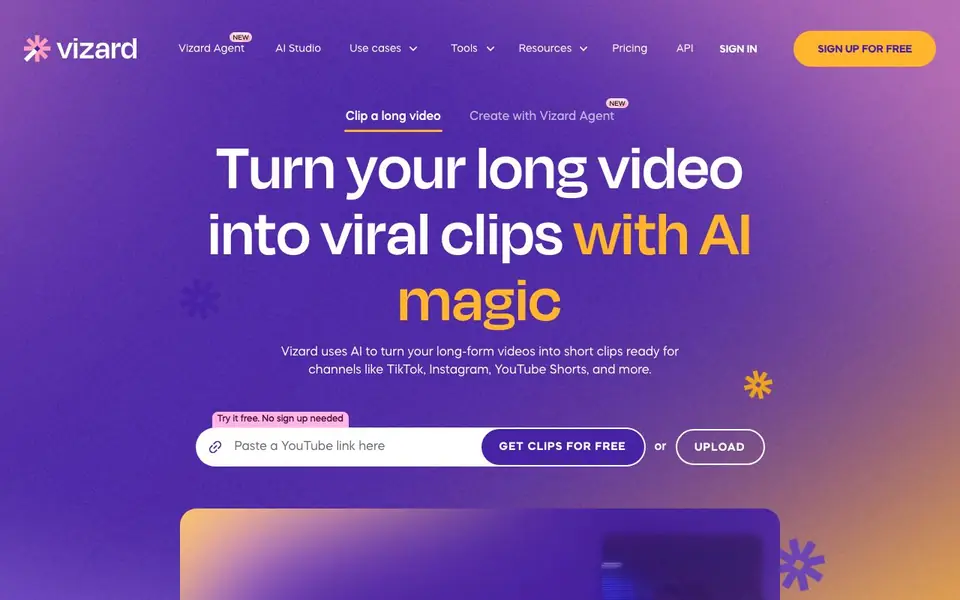
Vizard.ai is an AI-powered video editing tool that takes long-form videos and turns them into short, social-ready clips for platforms like TikTok, Instagram, and YouTube Shorts. It automatically finds engaging moments, cuts them, and reframes the subject for vertical formats. You can upload a video, and Vizard transcribes it, identifies highlights, and generates multiple clips in one click.
After the AI generates clips, you can use the built-in editor for full control. Edit by text—delete parts of the transcription to trim the video. Translate captions into over 100 languages, change the aspect ratio for different platforms, and fine-tune edits on a timeline. You can also apply brand templates and share videos as links for team collaboration.
Vizard is designed for creators, podcasters, coaches, marketers, and agencies. It aims to save time and money compared to hiring an editor. The website mentions a free trial with no sign-up needed, and it's trusted by over 10 million creators and businesses. It also offers a Team Workspace for collaboration, where leaders can invite members and share previews with clients.
Vizard.ai features
- AI Clipping: Automatically finds engaging moments and cuts them into clips, reframing subjects for vertical video.
- Edit by text: Trim videos by deleting corresponding parts of the transcription, making edits as easy as editing a document.
- Caption translation: Translate captions into over 100 languages to reach a global audience.
- Change ratio: One-click resize to fit different social platforms instantly.
- Brand template: Use pre-designed templates or save your own to keep videos on-brand.
- Link share: Share videos as links and collaborate with team members effortlessly.
What you can do with Vizard.ai
- Turn a podcast episode into multiple short clips for TikTok and Instagram.
- Clip a webinar into a month's worth of social media posts for marketing.
- Create vertical clips from client calls to build a personal brand.
- Edit a long interview by text to remove filler words and pauses.
How to get started with Vizard.ai
- Upload your long-form video to Vizard.ai.
- Click 'Get AI clips' and let the AI transcribe, find highlights, and generate clips.
- Review, edit if needed, and download or share your clips directly.
Tips for better results with Vizard.ai
- Upload a clean, well-recorded video with clear speech so Vizard.ai can transcribe accurately and find the most engaging moments without confusion.
- Use the edit-by-text feature in Vizard.ai to delete filler words and pauses from the transcription, which trims the video precisely without touching the timeline.
- Generate clips for each target platform separately by changing the aspect ratio in Vizard.ai, so you get properly framed vertical videos for TikTok, Reels, and Shorts.
- Save your brand template once in Vizard.ai and apply it to every clip batch, keeping your output consistent across all social channels without redoing styling.
Vizard.ai pricing
Vizard.ai has a free way to start, with paid plans for heavier use. Check vizard.ai for current limits and prices.
What to check before you rely on Vizard.ai
- Check whether the free trial limits the number of videos you can process or the length of each upload, since the website does not state these limits.
- Review Vizard.ai's pricing page for what the free plan includes versus paid plans, because the site only labels it as freemium without listing specific features.
- Confirm how your uploaded videos are stored and whether they are used for training, as the website does not clearly describe data retention or privacy policies.
Who Vizard.ai is for
Vizard.ai suits creators, podcasters, marketers and agencies. If that is not you, the AI video editors below may fit better.
Similar tools compared with Vizard.ai
| Tool | What it is | Pricing |
|---|---|---|
| Vizard.ai | AI video clipper and editor | Freemium |
| SiVideoGen | AI video generator with multiple models | Freemium |
| Descript | AI video and audio text-based editor | Freemium |
| InVideo | Agentic AI video editor and maker | Freemium |
| VEED | AI video creation and editing platform | See website |
Vizard.ai FAQ
How does Vizard turn long videos into clips?
Vizard transcribes your video, then uses AI to identify engaging moments. It cuts those moments into clips and reframes the subject for vertical formats, all in one click.
Is Vizard free to use?
The website says you can try it free with no sign-up needed. It also mentions a free plan and paid plans, but specific pricing details are not listed on the homepage.
Who is Vizard for?
Vizard is built for creators, podcasters, coaches, business owners, marketers, and agencies. It helps turn long videos into social content without manual editing.
Can I edit the clips after AI generates them?
Yes, Vizard includes a full video editor. You can edit by text, translate captions, change aspect ratios, and fine-tune edits on a timeline.
What file formats can I upload to Vizard.ai for clipping?
Vizard.ai accepts common video file formats, but the website does not list specific ones. You can upload your video directly from your device, and Vizard will process it. For a full list of supported formats, check the upload section in the app or contact support.
Can I use Vizard.ai on my phone or tablet?
Vizard.ai is a web-based tool, so you can access it through a browser on any device, including phones and tablets. The website does not mention a dedicated mobile app, but the interface is designed to work on desktop and mobile browsers. For the best experience, use a modern browser.
Does Vizard.ai have a free plan, and what does it include?
Vizard.ai offers a free trial that requires no sign-up, allowing you to generate clips without an account. The website does not specify the exact limits of the free trial, such as video length or number of clips. For detailed pricing and plan features, visit the Pricing page on Vizard.ai.


