
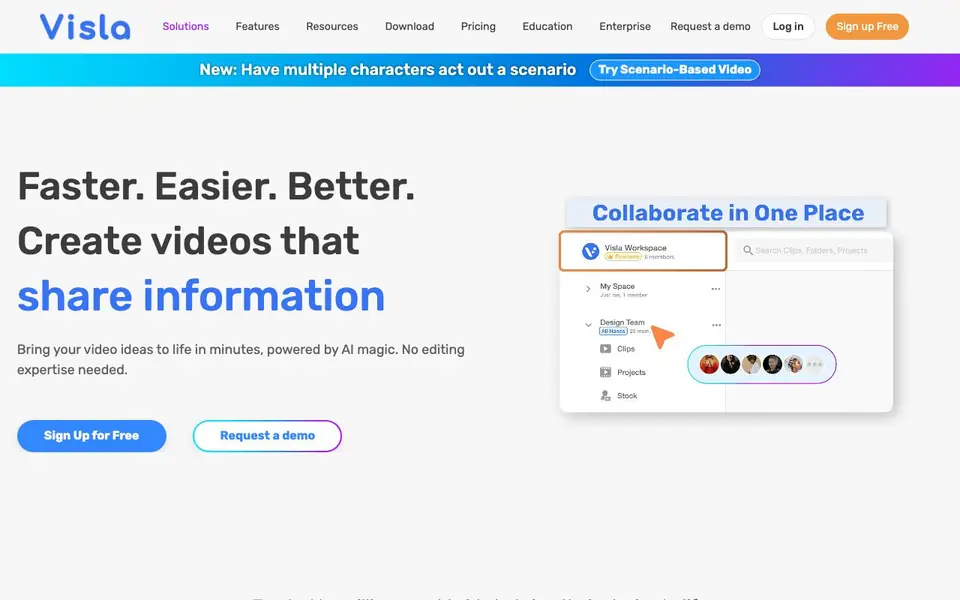
What is Visla?
Visla is an all-in-one video platform for teams. It covers the whole video workflow: recording, creating, editing, and collaborating. You can start from a text prompt, script, existing footage, audio, images, or even a PowerPoint or PDF. The AI Video Agent then assembles a professional video for you in minutes, including storyboard, script, B-roll, voice-over, and subtitles.
You keep creative control. You can edit the result, choose from over 100 public AI avatars or create your own, and pair them with an AI-cloned voice for authentic narration. The platform also includes a recording suite for high-quality video, screen, and step-by-step how-to recordings. Collaboration features let your team manage assets, edit, and review together.
Visla is designed for marketing, training, sales, support, product, and communications teams. It aims to help you produce video at scale without needing editing expertise. The website shows many video styles you can generate, from cinematic and 3D to whiteboard and watercolor. It is trusted by millions worldwide, and you can sign up for free or request a demo.
Visla features
- AI Video Agent: Turns your idea, text, script, footage, audio, images, or PPT/PDF into a polished video in minutes.
- Recording suite: Captures high-quality video, screen, and step-by-step how-to recordings without complicated setups.
- AI Personalization: Lets you choose from 100+ public AI avatars or create your own custom avatar.
- AI voice cloning: Pairs your avatar with an AI-cloned voice for authentic narration.
- Collaboration tools: Enables your team to manage assets, edit, and review videos together.
What you can do with Visla
- Create marketing videos that accelerate your pivot to video.
- Produce training videos that engage your audience with AI.
- Scale sales videos to boost conversions and lead generation.
- Make product videos without filming, focusing on building instead.
How to get started with Visla
- Sign up for free on Visla's website.
- Start with an idea, text, script, footage, or upload a PPT/PDF.
- Let the AI Video Agent assemble your video, then edit and customize it.
Tips for better results with Visla
- Start with a detailed script or bullet points in Visla to give the AI Video Agent clear direction, which improves the relevance of the generated storyboard and B-roll.
- After Visla generates your video, review and edit the storyboard and script before finalizing, so you keep creative control and adjust tone or pacing to match your audience.
- Use Visla's recording suite to capture your own footage or screen, then feed it into the AI Video Agent to blend your original content with AI-generated elements for a more authentic result.
- Experiment with different video styles in Visla, like whiteboard or cinematic, to see which best fits your message, and test multiple options to find the most engaging look.
Visla pricing
Visla has a free way to start, with paid plans for heavier use. Check visla.us for current limits and prices.
What to check before you rely on Visla
- Check the free plan's limits on video length, exports, and AI features, since the website labels Visla as freemium but does not list specific restrictions.
- Verify whether your team's collaboration needs are covered, as Visla's site mentions team features but does not state how many users or projects the free tier includes.
- Confirm data privacy and export formats before using Visla for client work, because the website does not specify what file types you can download or how your data is handled.
Who Visla is for
Visla suits marketers, trainers, sales teams and communications teams. If that is not you, the AI video editors below may fit better.
Similar tools compared with Visla
| Tool | What it is | Pricing |
|---|---|---|
| Visla | AI video creation and editing platform | Freemium |
| SiVideoGen | AI video generator with multiple models | Freemium |
| Descript | AI video and audio text-based editor | Freemium |
| InVideo | Agentic AI video editor and maker | Freemium |
| VEED | AI video creation and editing platform | See website |
Visla FAQ
What can I create with Visla?
You can create marketing, training, sales, support, product, and communication videos. Start from text, script, footage, audio, images, or a PPT/PDF, and the AI assembles a polished video with storyboard, script, B-roll, voice-over, and subtitles.
Does Visla have a free plan?
Yes, you can sign up for free. The website also offers a demo request option for enterprise needs. Specific pricing details for paid plans are not listed on the homepage.
Can I use my own avatar and voice?
Yes, Visla lets you choose from over 100 public AI avatars or create your own custom AI avatar. You can also pair it with an AI-cloned voice for authentic narration.
Who is Visla for?
Visla is designed for professional teams, including marketing, training, sales, support, product, and communications. It helps you produce video at scale without needing editing expertise.
What file formats can Visla export videos in?
The Visla website does not specify the exact export formats available. To find out which formats are supported, check the in-app export settings or contact Visla support directly.
Does Visla integrate with other tools like Slack or Google Drive?
The Visla website does not mention integrations with specific tools like Slack or Google Drive. For the most current list of integrations, visit the Visla website's feature pages or contact their support team.
Can I use Visla on my mobile phone or tablet?
The Visla website does not specify whether Visla is available on mobile devices. It mentions a download section, so you can check the website's download page to see if a mobile app is offered.


