
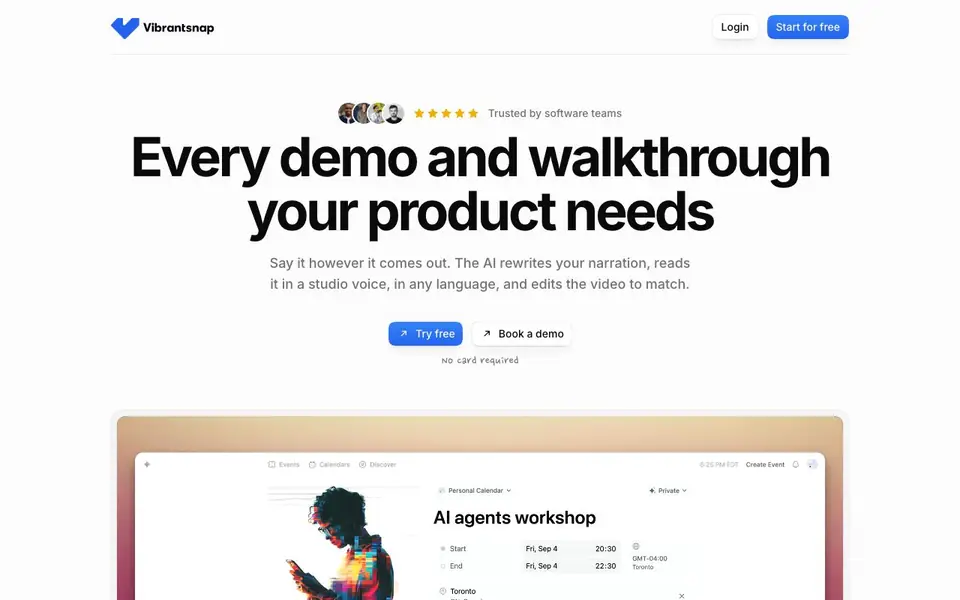
What is VibrantSnap?
Vibrantsnap is a video tool that turns raw screen recordings into clear, polished tutorials and product demos. You record your screen and speak naturally, even with stumbles and pauses. The AI then rewrites your narration into a clean script, reads it in a studio voice, and edits the video to match. It handles zooms, captions, and chapters automatically, so you don't have to spend hours in a video editor.
To get started, you hit record and talk through your product, or import a video you already have. The AI splits your video into chapters, each with its own script you can edit. You pick a studio voice from 30 options across 10 languages, and the AI syncs the voiceover to your video. It also adds word-perfect captions and zooms that follow your clicks, keeping small labels readable. You can then share a link or embed the video in your help center, onboarding emails, or website.
Vibrantsnap is built for software teams, founders, and marketers who need to create feature walkthroughs, product demos, training videos, or onboarding tutorials quickly. The site claims it saves 15x editing time and $500+ in production costs per video. It's rated 4.9 out of 5 and trusted by software teams, with a free plan that requires no card. You can try it free or book a demo.
VibrantSnap features
- AI script cleanup: Rewrites your spoken narration into a clear, professional script.
- Studio voiceover: Choose from 30 natural voices in 10 languages to read your script.
- Auto-edit: Automatically edits your video to match the new narration, including cuts and zooms.
- Chapter-based editing: Split your video into chapters, each with its own editable script.
- Word-perfect captions: Adds accurate, timed captions for viewers who watch on mute.
What you can do with VibrantSnap
- Create a feature walkthrough for your latest release.
- Turn a screen recording into a product demo for your website.
- Make an onboarding tutorial for new users.
- Produce a training video for your team or customers.
How to get started with VibrantSnap
- Hit record and speak naturally while showing your product, or import an existing video.
- Let the AI rewrite your narration, pick a studio voice, and auto-edit the video.
- Share a link or embed the video in your help center, emails, or site.
Tips for better results with VibrantSnap
- Speak naturally with pauses and stumbles, then let VibrantSnap rewrite your narration into a clean script before you review it.
- Review and edit each chapter's script individually in VibrantSnap to ensure the AI voiceover matches your intended emphasis and pacing.
- Use VibrantSnap's auto-zoom feature by clicking through your product slowly, so the AI can follow your cursor and keep labels readable.
- Pick a studio voice that fits your brand tone from VibrantSnap's 30 options, and test a short clip before committing to a full video.
VibrantSnap pricing
VibrantSnap has a free way to start, with paid plans for heavier use. Check vibrantsnap.com for current limits and prices.
What to check before you rely on VibrantSnap
- Check whether the free plan includes watermarks or export limits, since the website does not state these details clearly.
- Verify the supported video import formats and maximum file size before uploading, as the website does not list them.
- Confirm how VibrantSnap handles your raw recordings and scripts regarding data retention and privacy, as the site does not specify this.
Who VibrantSnap is for
VibrantSnap suits software teams, founders, marketers and product managers. If that is not you, the AI video editors below may fit better.
Similar tools compared with VibrantSnap
| Tool | What it is | Pricing |
|---|---|---|
| VibrantSnap | AI screen recording and video editor | Freemium |
| SiVideoGen | AI video generator with multiple models | Freemium |
| Descript | AI video and audio text-based editor | Freemium |
| InVideo | Agentic AI video editor and maker | Freemium |
| VEED | AI video creation and editing platform | See website |
VibrantSnap FAQ
What does Vibrantsnap do?
It turns raw screen recordings into polished tutorials and demos. The AI cleans up your narration, adds a studio voiceover, and edits the video with zooms, captions, and chapters.
Is Vibrantsnap free?
The site says you can start for free with no card required. There's also a 'Book a demo' option, suggesting paid plans exist, but details aren't stated on the homepage.
Who is Vibrantsnap for?
It's for software teams, founders, and marketers who need to create product walkthroughs, demos, training videos, or onboarding tutorials without spending hours editing.
What languages does the AI voiceover support?
The site lists English, French, Japanese, and Chinese as examples, and says there are 30 natural voices across 10 languages in total.
Can I import an existing video into Vibrantsnap, or do I have to record directly in the tool?
Yes, you can import a video you already have. The Vibrantsnap website says you can either hit record and talk through your product, or import a video you already have. After importing, the AI splits it into chapters and lets you edit the script for each chapter.
What does the free plan of Vibrantsnap include, and do I need a credit card to start?
The Vibrantsnap website states the free plan requires no card, so you can try it without entering payment details. It does not list specific limits of the free plan, such as video length or number of exports. For exact free-plan features, check the pricing page or contact Vibrantsnap support.
Can I use Vibrantsnap on Windows or Linux, or is it only for Mac?
The Vibrantsnap website does not specify which operating systems the tool supports. It shows a recording interface with a MacBook Pro microphone, but that does not confirm platform availability. To find out if Vibrantsnap runs on your device, check the system requirements on the website or contact their team.


