

What is Tripo?
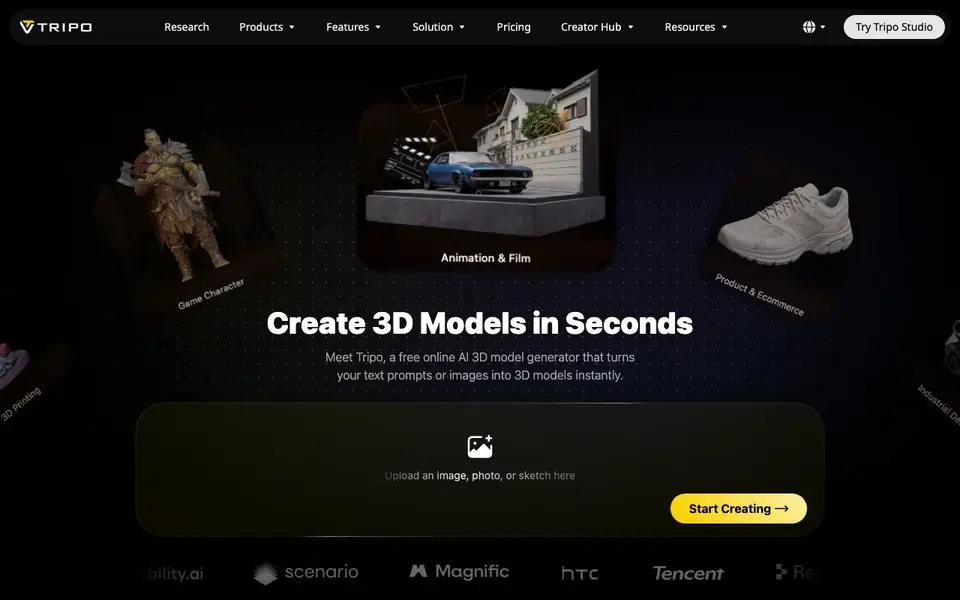
Tripo is an online AI 3D model generator that creates models from text prompts or images in seconds. You can upload a photo, sketch, or concept art and get a high-fidelity 3D model ready for games, 3D printing, animation, VR/AR, and e-commerce. The platform supports two generation modes: High Detail for up to 2M polygons, and Smart Mesh for engine-ready quad meshes from 500 to 25K polygons.
To start, you upload an image, photo, or sketch, or enter a text prompt. Tripo then generates the model, and you can choose the detail level you need. For game assets, it exports in GLB, FBX, OBJ, or USD, and can auto-rig characters with production-ready skeletons. For 3D printing, it auto-splits larger models into parts sized for your print bed and exports clean STL, 3MF, or OBJ files.
Tripo suits solo indie developers, large studio pipelines, industrial designers, and e-commerce teams. It also offers PBR texturing up to 8K for realistic rendering, or base-color textures for stylized looks. The website mentions it is trusted by over 20 million creators and has generated 200 million 3D models, but it does not list specific pricing tiers beyond starting free.
Tripo features
- High Detail Model: Creates models with up to 2M polygons for rendering, VFX, and 3D printing.
- Smart Mesh: Generates artist-quality quad meshes from 500 to 25K polygons, engine-ready without retopology.
- Auto Rigging: Automatically rigs characters and creatures with production-ready skeletons for animation.
- PBR Texturing: Produces full PBR sets (albedo, normal, metallic, roughness) up to 8K for realistic rendering.
- 3D Printing Ready: Auto-splits models into print-bed-sized parts and exports clean STL, 3MF, or OBJ files.
What you can do with Tripo
- Turn concept art into 3D characters, creatures, and props for animation and film.
- Create product visuals for online stores from a single photo in under a minute.
- Explore product ideas in 3D before CAD using text or sketch inputs.
- Build immersive VR/AR/XR scenes with performance-optimized models for smooth frame rates.
How to get started with Tripo
- Go to Tripo's website and click Start Creating or Try Tripo Studio.
- Upload an image, photo, or sketch, or enter a text prompt to generate your 3D model.
- Choose your detail level, then export in formats like GLB, FBX, OBJ, or STL for your project.
Tips for better results with Tripo
- Start with a clear, well-lit photo or sketch of your subject, since Tripo matches input alignment closely and sharp details improve the final model quality.
- Choose Smart Mesh in Tripo when you need game-ready assets, and pick High Detail only for rendering or 3D printing where polygon count matters less.
- For 3D printing with Tripo, let the auto-split feature break large models into print-bed parts, then export as STL or 3MF to avoid manual cleanup.
- Use Tripo's auto-rigging on characters right after generation, and check the skeleton in your animation software before committing to a full pipeline.
Tripo pricing
Tripo has a free way to start, with paid plans for heavier use. Check tripo3d.ai for current limits and prices.
What to check before you rely on Tripo
- Check Tripo's free tier limits before heavy use, since the website says it starts free but does not list specific quotas or paid plan details.
- Verify your export format needs are met by Tripo, as it supports GLB, FBX, OBJ, USD, STL, and 3MF, but confirm for your target engine.
- Review Tripo's data and privacy policy for uploaded images, as the site does not state how your inputs are stored or used beyond generation.
Who Tripo is for
Tripo suits game developers, 3D designers, industrial designers and e-commerce teams. If that is not you, the AI 3D and game tools below may fit better.
Similar tools compared with Tripo
| Tool | What it is | Pricing |
|---|---|---|
| Tripo | AI 3D model generator from text and images | Freemium |
| SiGameGen | AI game builder from one sentence | Freemium |
| Scenario | AI platform for creative asset generation | See website |
| Spline | Browser-based 3D design with AI | Freemium |
| Rosebud | AI game maker with prompts | See website |
Tripo FAQ
Is Tripo free to use?
Tripo's website says you can start for free and describes it as a free online AI 3D model generator. It also has a Pricing page, which suggests there are paid plans, but the specific free limits or paid tiers are not stated.
What file formats can I export from Tripo?
For games, you can export in GLB, FBX, OBJ, or USD formats, ready for Unity, Unreal, Cocos, Godot, and Roblox. For 3D printing, you can export as STL, 3MF, or OBJ files that are slicer-ready.
Can Tripo create models from photos or sketches?
Yes. Tripo accepts an image, photo, or sketch as input and converts it into a 3D model. It also supports text prompts, so you can generate models from descriptions alone.
Who is Tripo designed for?
Tripo is built for solo indie developers, large studio pipelines, industrial designers, e-commerce teams, and animators. It covers industries like game character creation, 3D printing, VR/AR/XR, and product visualization.
Does Tripo require an account to use?
Tripo is an online tool, so you will need to create an account to save and manage your generated models. The website does not specify the exact sign-up requirements, so check the Tripo website for the most current account creation process and any limitations for free users.
What are the limitations of Tripo's free plan?
Tripo is described as free to start, but the website does not list specific limitations for its free plan, such as the number of generations or export quality. To know exactly what the free plan includes, visit the Tripo pricing page on their website for the most accurate details.


