

What is Meshy?
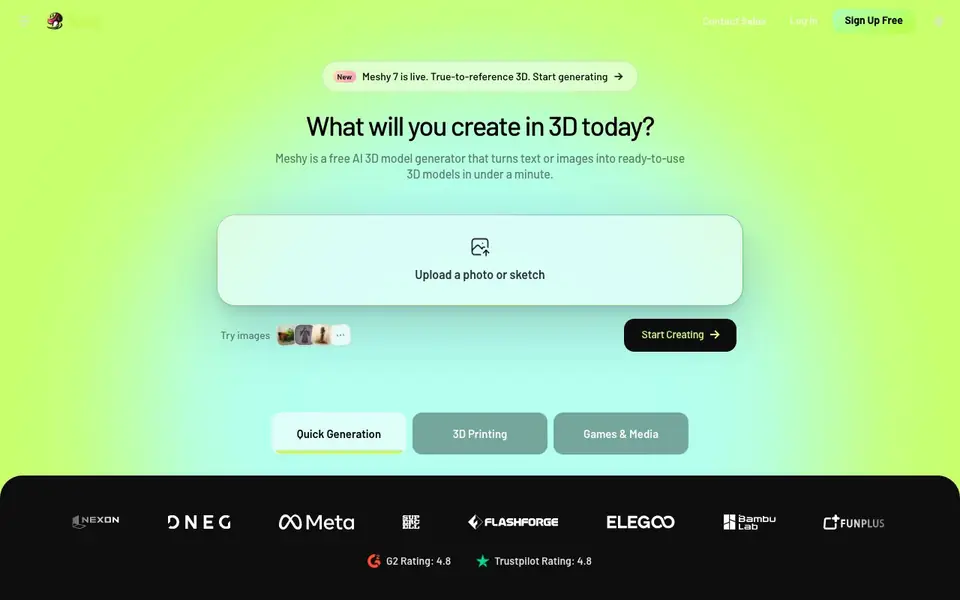
Meshy is a free AI 3D model generator that turns text or images into ready-to-use 3D models in under a minute. You can upload a photo, sketch, or concept art, and Meshy creates a 3D model you can print, use in a game, or refine further. It also supports text-to-3D generation, so you can describe what you want and get a model.
For 3D printing, Meshy generates watertight, manifold models that are ready to slice. A built-in printability check scans every export and auto-repairs edge cases. You can export as STL, OBJ, or 3MF and send models directly to slicers like OrcaSlicer, Bambu Studio, and Ultimaker Cura. Multi-color printing maps each texture to the right filament, and Auto Split breaks complex models into watertight parts.
For games and media, Meshy offers one-click PBR texturing (albedo, normal, metallic, roughness) with optional 4K HD textures. Auto-rigging works on humanoid and quadruped characters, with 600+ motion presets. Low Poly Mode gives you clean topology with a controllable poly count. Models export as FBX, GLB, OBJ, and USDZ, compatible with Unity, Unreal Engine, Godot, Blender, and Maya.
Meshy features
- Image to 3D: Upload a photo, sketch, or concept art to get a 3D model ready for printing or games.
- Text to 3D: Describe what you want, and Meshy generates a 3D model from your text prompt.
- Printability check: Every export is scanned and auto-repaired to ensure watertight, manifold models.
- PBR texturing: Generate albedo, normal, metallic, and roughness maps with one click, plus 4K HD option.
- Auto rigging: Rig humanoid and quadruped characters automatically, with 600+ motion presets.
What you can do with Meshy
- Create 3D models for tabletop miniatures and print them at home.
- Generate game assets with PBR textures and low-poly options for real-time performance.
- Turn concept art into 3D models for film, VFX, or VR/AR projects.
- Design 3D objects for interior or industrial design and export for 3D printing.
How to get started with Meshy
- Sign up for free on Meshy's website — no credit card required.
- Upload an image or enter a text prompt to generate your first 3D model.
- Refine with texturing, rigging, or printability tools, then export in your chosen format.
Tips for better results with Meshy
- Start with a clear, well-lit photo or sketch with minimal background clutter, as Meshy uses the image as the primary reference for the 3D model's shape and details.
- For 3D printing, enable the printability check in Meshy before exporting, then review the watertight and manifold status to ensure the model slices without errors.
- Use Meshy's Auto Split feature for complex models to break them into watertight parts, which helps with multi-color printing and fitting large objects on the build plate.
- When generating game assets, apply Low Poly Mode in Meshy to control the poly count, then export as FBX or GLB for direct use in Unity or Unreal Engine.
- For characters, use Meshy's auto-rigging on humanoid or quadruped models, then test a few motion presets to find the right animation for your project.
- Describe your text-to-3D prompt with specific terms like 'watertight', 'manifold', or 'low poly' to guide Meshy toward the output you need for printing or games.
Meshy pricing
Meshy has a free way to start, with paid plans for heavier use. Check meshy.ai for current limits and prices.
What to check before you rely on Meshy
- Check Meshy's free plan limits before heavy use, as the website labels it freemium but does not state specific generation quotas or export restrictions.
- Verify that Meshy's export formats (STL, OBJ, 3MF for printing; FBX, GLB, USDZ for games) match your target software or slicer before starting a project.
- Confirm Meshy's data and privacy policy on the website, as it does not clearly state how uploaded images or generated models are stored or used.
- Check whether Meshy's auto-repair and printability features work for all model types, since the website highlights them but does not specify limitations for complex geometry.
- Review Meshy's pricing page for paid tiers, as the freemium label implies costs for advanced features like 4K textures or higher export limits, but details are not listed.
Who Meshy is for
Meshy suits 3D artists, game developers, hobbyist makers and educators. If that is not you, the AI 3D and game tools below may fit better.
Similar tools compared with Meshy
| Tool | What it is | Pricing |
|---|---|---|
| Meshy | AI 3D model generator from text or images | Freemium |
| SiGameGen | AI game builder from one sentence | Freemium |
| Scenario | AI platform for creative asset generation | See website |
| Spline | Browser-based 3D design with AI | Freemium |
| Rosebud | AI game maker with prompts | See website |
Meshy FAQ
Is Meshy free to use?
Yes, Meshy is free to start. The website says you can generate your first 3D model in under a minute without a credit card. There may be paid plans for more features, but the site doesn't detail them on this page.
What file formats can I export from Meshy?
For 3D printing, you can export STL, OBJ, and 3MF. For games and media, you can export FBX, GLB, OBJ, and USDZ. These formats work with slicers like OrcaSlicer and engines like Unity.
Can I use Meshy for 3D printing?
Yes. Meshy generates watertight, manifold models designed for printing. It includes a printability check that auto-repairs edge cases, and you can send models directly to slicers like Bambu Studio and Ultimaker Cura.
Does Meshy support animation?
Yes. Meshy offers auto-rigging for humanoid and quadruped characters, plus over 600 motion presets like walk cycles, idles, jumps, and attacks. You can also set custom poses.
Does Meshy require an account to use?
Yes, you need to sign up for a free account to use Meshy. The website offers a 'Sign Up Free' option, and you can log in to start generating 3D models. Without an account, you cannot access the tool's features.
What platforms or devices does Meshy run on?
Meshy is a web-based tool, so it runs in your browser on any device with an internet connection, including Windows, Mac, Linux, and tablets. The website does not mention a dedicated desktop app or mobile app, so check the site for any updates on native applications.
Can I use Meshy for commercial projects?
Meshy is freemium, and the website does not explicitly state whether free-plan users can use generated models commercially. For details on commercial usage rights, you should review Meshy's terms of service or contact their sales team, as the pricing page likely outlines licensing terms.


