

What is SiGameGen?
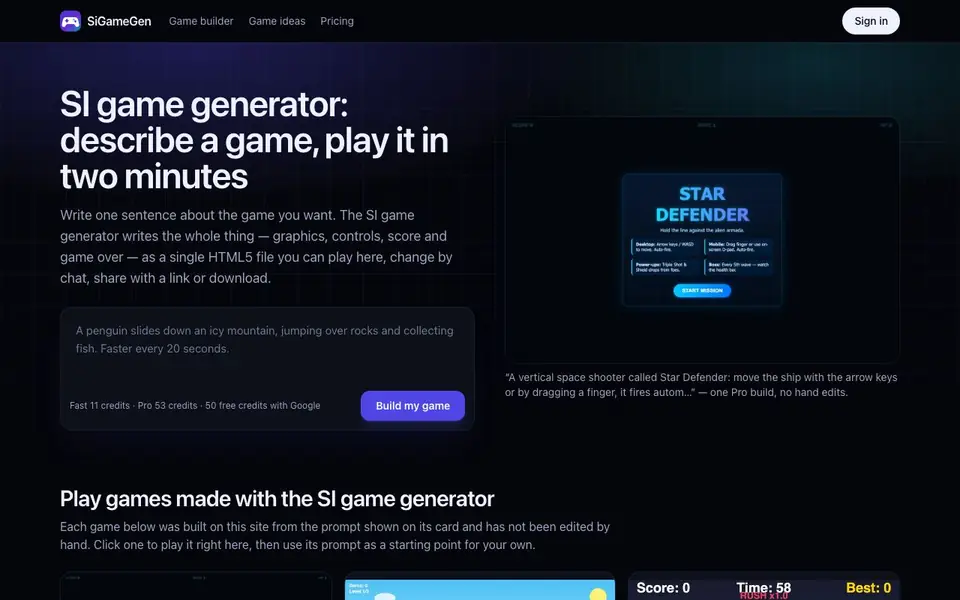
SiGameGen turns a one-sentence game idea into a complete, playable HTML5 game. You describe what the player controls, the goal, and how they lose. The tool writes the entire game—graphics, controls, scoring, and game-over screen—as a single file you can play in your browser.
Start by typing your prompt and choosing a build tier. Fast builds use DeepSeek V4 Flash and start immediately, great for simple arcade games. Pro builds use Kimi K2.7 Code, which plans before writing, ideal for platformers or complex levels. After the game appears, you can ask for changes in plain language, like "make jumps higher" or "add a boss," and each tweak creates a new version.
The result is a self-contained file that works on laptops, tablets, and phones without installation. You can share it via link or download it. The site shows example games built from prompts, like space shooters and match-3 puzzles, to inspire your own ideas.
SiGameGen features
- One-sentence prompt: Describe your game idea briefly and get a full playable game.
- Chat-based refinement: Ask for changes in plain words and get updated versions.
- Two build tiers: Fast for quick arcade games, Pro for detailed or multi-level projects.
- Cross-device play: Games run in any modern browser on laptop, tablet, or phone.
- Share or download: Get a link to share your game or save the HTML5 file.
What you can do with SiGameGen
- Create a quick arcade game for fun or testing an idea.
- Build a learning game like math drills or typing practice for class.
- Prototype a platformer with multiple levels and bosses.
- Make a one-button mobile game with simple tap controls.
How to get started with SiGameGen
- Write one sentence describing your game, including controls, goal, and look.
- Choose Fast or Pro tier and click "Build my game".
- Play the result, then refine by chatting with changes or share via link.
Tips for better results with SiGameGen
- Write three or four sentences instead of one, covering controls, goal, loss condition, and visual style, to give SiGameGen enough detail for a better first build.
- Use the chat refinement after the first build to tweak specifics like jump height, enemy speed, or adding a boss, since each request creates a new version you can test.
- Choose the Fast tier for simple arcade games and the Pro tier for platformers or multi-level projects, as SiGameGen's Pro builds plan before writing and handle complexity better.
- Test your game on a phone and a laptop after building, since SiGameGen generates touch and keyboard controls, and verify both input methods work smoothly.
SiGameGen pricing
SiGameGen has a free way to start, with paid plans for heavier use. Check sigamegen.com for current limits and prices.
What to check before you rely on SiGameGen
- Check the credit system before starting, as SiGameGen gives 80 free credits with Google but Fast and Pro builds cost 18 and 89 credits respectively, and the site does not list a full pricing page.
- Verify what happens when you run out of credits, since the website does not state whether you can buy more or if free credits renew, so plan your builds accordingly.
- Confirm the export format and sharing options work as expected, since SiGameGen says you can download the HTML5 file or share a link, but the site does not detail file size or hosting limits.
Who SiGameGen is for
SiGameGen suits game hobbyists, teachers, prototypers and casual creators. If that is not you, the AI 3D and game tools below may fit better.
Similar tools compared with SiGameGen
| Tool | What it is | Pricing |
|---|---|---|
| SiGameGen | AI game builder from one sentence | Freemium |
| Scenario | AI platform for creative asset generation | See website |
| Spline | Browser-based 3D design with AI | Freemium |
| Rosebud | AI game maker with prompts | See website |
| Civitai | AI art community and model library | Freemium |
SiGameGen FAQ
How does SiGameGen turn a sentence into a game?
You describe your game idea in one or more sentences. The tool uses an AI code model to write the full game as an HTML5 file, including graphics, controls, scoring, and restart. It takes about two minutes for Fast builds.
What can I make with SiGameGen?
You can create arcade games like space shooters and brick breakers, platformers, puzzles like match-3, one-button games, and classics like Snake with a twist. Learning games like math drills are also possible.
Is SiGameGen free to use?
You get 80 free credits when signing in with Google. After that, builds cost credits: Fast builds use 18 credits and Pro builds use 89 credits. Pricing details are on the site's pricing page.
Can I change the game after it's built?
Yes. You can ask for changes in plain language, like "make jumps higher" or "add a boss." Each change creates a new version, and earlier versions remain accessible with one click.
What can I export from SiGameGen and where can I share my game?
SiGameGen lets you download your game as an HTML5 file or share it via a link. The website shows a share link option and a download button for each game you build. You can play the game in any modern browser on laptops, tablets, or phones. For more details, check the game page after building.
Does SiGameGen require an account or a paid plan to start?
SiGameGen gives you 80 free credits when you sign in with Google. You can use these credits to build games without paying. After that, you choose between Fast builds (18 credits) or Pro builds (89 credits). The website does not mention whether you can use the tool without an account, so check the sign-in page for the latest requirements.
Can SiGameGen handle complex games like platformers with multiple levels and bosses?
Yes, SiGameGen's Pro build tier uses a code model that plans before writing, making it suitable for platformers or complex levels. The site shows examples like a side-scrolling platformer with three levels and a space shooter with boss waves. For very complex projects, you may need to refine the game via chat after the initial build.


