

What is Scenario?
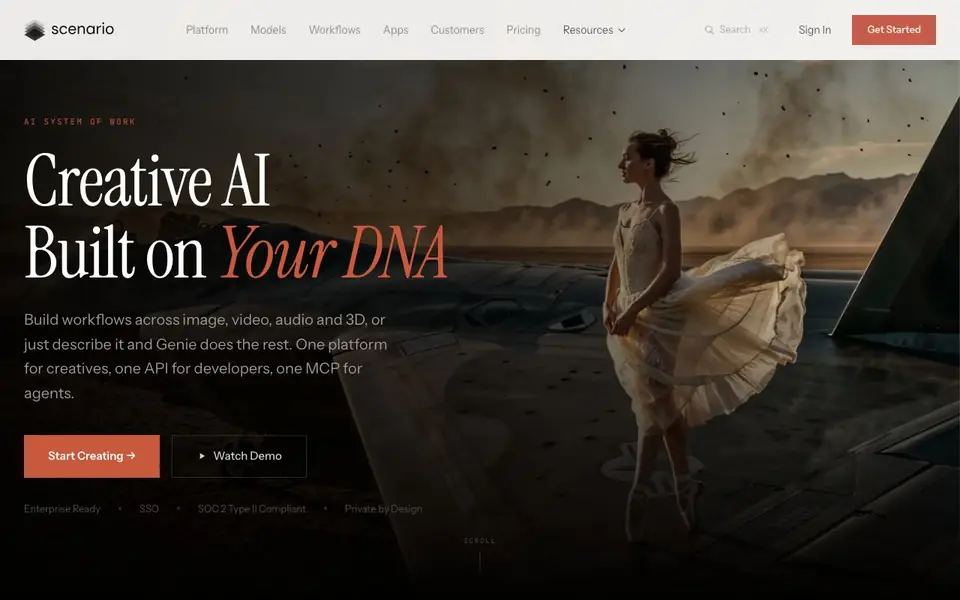
Scenario is a creative AI platform built for teams that need consistent, on-brand assets. You train custom models on your own art bible, style references, or visual library. The platform learns your creative DNA and generates images, video, 3D models, and audio that stay true to your style. It also gives you access to 650+ models from 50+ providers in one workspace.
You start by uploading 5 to 100 reference images to train a custom LoRA model. Then you can generate assets across all media types, with brand guidelines built into the model. For larger projects, you use the visual workflow builder to create multi-step pipelines. You can deploy agents that batch-generate on-brand assets, connect to your stack via API, and share templates across your team.
Scenario suits game studios, creative teams, and developers who need consistent character or product visuals at scale. The platform is enterprise-ready with SSO and SOC 2 Type II compliance. It also offers ready-made apps for tasks like character turnarounds, sprite sheets, and 3D model pipelines. New models are added the week they drop, so you always have access to the latest AI tools.
Scenario features
- Custom model training: Upload 5-100 reference images to train a LoRA model that matches your style.
- Multi-provider access: Use 650+ models from 50+ providers for image, video, 3D, and audio generation.
- Visual workflow builder: Create multi-step pipelines with a drag-and-drop editor and deploy them as agents.
- Batch generation: Generate large volumes of on-brand assets automatically at scale.
- Ready-made apps: Turn complex workflows into one-click apps your whole team can run.
What you can do with Scenario
- Train a custom model on your character art to generate consistent concept sheets.
- Build a workflow that turns a sketch into a game-ready 3D asset automatically.
- Generate a sprite sheet and dance video from a single character image.
- Create a 15-second animated short from a text character description.
How to get started with Scenario
- Sign up and get started on the Scenario platform.
- Upload your art bible or style references to train a custom model.
- Use the workflow builder or ready-made apps to generate and scale your assets.
Tips for better results with Scenario
- Upload 5 to 100 reference images that clearly represent your art style, and avoid mixing conflicting visual directions so Scenario learns a consistent creative DNA.
- Use Scenario's visual workflow builder to chain steps like sketch-to-3D, then save it as a reusable template for your team to run repeatedly.
- Compare outputs from different models side-by-side within Scenario to pick the best provider for each asset type before committing to a full batch.
- Start with a small batch generation in Scenario to test how well your custom LoRA holds across image, video, and 3D before scaling up production.
Scenario pricing
Scenario’s homepage does not list prices. Check scenario.com for current plans.
What to check before you rely on Scenario
- Check whether the pricing page lists a plan that fits your usage, since the website does not state any pricing details.
- Verify that your reference images are yours or licensed, because Scenario trains on your uploaded art and you must have rights to it.
- Confirm that the export formats for generated assets meet your pipeline needs, as the website does not list specific file types.
- Review the data privacy policy to see how your uploaded art and generated outputs are stored, since the site only says 'private by design' without specifics.
Who Scenario is for
Scenario suits game studios, creative teams, developers and 3D artists. If that is not you, the AI 3D and game tools below may fit better.
Similar tools compared with Scenario
| Tool | What it is | Pricing |
|---|---|---|
| Scenario | AI platform for creative asset generation | See website |
| SiGameGen | AI game builder from one sentence | Freemium |
| Spline | Browser-based 3D design with AI | Freemium |
| Rosebud | AI game maker with prompts | See website |
| Civitai | AI art community and model library | Freemium |
Scenario FAQ
What can I create with Scenario?
You can generate images, video, 3D models, and audio. The platform supports custom-trained models for consistent style across all media types, plus access to 650+ models from 50+ providers.
How does custom model training work?
You upload 5 to 100 reference images that represent your art style or brand. Scenario trains a custom LoRA model that learns your creative DNA, so generated assets stay true to your style every time.
Is Scenario suitable for teams?
Yes. It is enterprise-ready with SSO and SOC 2 Type II compliance. You can share workflow templates across your team and deploy agents that batch-generate assets at scale.
Does Scenario have a free plan?
The website does not state pricing details. You can check the Pricing page or sign in to see available plans and options.
What can Scenario export or connect to?
Scenario connects to your stack via API and is MCP-ready, so you can integrate it into your existing tools and workflows. The website does not list specific export formats or third-party integrations beyond API and MCP. Check the platform's documentation or contact support for details on specific connections.
Which devices or platforms does Scenario run on?
Scenario is a web-based platform, so you can access it from any device with a browser and internet connection. The website does not mention dedicated desktop or mobile apps. For the best experience, use a modern browser on a computer or tablet.
How does Scenario handle your data and privacy?
Scenario is private by design and enterprise-ready with SSO and SOC 2 Type II compliance. This means your data is protected with industry-standard security measures. The website does not detail specific data retention or deletion policies, so check their privacy policy or contact support for more information.


