

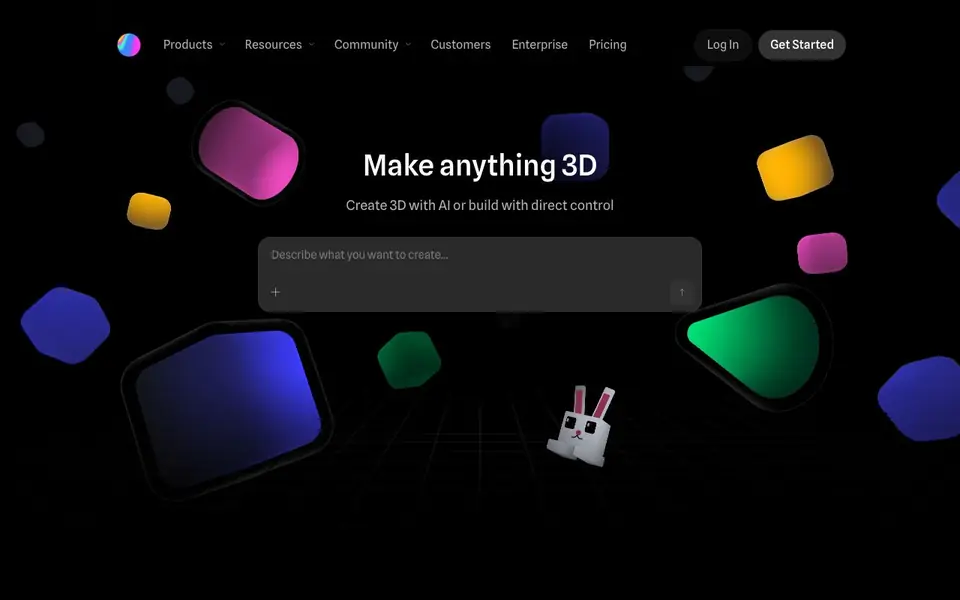
What is Spline?
Spline is a web-based 3D design tool that lets you create interactive experiences right in your browser. You can build 3D models, animations, and textures, or use AI to generate designs. It also offers a canvas for interactive UI design with an AI agent that creates graphics and interfaces.
You start by remixing designs from the Spline community or building from scratch. The tool provides familiar design features like primitives, layer-based materials, and a timeline for animation. You can add interactivity through states, events, physics, and particles, and even bring in real-time data using variables, webhooks, and APIs.
Spline suits designers, marketers, and teams who want to ship interactive 3D content to websites and apps. You can export to Web, iOS, and Android, with integrations for Webflow, Framer, Wix Studio, React, and more. The site highlights low learning curve, making it accessible even for junior designers.
Spline features
- Agentic AI editing: An AI agent works alongside you to create and edit 3D designs.
- Real-time rendering: See your 3D scenes render instantly as you work in the browser.
- Interactivity system: Add states, events, and game controls to make designs respond to users.
- Multi-platform export: Publish your experiences to Web, iOS, and Android with code snippets.
- Community library: Remix ready-made 3D designs from other Spline users to start fast.
What you can do with Spline
- Create interactive 3D product mockups for your brand.
- Build animated 3D characters for a gamified website experience.
- Design 3D logos and icons for marketing materials.
- Add interactive 3D scenes to a Webflow or Framer site.
How to get started with Spline
- Sign up for a Spline account and open the web-based editor.
- Remix a community design or start a new 3D scene from scratch.
- Use AI or manual tools to model, texture, and animate, then export to your platform.
Tips for better results with Spline
- Start by remixing a community design to learn Spline's workflow, then modify it with your own assets and interactions before building from scratch.
- Use Spline's AI agent to generate a base 3D scene, then refine it manually with primitives and materials to match your exact brand style.
- Leverage Spline's variables and webhooks to connect your 3D design to live data, making it respond to real-time inputs like user actions or API calls.
- Test your Spline export on multiple platforms early, since interactions may behave differently on Web, iOS, and Android, and adjust accordingly.
Spline pricing
Spline has a free way to start, with paid plans for heavier use. Check spline.design for current limits and prices.
What to check before you rely on Spline
- Verify which features are free versus paid on Spline's pricing page, since the site labels it freemium but does not list specific limits.
- Check if your required export formats and integrations are available in your plan, as the website does not state all platform support details.
- Review Spline's data and privacy policy to confirm how your designs and any connected data are handled, especially when using webhooks or APIs.
Who Spline is for
Spline suits 3D designers, UI/UX designers, marketers and product teams. If that is not you, the AI 3D and game tools below may fit better.
Similar tools compared with Spline
| Tool | What it is | Pricing |
|---|---|---|
| Spline | Browser-based 3D design with AI | Freemium |
| SiGameGen | AI game builder from one sentence | Freemium |
| Scenario | AI platform for creative asset generation | See website |
| Rosebud | AI game maker with prompts | See website |
| Civitai | AI art community and model library | Freemium |
Spline FAQ
Is Spline free to use?
Spline offers a free plan, as stated on its website. There are also paid plans for individuals and teams, plus an enterprise option. Check the Pricing page for current limits and features.
Can I use Spline without knowing 3D modeling?
Yes. Spline is designed with a low learning curve, and you can remix existing designs from the community. The AI agent also helps you create 3D content without manual modeling skills.
What can I export from Spline?
You can export interactive 3D experiences to the web, iOS, and Android. The site shows integrations with Webflow, Framer, Wix Studio, React, Next.js, Swift, and Kotlin.
Does Spline support real-time collaboration?
Yes, Spline is a collaborative 3D design tool. Your whole team can work in the same file at once, which is useful for design reviews and joint projects.
Does Spline work on mobile devices or only in a desktop browser?
Spline is a web-based tool, so you can access it in any modern browser. The website doesn't specify support for mobile devices or tablets, so for the best experience, use it on a desktop computer. Check Spline's system requirements for more details.
What does Spline's free plan include, and are there any limitations?
Spline is freemium, meaning there's a free tier with basic features, but the website doesn't list exactly what's included or any limits. To see what you get for free, sign up or visit the pricing page on spline.design for a detailed comparison.
Can I use Spline for commercial projects, like client work or selling designs?
Spline is used by designers and teams to ship interactive 3D content for websites and apps, which often includes commercial use. However, the website doesn't explicitly state licensing terms for commercial projects. Review Spline's terms of service or pricing page for details on commercial usage rights.


