

What is Ludo.ai?
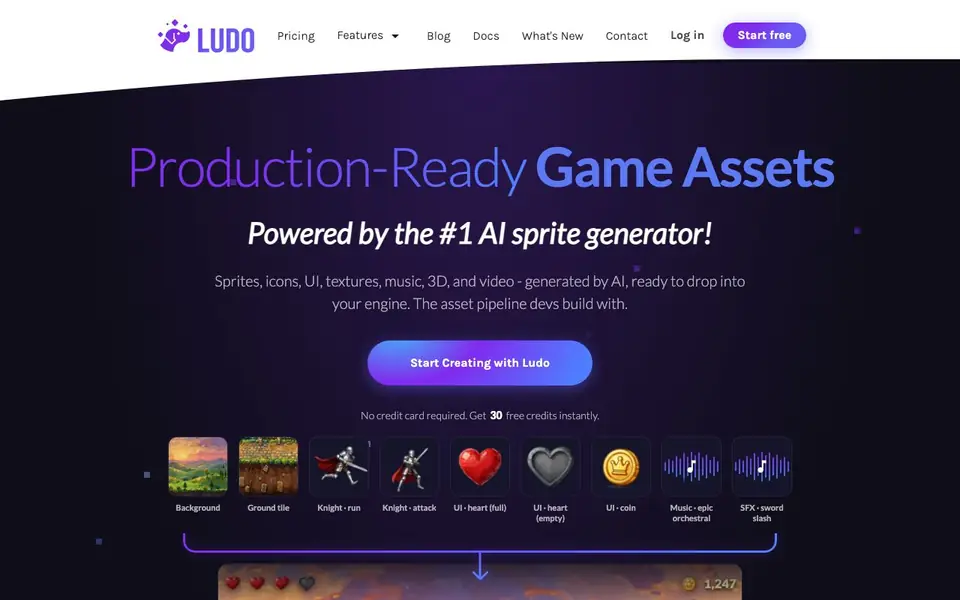
Ludo.ai is an AI-powered asset generator built specifically for game developers. It creates production-ready sprites, icons, UI elements, textures, music, 3D models, and video that you can drop directly into your game engine. The tool is designed to be a complete asset pipeline, helping you move from idea to in-game content quickly.
You start by signing up for free, which gives you 30 credits instantly with no credit card required. Then you can prompt Ludo to generate assets, or upload your own images to guide the output. For animations, you can create sprite sheets with walk, run, and attack cycles in minutes. The tool also supports generating music and sound effects, like epic orchestral tracks or sword slash SFX.
Ludo is used by both solo developers and small studios to ship real games. Case studies show developers using it for character animations, armor sets, and even full visual identities. The website highlights that animations are a strong point, with some users getting good results in just 2-3 prompts per animation. It also integrates with MCP for remote pipeline use.
Ludo.ai features
- Sprite generation: Create character sprites and animations like run and attack cycles with AI.
- Asset variety: Generate icons, UI elements, textures, music, 3D models, and video for your game.
- Upload and prompt: Upload your own images and combine them with text prompts for custom results.
- Sprite sheet output: Get ready-to-use sprite sheets directly, with no intermediate steps.
- Free credits: Start with 30 free credits instantly, no credit card required.
What you can do with Ludo.ai
- Generate character sprites and animations for your game's protagonist.
- Create UI icons and heart/coin elements for your game interface.
- Produce background tiles and ground textures for your levels.
- Compose music and sound effects like epic orchestral or sword slash.
- Build a full armor set from idea to in-game icons in under an hour.
How to get started with Ludo.ai
- Sign up for a free account to get 30 credits instantly, no credit card needed.
- Prompt Ludo to generate an asset, or upload your own image to guide the result.
- Download the generated sprite sheet or asset and drop it into your game engine.
Tips for better results with Ludo.ai
- Start with a clear text prompt describing your character, then upload a reference image to guide Ludo.ai toward the exact style you want for sprites or animations.
- Use Ludo.ai for walk and run cycles first, since case studies show these animations produce excellent results with just 2-3 prompts per animation.
- Generate your full visual identity in one session, like a 10-piece armor set, so Ludo.ai keeps consistent style across all assets for your game.
- Combine Ludo.ai with MCP for remote pipeline work if you need to integrate asset generation directly into your existing game development workflow.
- Test different prompt variations for the same asset, like heart icons or ground tiles, to see which output fits your game engine without extra editing.
Ludo.ai pricing
Ludo.ai has a free way to start, with paid plans for heavier use. Check ludo.ai for current limits and prices.
What to check before you rely on Ludo.ai
- Check if your 30 free credits cover the number of assets you need, since the website does not list credit costs per generation or a pricing page.
- Verify whether Ludo.ai exports formats compatible with your game engine, as the site does not specify supported file types for sprites or 3D models.
- Review Ludo.ai's data and privacy policy before uploading original images, since the website does not state how your uploads are stored or used.
Who Ludo.ai is for
Ludo.ai suits solo game developers, small game studios and indie developers. If that is not you, the AI 3D and game tools below may fit better.
Similar tools compared with Ludo.ai
| Tool | What it is | Pricing |
|---|---|---|
| Ludo.ai | AI game asset generator | Freemium |
| SiGameGen | AI game builder from one sentence | Freemium |
| Scenario | AI platform for creative asset generation | See website |
| Spline | Browser-based 3D design with AI | Freemium |
| Rosebud | AI game maker with prompts | See website |
Ludo.ai FAQ
What types of game assets can Ludo generate?
Ludo can generate sprites, icons, UI elements, textures, music, 3D models, and video. It covers a wide range of asset types you might need for a game, from character animations to sound effects.
Is Ludo free to use?
Ludo offers a free plan that gives you 30 credits instantly with no credit card required. After that, you likely need to purchase more credits or subscribe, but the website doesn't detail pricing plans.
Who is Ludo designed for?
Ludo is designed for game developers, especially solo developers and small studios. The website features case studies from one-person teams and small studios who use it to speed up their production pipeline.
Can I use my own images with Ludo?
Yes, you can upload your own images and combine them with text prompts. One user described the workflow as 'Upload → prompt → sprite sheet,' indicating that uploads are a key part of the process.
Can Ludo.ai export assets directly into game engines like Unity or Unreal?
The Ludo.ai website does not mention direct engine exports. It focuses on generating sprite sheets and other assets that you can drop into your engine. For specific integration details, check the Docs section on the site.
Does Ludo.ai work on mobile devices or only on desktop?
The Ludo.ai website does not specify device support. It appears to be web-based, so you likely access it through a browser on any device. For confirmation, check the site's FAQ or contact support.
What does the free plan on Ludo.ai include besides the 30 initial credits?
The free plan gives you 30 credits instantly with no credit card required. The website does not detail what else is included, such as monthly credits or feature limits. For full free plan details, review the Pricing page.


