

What is Haimeta?
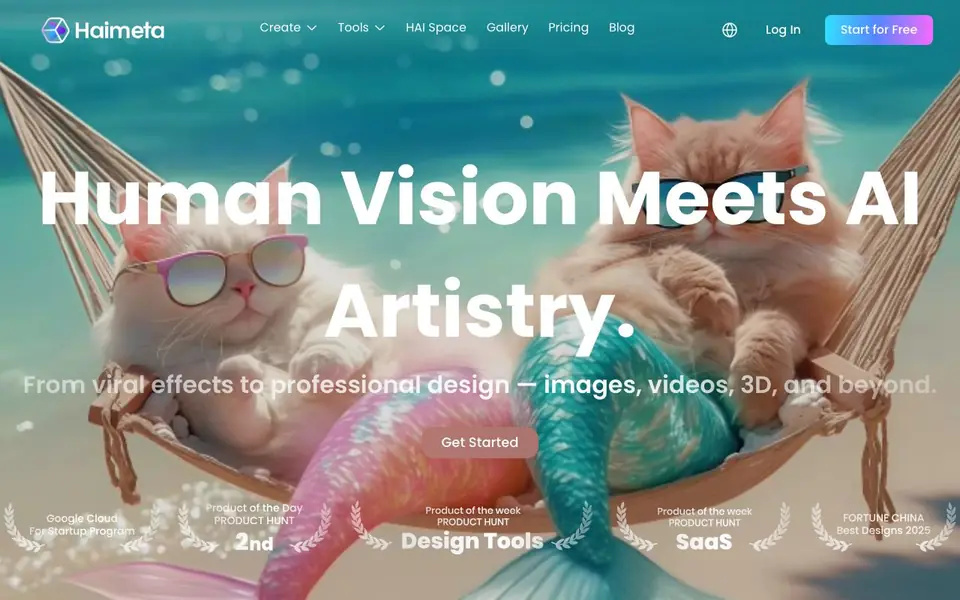
Haimeta is a creative platform where you can turn text prompts into images, videos, and 3D models. It also offers fun effects like Giant Me or Cartoon to make your content stand out. The platform is designed for social media creators, marketers, and designers who want quick, polished visuals.
You start by choosing a tool, such as Text to Image or Image to 3D. Then you enter a prompt or upload an image. The AI generates your result while keeping style and character consistent. You can also use the Agent feature to connect models and automate creative workflows, or browse 30+ selected models for different tasks.
Haimeta suits social media managers, e-commerce owners, digital artists, and even small business owners like nail artists or restaurant owners. The website shows examples from these users. It also mentions a HAI Space for exhibiting your work and a gallery for inspiration. The platform is still growing, with about 48% of its planned features revealed.
Haimeta features
- Text to Image: Turn your text prompts into unique images, art, and photos with consistent style.
- Image to Image: Transform existing images into new variations while keeping key elements and style.
- Text to Video: Create dynamic videos from text with consistent characters, objects, and scenes.
- Image to 3D: Convert images into accurate 3D models preserving shape, texture, and style.
- HAI Effects: Apply viral effects like Giant Me or Cartoon to make your visuals shareable in seconds.
What you can do with Haimeta
- Create marketing visuals for social media campaigns with text-to-image.
- Generate product displays for e-commerce using image-to-3D.
- Make fun effects like Mini Me for engaging posts.
- Build immersive worlds for character design with 3D tools.
How to get started with Haimeta
- Visit Haimeta's website and click Start for Free to create an account.
- Choose a tool like Text to Image or Image to 3D from the Create menu.
- Enter your prompt or upload an image, then generate and download your result.
Tips for better results with Haimeta
- Start with Text to Image to establish a consistent style for your character or scene, then reuse that style in later prompts to keep results coherent across projects.
- Use Image to Image when you have an existing visual you like; upload it and describe small changes to explore variations without losing the core elements.
- Try Haimeta's Agent feature to chain multiple models together, such as generating an image and then converting it to 3D, to automate repetitive creative workflows.
- For social media posts, apply HAI Effects like Giant Me or Cartoon to your generated images to make them more shareable, but test a few effects to see which fits your brand.
Haimeta pricing
Haimeta has a free way to start, with paid plans for heavier use. Check haimeta.com for current limits and prices.
What to check before you rely on Haimeta
- Check whether the free plan includes commercial use rights for your generated images, videos, and 3D models, as the website does not state this clearly.
- Verify if Haimeta supports exporting files in the formats you need, such as GLB for 3D or MP4 for video, since export options are not listed on the site.
- Review the pricing page for credit costs per generation, as the freemium label does not specify limits or what features require payment.
Who Haimeta is for
Haimeta suits social media creators, marketers, e-commerce owners and digital artists. If that is not you, the AI 3D and game tools below may fit better.
Similar tools compared with Haimeta
| Tool | What it is | Pricing |
|---|---|---|
| Haimeta | AI creative platform for images, video, 3D | Freemium |
| SiGameGen | AI game builder from one sentence | Freemium |
| Scenario | AI platform for creative asset generation | See website |
| Spline | Browser-based 3D design with AI | Freemium |
| Rosebud | AI game maker with prompts | See website |
Haimeta FAQ
What can I create with Haimeta?
You can create images, videos, and 3D models from text or images. There are also fun effects like Giant Me and Cartoon for social media content.
Is Haimeta free to use?
The website shows a 'Start for Free' button, so there is a free plan. It also has a Pricing page, which likely includes paid plans, but the site doesn't detail what each plan includes.
Who is Haimeta for?
It's for social media creators, marketers, e-commerce owners, digital artists, and small business owners. The site shows examples from pet lovers, nail artists, and restaurant owners.
Does Haimeta keep my style consistent across creations?
Yes, the tools are designed to maintain visual coherence, style, and character integrity. For example, text-to-video keeps characters and scenes consistent, and image-to-3D preserves shape and texture.
What can I export from Haimeta and to which platforms?
Haimeta lets you create images, videos, and 3D models, but the website does not specify export formats or direct integrations with platforms like Instagram or Shopify. For details on exporting your creations, check the Haimeta app or contact support.
Does Haimeta have a mobile app or work on tablets?
The Haimeta website does not mention a dedicated mobile app or tablet compatibility. It appears to be web-based, so you can likely access it through a browser on any device. For the best experience, check Haimeta's official announcements or help center.
What does the Haimeta free plan include?
Haimeta is labeled as freemium, but the website does not list the exact limits of the free plan, such as the number of creations or access to all features. To know what's included for free, visit the Haimeta pricing page or start with the free trial.


