
What is Translate.Video?
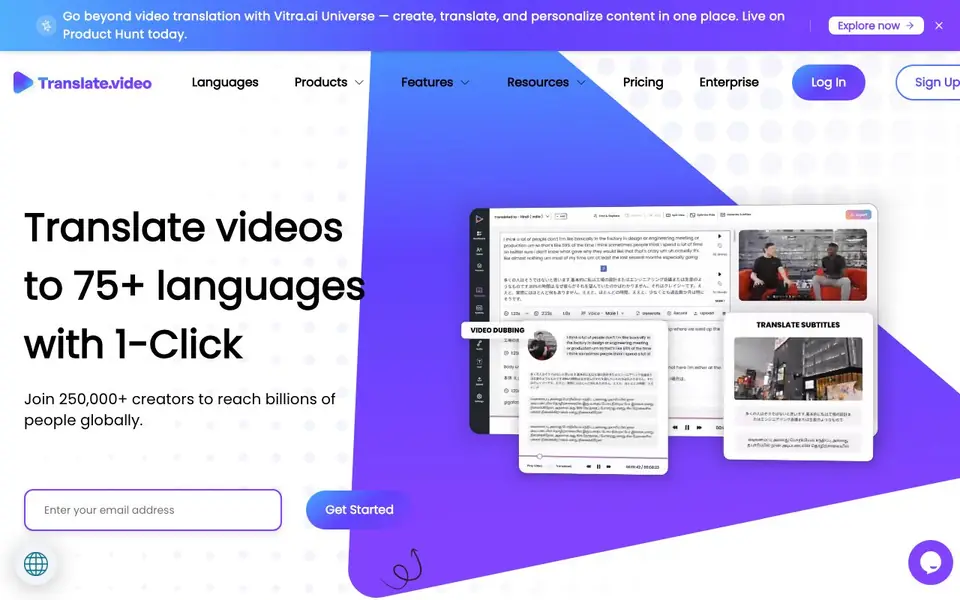
Translate.Video is an AI-powered platform that helps you translate, dub, and add subtitles to your videos in over 75 languages. It is designed for creators and enterprises who want to reach global audiences without spending weeks on manual translation. The platform also includes voice cloning, allowing you to create a voice that sounds like yours and speaks many languages.
You start by uploading or linking your video. Then you choose your source and target languages. The tool generates captions and subtitles automatically, and you can translate them with one click. For dubbing, you can use a human-like AI voiceover, record your own voice, or upload an audio file. You can also clone your voice with just 50 seconds of audio and make it speak in any supported language.
This tool suits influencers, course creators, and businesses that produce video content. It also offers plugins for Photoshop, Illustrator, and Figma to translate creative assets. The website mentions a free signup and a free call option, but it does not list specific pricing details or limits on the free plan.
Translate.Video features
- One-click translation: Translates your video into 75+ languages with a single click.
- Automated captions: Generates closed captions and transcripts for your videos instantly.
- AI dubbing: Provides human-like voiceovers in multiple languages for your videos.
- Voice cloning: Clones your voice from a 50-second audio clip and speaks in 75+ languages.
- Subtitle export: Lets you download subtitles in SRT, VTT, and MP4 formats.
What you can do with Translate.Video
- Translate your YouTube videos to reach international viewers.
- Dub your online courses into multiple languages for global students.
- Add subtitles to your marketing videos for accessibility.
- Clone your voice to narrate videos in different languages.
How to get started with Translate.Video
- Sign up for a free account on Translate.Video's website.
- Upload your video or provide a link to it.
- Select your source and target languages, then generate captions or dub your video.
Tips for better results with Translate.Video
- Start with a clean, high-quality video file and clear audio to improve transcription accuracy before you translate or dub with Translate.Video.
- Use the 50-second voice cloning feature in Translate.Video to create a consistent narrator voice across all your videos in multiple languages.
- Review and edit the auto-generated subtitles in Translate.Video before exporting, especially for technical terms or proper names that may need manual correction.
- Test Translate.Video with a short clip first to see how the dubbing and voice cloning sound in your target language before committing to longer projects.
Translate.Video pricing
Translate.Video has a free way to start, with paid plans for heavier use. Check translate.video for current limits and prices.
What to check before you rely on Translate.Video
- Check whether the free plan includes video length limits or watermarking, since the website does not list specific free plan restrictions.
- Verify what export formats your workflow needs, as the site mentions SRT, VTT, and MP4 but does not confirm if all are available on free accounts.
- Review the privacy policy for how your uploaded videos and cloned voice data are stored, since the site does not state data retention details.
Who Translate.Video is for
Translate.Video suits influencers, enterprises, course creators and video marketers. If that is not you, the AI video editors below may fit better.
Similar tools compared with Translate.Video
| Tool | What it is | Pricing |
|---|---|---|
| Translate.Video | AI video translator and dubber | Freemium |
| SiVideoGen | AI video generator with multiple models | Freemium |
| Descript | AI video and audio text-based editor | Freemium |
| InVideo | Agentic AI video editor and maker | Freemium |
| VEED | AI video creation and editing platform | See website |
Translate.Video FAQ
What languages does Translate.Video support?
Translate.Video supports over 75 languages, including English, Spanish, Arabic, Chinese, Filipino, French, German, Italian, and Russian. You can translate your videos into any of these languages with one click.
Can I use my own voice for dubbing?
Yes, you can clone your voice using just 50 seconds of audio. The cloned voice will speak in any of the 75+ supported languages, so you can dub videos in your own voice across languages.
Is there a free plan?
The website mentions 'Signup free!' and 'Try it for free' for plugins, but it does not specify what the free plan includes or its limits. For detailed pricing, you would need to check their Pricing page or schedule a free call.
What file formats can I export subtitles in?
You can export subtitles in SRT, VTT, and MP4 formats. This allows you to use the subtitles on various platforms like YouTube, Vimeo, or your own video player.
Does Translate.Video offer a mobile app for iOS or Android?
The Translate.Video website does not mention a dedicated mobile app. It appears to be a web-based platform, so you can likely access it through a browser on your phone or tablet. For the most current information, check the website's product pages or contact their support team.
Can Translate.Video connect to YouTube or other video platforms directly?
Translate.Video is designed to translate videos for platforms like YouTube, and the website mentions use cases for YouTube videos. However, it does not specify direct integrations or automatic publishing to YouTube or other platforms. You would likely need to upload or link your video manually and then export the translated files.


