

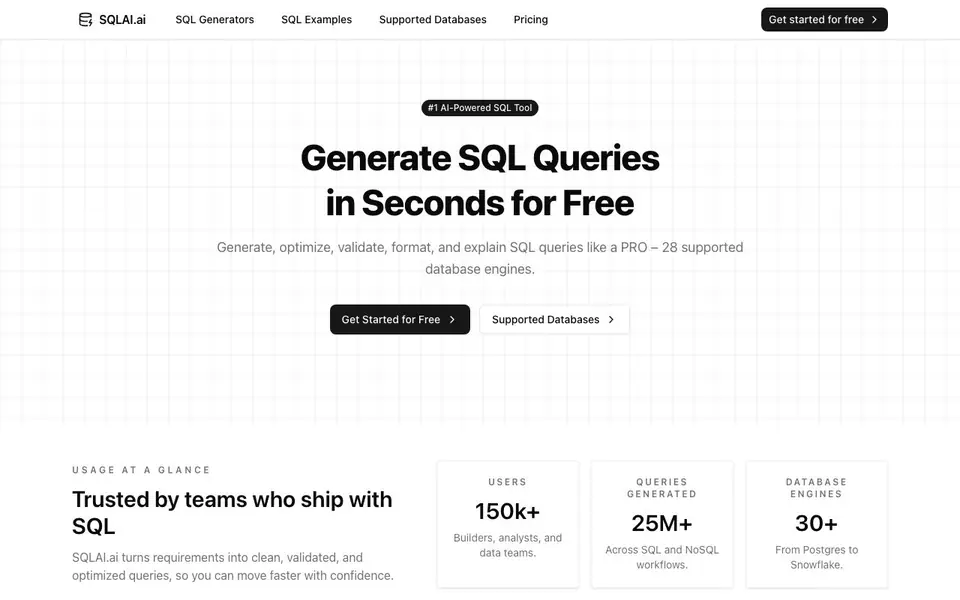
What is SQLAI.ai?
SQLAI.ai is an AI-powered tool that helps you work with SQL faster. You type what you need in plain language, and it generates accurate SQL or NoSQL queries for you. It also optimizes slow queries, validates syntax, explains what each clause does, formats code, and converts queries between database engines. The tool supports over 28 databases, from Postgres to Snowflake, and is used by more than 150,000 builders, analysts, and data teams.
You start by typing a request in natural language, like "show total sales by region." SQLAI turns that into a query. You can then use the optimizer to improve performance, the validator to catch errors, and the explainer to understand the logic. For more accuracy, you can import your database schema or connect directly to your database, so the AI knows your tables and columns. A diff view shows every change the AI makes, and a VS Code-style editor lets you fine-tune the final SQL.
SQLAI suits developers, data analysts, and teams that ship SQL regularly. It helps you move faster with confidence, whether you are writing new queries, debugging existing ones, or migrating between databases. The website mentions a free plan to get started, and paid plans for more advanced needs. It also offers helper tools like schema autosuggest and database rules to keep generated SQL consistent with your standards.
SQLAI.ai features
- Text-to-SQL: Convert natural language into accurate SQL and NoSQL queries in seconds, from simple selects to advanced joins.
- SQL Optimizer: Improve slow queries with AI-powered optimizations, index-aware rewrites, and clear reasoning for each change.
- SQL Validator: Detect syntax issues instantly and get AI-assisted fixes with explanations to understand and correct errors.
- SQL Explainer: Get plain-language explanations of each clause, summaries, and visual breakdowns for learning and debugging.
- SQL Converter: Migrate SQL queries between different database engines with ease.
What you can do with SQLAI.ai
- Generate SQL queries from plain English descriptions of what you need.
- Optimize slow-running queries to improve database performance.
- Validate and fix SQL syntax errors before shipping to production.
- Explain complex SQL queries to understand or debug them step by step.
- Convert SQL between database engines during migrations.
How to get started with SQLAI.ai
- Go to SQLAI.ai and click 'Get Started for Free' to create an account.
- Type your query request in natural language or paste an existing SQL query.
- Use the generators to optimize, validate, format, or convert your SQL, and review changes in the diff view.
Tips for better results with SQLAI.ai
- Import your database schema before generating queries so SQLAI.ai knows your exact tables and columns, which improves accuracy for complex joins and aggregations.
- Use SQLAI.ai's optimizer on slow queries and review the diff view to see each change, then test the rewritten SQL against your own data to confirm performance gains.
- Set database rules in SQLAI.ai for each database, like quoting identifiers or row limits, to keep generated SQL consistent with your team's standards and reduce manual edits.
- When converting SQL between engines, start with a simple query in SQLAI.ai, verify the output syntax, then gradually add complexity to catch engine-specific issues early.
SQLAI.ai pricing
SQLAI.ai has a free way to start, with paid plans for heavier use. Check sqlai.ai for current limits and prices.
What to check before you rely on SQLAI.ai
- Check whether the free plan covers your needed features like schema import or database connections, since the website lists freemium but does not detail plan limits.
- Verify if SQLAI.ai supports your specific database engine from the 28 listed, and confirm whether NoSQL generation covers your target system before relying on it.
- Review the website's data privacy and security policies, especially if you connect a live database, as the website does not state how your schema or query data is handled.
Who SQLAI.ai is for
SQLAI.ai suits developers, data analysts and data teams. If that is not you, the AI data analysis tools below may fit better.
Similar tools compared with SQLAI.ai
| Tool | What it is | Pricing |
|---|---|---|
| SQLAI.ai | AI-powered SQL query generator and optimizer | Freemium |
| Julius AI | AI workspace for data and content | See website |
| Rows | AI-powered spreadsheet and data analyst | See website |
| Clay | AI platform for go-to-market workflows | Freemium |
| Semrush Copilot | SEO and AI search visibility platform | Freemium |
SQLAI.ai FAQ
What does SQLAI.ai do?
It generates SQL queries from natural language, optimizes slow queries, validates syntax, explains query logic, formats code, and converts SQL between different database engines. It supports 28+ databases including MySQL, PostgreSQL, and Snowflake.
Is SQLAI.ai free to use?
Yes, SQLAI.ai offers a free plan to get started. The website mentions 'Get started for free' and 'Generate SQL Queries in Seconds for Free.' Paid plans are available for more advanced features, but the site does not list specific pricing details.
Who is SQLAI.ai for?
It is for builders, analysts, and data teams who work with SQL regularly. It helps developers write queries faster, analysts get data without waiting, and teams ensure queries are correct and optimized.
Can I connect my own database to SQLAI.ai?
Yes, you can import your database schema or connect directly to your database. This gives the AI schema-aware context to improve accuracy. Read-only connections are recommended for security. The site does not specify which databases support live connections beyond listing 28 engines.
Can SQLAI.ai export the generated SQL queries to a file or copy them to clipboard?
The SQLAI.ai website does not mention specific export options like downloading files or copying to clipboard. However, the tool includes a VS Code-style editor where you can manually copy your generated SQL. For exact export capabilities, check the tool's interface after you start a session.
Does SQLAI.ai run on mobile devices or only on desktop browsers?
The SQLAI.ai website does not specify device compatibility. It is a web-based tool, so you can likely access it through any modern browser on a phone, tablet, or desktop. For a definitive answer, try opening the site on your mobile device or contact their support.
What does the free plan of SQLAI.ai include, and are there usage limits?
The SQLAI.ai website mentions a free plan to get started, but it does not list specific features or usage limits for that plan. Paid plans are available for more advanced needs. To see what the free plan covers, visit the pricing page on their site or sign up to check the available features.


