

What is Rows?
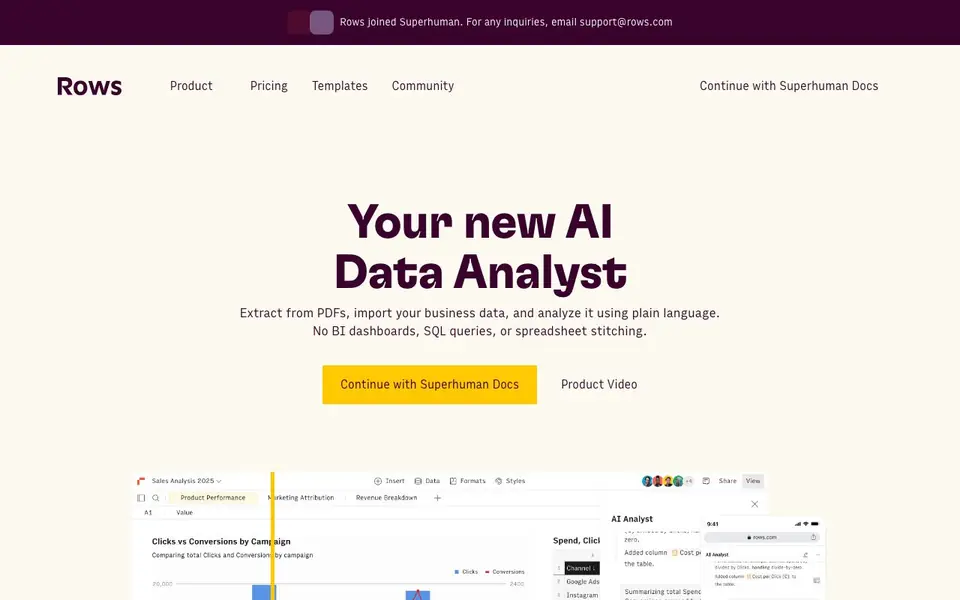
Rows is a spreadsheet that acts like an AI data analyst. It lets you import data from over 50 sources, including PDFs, databases, analytics tools, and bank accounts. You can then analyze and report on that data using plain language instead of writing SQL queries or complex formulas.
You start by connecting your data sources or uploading documents. Then you ask Rows AI what you want to know, and it builds reports, merges datasets, or creates dynamic models and calculators. You can refresh data automatically on a schedule, and share results as interactive dashboards that look good on any device.
Rows suits teams and individuals who work with data regularly, like marketers tracking social media or finance teams building cash flow models. It also offers a browser extension to import tables from websites. The site mentions that Rows joined Superhuman, but does not state pricing details.
Rows features
- Plain language analysis: Ask questions in everyday words and get data answers without writing formulas or SQL.
- 50+ data integrations: Pull live data from social media, data warehouses, ad platforms, and back-office tools.
- Automatic data refresh: Set schedules to keep your reports up to date, from every minute to every month.
- Interactive dashboards: Share reports that look great on any device and embed them in Notion, websites, or blogs.
- Real-time collaboration: Work with your team on the same spreadsheet, get feedback, and finish tasks together.
What you can do with Rows
- Build a social media follower tracker that updates automatically.
- Create a 13-week cash flow model for your business.
- Turn PDF invoices into a structured expense report.
- Merge data from ad platforms into a single marketing dashboard.
How to get started with Rows
- Go to rows.com and sign in with your account.
- Connect your data sources or upload documents like PDFs.
- Ask Rows AI a question in plain language to build your report or model.
Tips for better results with Rows
- Start by connecting your most important data sources first, then ask Rows AI a specific question about that data to see how it handles your use case before building complex reports.
- Use Rows AI to merge datasets from different platforms into one spreadsheet, then ask follow-up questions to refine the analysis instead of starting from scratch each time.
- Set automatic refresh schedules for reports that pull live data, so Rows keeps your dashboards current without you manually re-importing or re-asking each time.
- Try the RowsX browser extension to import tables from websites directly into your spreadsheet, then use Rows AI to analyze that web data alongside your other sources.
Rows pricing
Rows’s homepage does not list prices. Check rows.com for current plans.
What to check before you rely on Rows
- Check whether Rows offers a free tier or trial, since the website does not list any pricing details and only mentions joining Superhuman.
- Verify which of the 50+ integrations you actually need are supported, because the site lists categories but not a full directory of every source.
- Confirm how your data is stored and protected, as the privacy policy is linked but the site does not summarize data handling or retention practices.
Who Rows is for
Rows suits marketers, finance teams, data analysts and small business owners. If that is not you, the AI data analysis tools below may fit better.
Similar tools compared with Rows
| Tool | What it is | Pricing |
|---|---|---|
| Rows | AI-powered spreadsheet and data analyst | See website |
| Julius AI | AI workspace for data and content | See website |
| Clay | AI platform for go-to-market workflows | Freemium |
| Semrush Copilot | SEO and AI search visibility platform | Freemium |
| Excelmatic | AI data analytics and dashboard maker | Freemium |
Rows FAQ
What can I do with Rows AI?
You can extract data from PDFs, import business data, create reports, merge datasets, and do advanced data analysis. You just type what you want in plain language, and Rows AI handles the work without needing SQL or formulas.
What data sources can I connect?
Rows connects to over 50 sources, including social media platforms, data warehouses, advertising platforms, and back-office tools. You can also use the RowsX browser extension to import tables from thousands of websites in one click.
Is Rows free?
The website does not state pricing details. It mentions a pricing page in the footer, but the visible text does not specify free or paid plans. You would need to check the pricing section on their site for current costs.
Who is Rows for?
Rows is for anyone who works with data, including marketers, finance teams, and side-project creators. It is designed for teams that want to share reports and collaborate in real time, but you can also use it just for yourself.
Does Rows require an account to use?
The Rows website does not explicitly state whether an account is required. To get a definitive answer, check the sign-up process or contact support at support@rows.com. Typically, such tools require an account to save and share your work.
Can Rows export my data or reports to other formats?
The Rows website mentions sharing reports and dashboards that can be embedded in Notion, websites, or blogs, but it does not specify export formats like Excel or CSV. For details on exporting, refer to the Support Docs or contact support@rows.com.
What devices or platforms does Rows run on?
Rows is described as a spreadsheet that works on any device for viewing shared dashboards, but the website does not specify which operating systems or browsers are supported. For system requirements, check the Support Docs or contact support@rows.com.


