

What is MinusX?
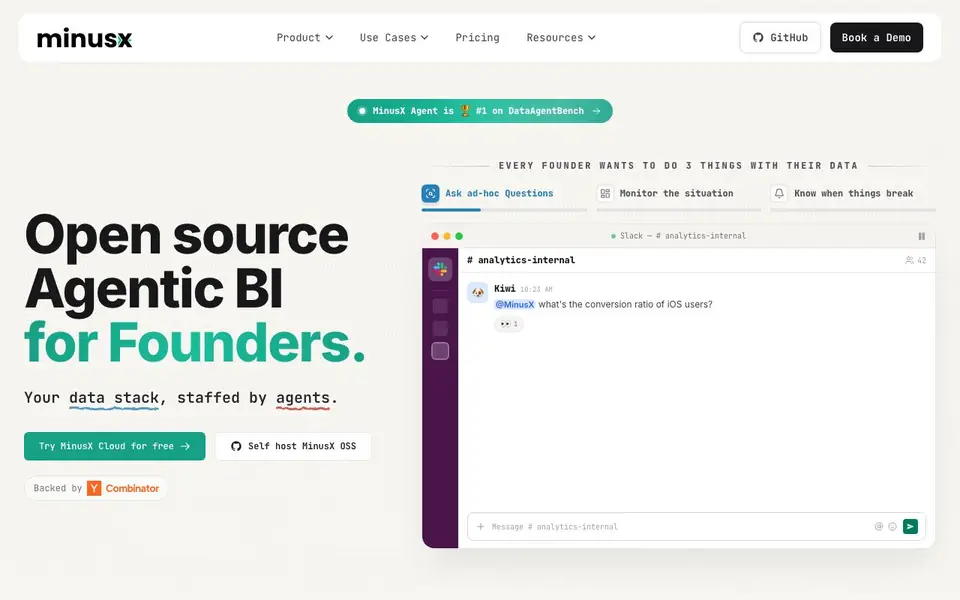
MinusX is an open source business intelligence platform where AI agents handle your data tasks. It connects to your data warehouse and learns your business context, so you can ask questions in plain language and get answers with analysis. It ranks #1 on DataAgentBench, a benchmark from UC Berkeley's EPIC lab.
You start by installing MinusX OSS in your own environment or using MinusX Cloud for faster setup. Connect data sources like Postgres, BigQuery, or CSVs. Then ask questions from Slack, use the MCP server for other AI agents, or work in the web interface. The agent writes SQL, builds visualizations, and drafts reports or slide decks.
MinusX suits founders and teams who want self-serve analytics without waiting on analysts. It auto-learns metrics and definitions from your interactions, and you can test answers with Evals. the website-available core means you can inspect and self-host it, or bring your own LLM keys to the cloud.
MinusX features
- Agentic data analysis: Ask questions in plain language and get SQL-backed answers with context.
- Auto-learned knowledge base: MinusX learns your metrics and definitions from every interaction.
- Dashboards and visualizations: Build maps, funnels, heatmaps, and more with a SQL editor or point-and-click builder.
- Slack and MCP integration: Ask questions from Slack or expose the MCP server for your AI agents.
- Proactive alerts and reports: Scheduled reports, threshold alerts, and nudges watch your data automatically.
What you can do with MinusX
- Ask ad-hoc questions about conversion rates or user segments in Slack.
- Monitor KPIs like burn rate, runway, and CAC with scheduled reports.
- Build dashboards for growth, finance, product, ops, marketing, or B2B pipelines.
- Get proactive alerts when churn crosses a threshold or spend goes over forecast.
How to get started with MinusX
- Install MinusX OSS with a curl command or sign up for MinusX Cloud.
- Connect your data sources like Postgres, BigQuery, or CSVs.
- Ask questions from Slack or the web interface, and let the agent build dashboards and alerts.
Tips for better results with MinusX
- Connect MinusX to your data warehouse first and define key metrics like ARR or active users in plain language, so the agent learns your business context accurately from the start.
- Ask MinusX questions in Slack for quick ad-hoc analysis, but use the web interface for building dashboards or reports, since it offers a point-and-click builder alongside the SQL editor.
- Test MinusX answers with Evals by creating sample questions and expected results, especially for fiscal periods or custom definitions, to catch partial matches before relying on them.
- Set up scheduled reports and threshold alerts in MinusX for KPIs like burn rate or churn, so you get proactive nudges when data crosses your defined limits, not just on-demand queries.
MinusX pricing
MinusX has a free way to start, with paid plans for heavier use. Check minusx.ai for current limits and prices.
What to check before you rely on MinusX
- Check whether your plan includes enough query volume or data size for your workload, since the website lists freemium pricing but does not specify limits for free or paid tiers.
- Verify that MinusX supports your exact data sources, like Postgres or BigQuery, and that your warehouse can stay in your environment if you self-host, as the site mentions but does not detail all integrations.
- Review data privacy and security policies for MinusX Cloud, especially if you bring your own LLM keys, because the website does not state how your data or queries are handled in the cloud.
Who MinusX is for
MinusX suits founders, data analysts, growth teams and finance teams. If that is not you, the AI data analysis tools below may fit better.
Similar tools compared with MinusX
| Tool | What it is | Pricing |
|---|---|---|
| MinusX | Open source agentic BI platform | Freemium |
| Julius AI | AI workspace for data and content | See website |
| Rows | AI-powered spreadsheet and data analyst | See website |
| Clay | AI platform for go-to-market workflows | Freemium |
| Semrush Copilot | SEO and AI search visibility platform | Freemium |
MinusX FAQ
What does MinusX do?
MinusX is an open source agentic BI platform. It connects to your data warehouse and uses AI agents to answer questions, build dashboards, create reports, and send alerts. It learns your business context over time.
Is MinusX free?
MinusX Cloud is free to try, and the open source version can be self-hosted. The website mentions trying the cloud for free and self-hosting the OSS version, but does not detail specific pricing tiers.
Who is MinusX for?
MinusX is built for founders and teams who want to analyze data without waiting for analysts. It covers use cases like growth, finance, product, ops, marketing, and B2B pipelines.
Can I use my own LLM keys?
Yes. In MinusX Cloud you can bring your own LLM keys. The open source version runs in your own environment, so you control the runtime and keys.
Can MinusX export dashboards or reports to PDF or Excel?
The MinusX website does not mention specific export formats like PDF or Excel. It focuses on building dashboards, visualizations, and scheduled reports within the platform. For details on export options, check the product documentation or contact the MinusX team directly.
Does MinusX run on Windows or Mac, or only in the cloud?
MinusX offers two ways to run: you can self-host MinusX OSS in your own environment, or use MinusX Cloud for a managed setup. The website does not specify operating system requirements for self-hosting, so check the GitHub repository for system prerequisites.
What does the free MinusX plan include?
MinusX is labeled freemium, and the website says you can try MinusX Cloud for free. The exact limits of the free plan, such as data volume or number of users, are not detailed on the site. For specifics, visit the pricing page or book a demo.


