

What is Excelmatic?
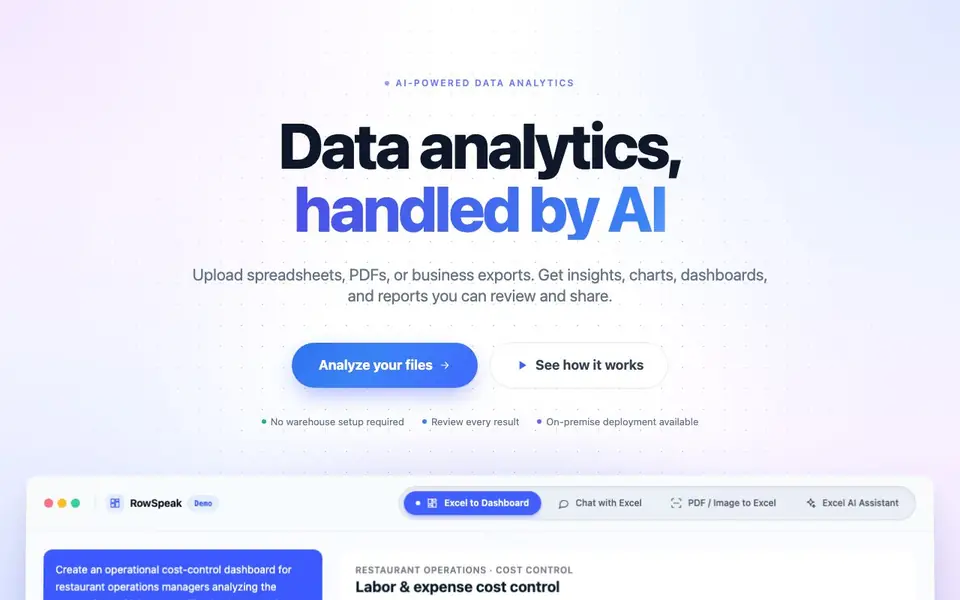
RowSpeak is an AI assistant for people who work with data in spreadsheets. It turns messy Excel, CSV, PDF, and image tables into clear insights, charts, dashboards, and reports. You can use it for analysis, cleaning data, or building visual summaries without needing a data warehouse.
You start by uploading the files you already have, like business exports or screenshots. Then you type what you want to know in plain English, such as comparing periods or explaining changes. RowSpeak processes the data and shows you results you can review, adjust, and share.
It suits teams in finance, marketing, supply chain, sales, and leadership who want faster analysis and cleaner reporting. The website mentions on-premise deployment is available, and you can try it for free. It also offers features like converting PDFs or images to editable Excel and generating spreadsheet templates.
Excelmatic features
- Excel AI: Analyze Excel files, create dashboards, and generate reports directly from your data.
- AI Data Cleansing: Fix duplicates, formats, and blanks in plain language without manual editing.
- AI Image to Excel: Convert table data images to editable Excel spreadsheets in one click.
- AI Excel to Dashboard: Turn spreadsheets into interactive dashboards with a single click.
- AI Business Intelligence: Transform your data into actionable insights and visualizations instantly.
What you can do with Excelmatic
- Upload a messy Excel file and ask for a trend analysis in plain English.
- Convert a PDF table into an editable Excel spreadsheet for further manipulation.
- Create an interactive dashboard from your sales data to track revenue and margins.
- Clean duplicate records and fix formatting issues in your spreadsheet using natural language.
How to get started with Excelmatic
- Upload your Excel, CSV, PDF, or image file to the platform.
- Type a question or request in plain English, like comparing periods or creating a chart.
- Review the generated insights, charts, or dashboard, then adjust parameters as needed.
Tips for better results with Excelmatic
- Start with a clean, well-structured file before uploading to RowSpeak, removing obvious duplicates or blank rows so the AI focuses on analysis rather than cleanup.
- Ask RowSpeak one specific question at a time, like comparing two periods or explaining a variance, to get clearer and more actionable answers.
- Use RowSpeak's natural language commands to fix formatting or duplicates directly, such as saying 'remove duplicate rows' instead of manually editing the file.
- After RowSpeak generates a dashboard or report, review the underlying data and adjust the prompt if the output misses context, then regenerate for better accuracy.
Excelmatic pricing
Excelmatic has a free way to start, with paid plans for heavier use. Check rowspeak.ai for current limits and prices.
What to check before you rely on Excelmatic
- Check whether the free tier includes all core features like PDF conversion and dashboard creation, as the website does not list specific plan limits.
- Verify if RowSpeak supports your file size and format, since the site mentions Excel, CSV, PDF, and images but does not state maximum upload sizes.
- Review the privacy policy for data handling, as the website does not explicitly state how uploaded files are stored or used beyond on-premise deployment availability.
Who Excelmatic is for
Excelmatic suits finance teams, marketing professionals, supply chain managers and sales analysts. If that is not you, the AI data analysis tools below may fit better.
Similar tools compared with Excelmatic
| Tool | What it is | Pricing |
|---|---|---|
| Excelmatic | AI data analytics and dashboard maker | Freemium |
| Julius AI | AI workspace for data and content | See website |
| Rows | AI-powered spreadsheet and data analyst | See website |
| Clay | AI platform for go-to-market workflows | Freemium |
| Semrush Copilot | SEO and AI search visibility platform | Freemium |
Excelmatic FAQ
What file types can I upload to RowSpeak?
You can upload Excel, CSV, PDF, and image files with table data. The tool also supports screenshots and exported business reports, making it flexible for various data sources.
Is RowSpeak free to use?
The website offers a 'Try for Free' option, indicating there is a free tier or trial. It also mentions on-premise deployment, suggesting paid plans exist for enterprise use.
Who is RowSpeak designed for?
It's built for teams who work with spreadsheets regularly, including finance, marketing, supply chain, sales, and leadership. It helps them analyze data faster and create cleaner reports without technical setup.
Can I create dashboards with RowSpeak?
Yes, you can convert Excel spreadsheets into interactive dashboards with one click. The tool also generates charts and reports you can review and share, as shown in the demo.
Can Excelmatic export my dashboards or reports to other tools like PowerPoint or Google Sheets?
The Excelmatic website does not mention specific export destinations beyond the outputs it generates, such as charts, dashboards, and reports. For details on exporting or integrating with other tools, check the documentation or contact support through the site.
Does Excelmatic work on mobile devices or only on desktop browsers?
The Excelmatic website does not specify which devices or platforms it supports. It likely runs in a web browser, but for confirmation about mobile compatibility or any dedicated apps, check the official documentation or reach out to the team via the site.
What does the free plan of Excelmatic include, and are there usage limits?
Excelmatic offers a free trial, as mentioned on the website, but it does not detail what the free plan includes or any limits on usage. To learn about specific features or restrictions in the free tier, visit the pricing page or contact sales for accurate information.


