

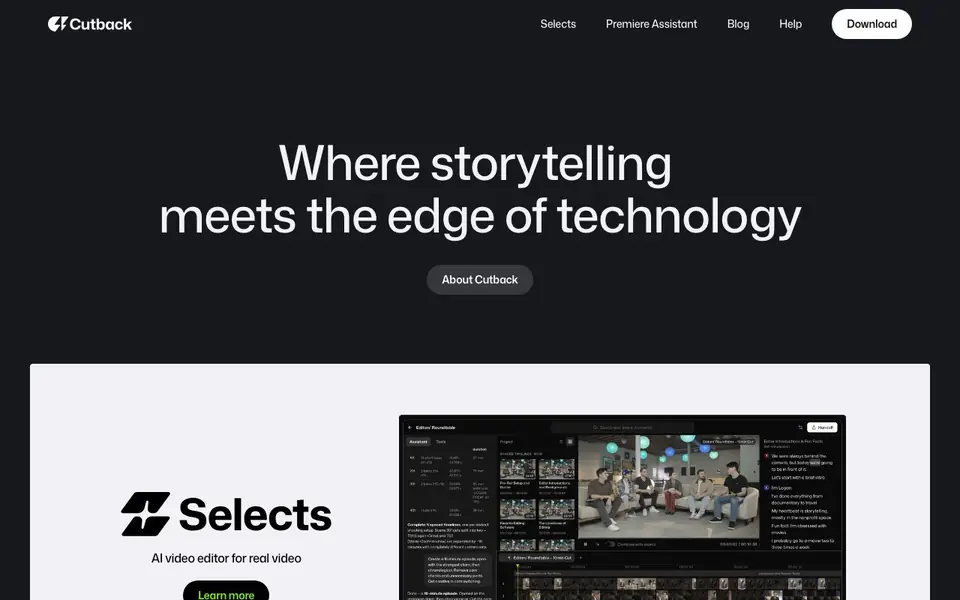
What is Selects?
Cutback is an AI video editor built for editors working with real footage, not just generated clips. It helps you start video edits faster by automating repetitive tasks. The tool includes Selects and Premiere Assistant, which work inside Adobe Premiere to speed up your workflow.
You begin by importing your raw footage or multicam recordings. Cutback can auto-edit the material, transcribe and translate audio, remove silences, and add animations. The Premiere Assistant handles automated captions and other workflows directly in Adobe Premiere, so you stay in your familiar editing environment.
This tool suits video editors, content teams, and post-production professionals who want to cut down manual work. Cutback is an official Adobe Video Partner and is SOC 2 Type II compliant. The website mentions boosting productivity by 300%, but it does not list specific pricing or a free plan, so check their pricing page for details.
Selects features
- Auto-edit raw footage: Automatically cut and assemble your raw clips into a starting edit.
- Multicam editing: Handles multi-camera footage to sync and switch between angles.
- Transcription and translation: Converts speech to text and translates it for subtitles or dubbing.
- Silence removal: Detects and removes silent parts in your audio track automatically.
- Premiere Assistant workflows: Adds automated captions and other editing tasks inside Adobe Premiere.
What you can do with Selects
- Edit interview footage by auto-selecting the best takes and cutting silences.
- Add translated subtitles to videos for international audiences.
- Speed up multicam event editing by auto-syncing camera angles.
- Generate initial edits for YouTube videos from raw recordings.
How to get started with Selects
- Download Cutback from their website and install it.
- Import your raw footage or multicam files into the tool.
- Run the auto-edit, transcription, or silence removal workflows, then refine in Premiere.
Tips for better results with Selects
- Import your raw footage directly into Cutback and let the auto-edit assemble a rough cut, then refine the timeline in Premiere to save hours on first passes.
- Use Cutback's multicam feature to sync angles automatically, then switch between shots in the timeline to find the best takes without manual alignment.
- Turn on silence removal before you start trimming interviews, so Cutback cuts dead air first and you can focus on pacing and content decisions.
- Run Premiere Assistant for captions after your edit is locked, and check the transcription for accuracy before exporting, since auto-generated text can mishear names.
- For translated subtitles, have Cutback transcribe the original audio first, then review the translation output in your language before adding it to the final video.
Selects pricing
Selects’s homepage does not list prices. Check cutback.video for current plans.
What to check before you rely on Selects
- Check the pricing page before committing, since the website does not list specific costs or a free plan, and you need to know if it fits your budget.
- Verify that your Adobe Premiere version is compatible with Cutback's Premiere Assistant, because the tool works inside that editor and may require a specific release.
- Review the export formats and proxy workflow options in the documentation, as the website does not state which file types or resolutions you can output.
Who Selects is for
Selects suits video editors, content creators and post-production teams. If that is not you, the AI video editors below may fit better.
Similar tools compared with Selects
| Tool | What it is | Pricing |
|---|---|---|
| Selects | AI video editor for real footage | See website |
| SiVideoGen | AI video generator with multiple models | Freemium |
| Descript | AI video and audio text-based editor | Freemium |
| InVideo | Agentic AI video editor and maker | Freemium |
| VEED | AI video creation and editing platform | See website |
Selects FAQ
What does Cutback do exactly?
Cutback is an AI video editor that automates starting edits from raw footage. It can auto-edit clips, handle multicam, transcribe and translate audio, remove silences, and add animations. It works with Adobe Premiere through the Premiere Assistant feature.
Is Cutback free to use?
The website does not state pricing or a free plan. You can check their Pricing page for details. They do mention being an official Adobe Video Partner and SOC 2 Type II compliant, which suggests a professional tool.
Who is Cutback for?
It is for video editors and post-production professionals who work with real footage, like interviews, events, or multicam recordings. It helps speed up repetitive tasks so you can focus on creative decisions rather than manual cutting.
Does Cutback work with Adobe Premiere?
Yes. The Premiere Assistant feature provides automated captions and workflows directly inside Adobe Premiere. The website also mentions a proxy workflow guide for Premiere Pro, indicating deep integration with that software.
Does Cutback work on Mac or Windows?
The Cutback website does not specify which operating systems it supports. Since Cutback works inside Adobe Premiere, it likely runs on systems that support Premiere, but for exact requirements, check the Cutback download page or help center.
Can Cutback export edited videos directly to YouTube or Vimeo?
The Cutback website does not mention direct export to YouTube or Vimeo. It focuses on auto-editing and Premiere Assistant workflows inside Adobe Premiere. For export options, check the Cutback help center or contact their support.
Does Cutback require an account to use?
The Cutback website does not explicitly state whether an account is required. Given it is a downloadable tool with a dashboard, an account is likely needed, but to confirm, visit the Cutback download page or help center.


