
What is rigby2d?
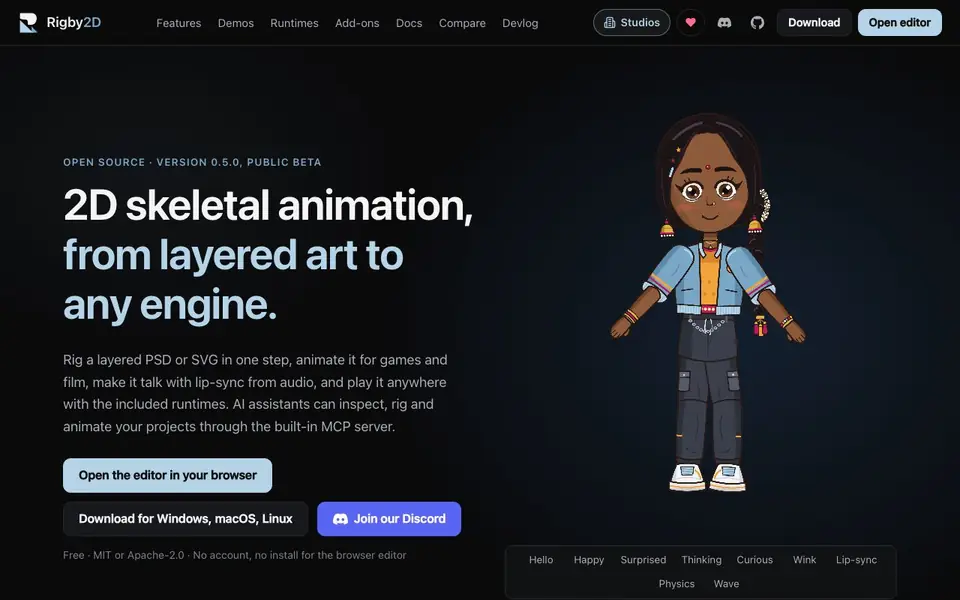
Rigby2D is a free, open-source 2D skeletal animation tool that turns layered PSD or SVG files into editable rigs in one step. You can animate characters for games and film, add lip-sync from audio, and compose scenes with multiple characters, cameras, and parallax layers. It includes runtimes for Godot, Unity, Defold, Cocos Creator, Phaser, PixiJS, JavaScript, and Rust, so your animations play anywhere.
Getting started is simple: open the editor in your browser with no install or account, or download the desktop app for Windows, macOS, or Linux. Import a layered PSD or SVG, and AutoRig creates bones, joints, bending meshes, and IK automatically. You can then animate using the dopesheet, graph editor, onion skin, and pose library, or drop in a voice line for automatic lip-sync. A built-in MCP server lets AI assistants inspect, rig, and animate your projects.
Rigby2D suits game developers, animators, and studios who want a free alternative to paid tools like Spine or DragonBones. It supports importing DragonBones projects directly, and offers Python scripting and add-ons for customization. The project is community-funded, with sponsors supporting ongoing development.
rigby2d features
- AutoRig: Import a layered PSD or SVG and get an editable rig with bones, joints, bending meshes, and IK in one step.
- Lip-sync from audio: Drop in a voice line and the mouth is keyed automatically, with transcription running locally.
- Film workspace: Animated camera and audio tracks, rendering to PNG, WebM with alpha, or MP4 at 4K.
- Retargeting: Animate once and reuse on every character, with bones matched by name and motion scaled to fit.
- MCP server: AI assistants can inspect, rig, and animate your projects through the built-in server.
What you can do with rigby2d
- Rig a character from a layered PSD or SVG for a game or film project.
- Animate a dialogue scene with automatic lip-sync from an audio file.
- Export animations to Godot, Unity, or other engines using the included runtimes.
- Import a DragonBones project and continue editing in Rigby2D without conversion.
How to get started with rigby2d
- Open the editor in your browser or download the app for Windows, macOS, or Linux.
- Import a layered PSD or SVG and let AutoRig create the rig automatically.
- Animate using the tools, add lip-sync from audio, and export to your engine or render.
Tips for better results with rigby2d
- Start with a clean, layered PSD or SVG where each part you want to move is on its own layer, so AutoRig assigns bones and joints correctly.
- Name your layers consistently across characters before using Rigby2D's retargeting, because bones match by name and motion scales to fit.
- Use the built-in MCP server in Rigby2D to let an AI assistant inspect and rig your project, then review the generated bones before animating.
- Test lip-sync with a short, clear voice line first, since transcription runs locally and may need a quiet recording for accurate mouth keying.
rigby2d pricing
rigby2d is free to use according to its website.
What to check before you rely on rigby2d
- Check that your PSD or SVG layers are properly separated and named, because AutoRig relies on layer structure to create a usable rig.
- Verify the export format you need is supported, as the site lists skeleton JSON and.skel but does not state all engine-specific export options.
- Confirm your browser or desktop OS is compatible, since the editor runs in-browser without install, but desktop downloads are for Windows, macOS, and Linux only.
Who rigby2d is for
rigby2d suits game developers, 2D animators, indie studios and film makers. If that is not you, the AI 3D and game tools below may fit better.
Similar tools compared with rigby2d
| Tool | What it is | Pricing |
|---|---|---|
| rigby2d | Open-source 2D skeletal animation tool | Free |
| SiGameGen | AI game builder from one sentence | Freemium |
| Scenario | AI platform for creative asset generation | See website |
| Spline | Browser-based 3D design with AI | Freemium |
| Rosebud | AI game maker with prompts | See website |
rigby2d FAQ
Is Rigby2D really free?
Yes, Rigby2D is free and open source, licensed under MIT or Apache-2.0. You can use the browser editor without an account or install, and there are no license fees for shipping your animations.
What file formats can I import?
You can import layered PSD or SVG files for rigging. It also opens DragonBones 4.5 and 5.x projects directly, including meshes, weights, IK, skins, and animations, without a converter.
Which game engines does Rigby2D support?
Rigby2D includes runtimes for Godot, Unity, Defold, Cocos Creator, Phaser, PixiJS, JavaScript, and Rust. You can export your animations to these engines and play them anywhere.
How does the AI assistant integration work?
Rigby2D has a built-in MCP server that lets AI assistants inspect, rig, and animate your projects. The website doesn't detail specific AI tools or setup steps, so check the documentation for more.
Does Rigby2D require an account or installation to use the browser editor?
No, Rigby2D's browser editor works without an account or installation. You can open it directly in your browser and start rigging immediately. The desktop app is available for Windows, macOS, and Linux if you prefer a local install, but it is not required for the web version.
What can Rigby2D export besides the included game engine runtimes?
Rigby2D exports lossless skeleton JSON in versions 3.8, 4.2, and 4.3, as well as.skel files. For film, it renders to PNG, WebM with alpha, or MP4 at 4K. The website does not mention other export formats, so check the documentation for the full list.
Can Rigby2D be used for film production, not just game animation?
Yes, Rigby2D includes a film workspace with animated camera and audio tracks, and renders to PNG, WebM with alpha, or MP4 at 4K. It also supports lip-sync from audio and multi-character scenes with parallax layers, making it suitable for cut-out animation in film projects.


