

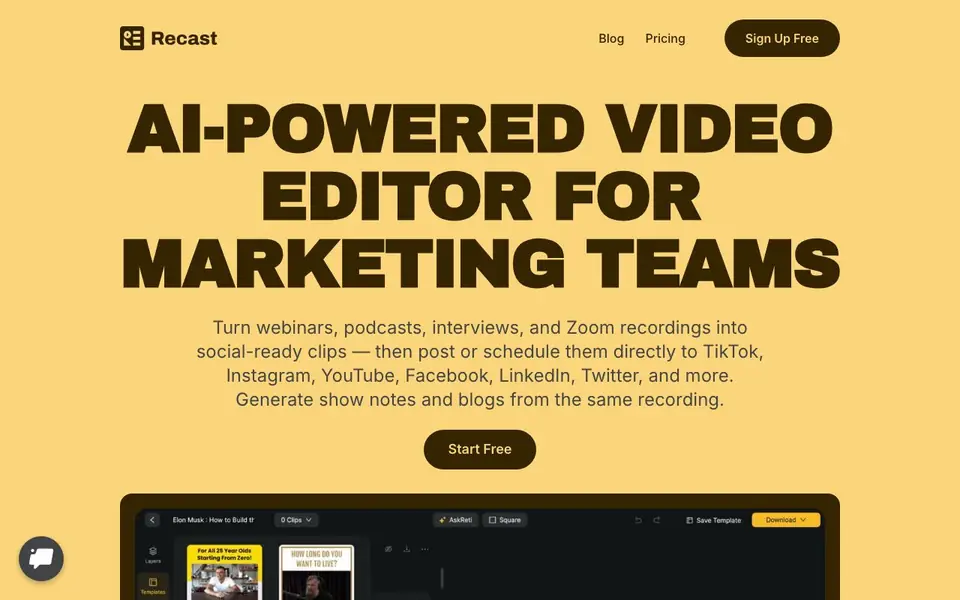
What is Recast Studio?
Recast Studio is an AI-powered video editor built for marketing teams. It takes long recordings like webinars, podcasts, interviews, and Zoom calls, then turns them into short clips, audiograms, and written content. You can post or schedule these directly to TikTok, Instagram, YouTube, Facebook, LinkedIn, and Twitter without leaving the tool.
Start by uploading your video. Recast AI finds the strongest moments automatically, usually in about three minutes. You review and customize the clips with a simple editor. You can edit video by editing text: highlight or delete transcript text to trim the video, clean filler words, and keep captions in sync. Add brand logos, fonts, b-roll, and music with a few clicks. No timeline skills needed.
Once your clip is ready, reuse the transcript to generate blog drafts, show notes, LinkedIn posts, and email copy. The built-in social publishing lets you connect your accounts and schedule posts. Recast claims to cut production time from days to about ten minutes and costs from thousands to around $20. It suits marketers, podcasters, and content teams who want to publish consistently without waiting on editors.
Recast Studio features
- AI clip detection: Automatically finds the best moments in your long video to turn into short clips.
- Transcript-based editing: Highlight or delete transcript text to trim video and keep captions in sync.
- Auto reframe: AI analyzes your video to detect faces and reframe for different social formats.
- Built-in social publishing: Connect TikTok, Instagram, YouTube, Facebook, LinkedIn, and Twitter to post or schedule directly.
- AI writing tools: Generate blog drafts, show notes, LinkedIn posts, and email copy from the same transcript.
What you can do with Recast Studio
- Turn a webinar recording into multiple social clips for LinkedIn and Twitter.
- Repurpose a podcast episode into audiograms and video clips for Instagram.
- Create testimonial videos from customer interviews and post them to YouTube.
- Generate show notes and blog posts from a live event recording.
How to get started with Recast Studio
- Sign up for a free account on Recast Studio's website.
- Upload your podcast, webinar, or live event recording.
- Let AI find the best moments, then review and customize your clips in the editor.
- Publish or schedule your clips directly to your social channels from Recast.
Tips for better results with Recast Studio
- Upload a clean, high-quality recording with clear audio so Recast Studio can detect the strongest moments accurately and generate clips that need minimal editing.
- Use Recast Studio's transcript-based editing to delete filler words and mistakes by removing the text, which trims the video and keeps captions in sync automatically.
- Review the AI-detected clips before publishing, then customize each one with your brand logo, fonts, and music to make them consistent across all social channels.
- After you finish a clip in Recast Studio, reuse the same transcript to generate blog drafts, show notes, LinkedIn posts, and email copy to save extra production time.
Recast Studio pricing
Recast Studio has a free way to start, with paid plans for heavier use. Check recast.studio for current limits and prices.
What to check before you rely on Recast Studio
- Check the freemium plan's limits on video length, number of exports, and social accounts connected, as the website does not list these details.
- Verify whether the free plan includes watermarks on exported videos, since the pricing page does not state this clearly.
- Confirm which social platforms are supported for direct publishing in your region, as the website mentions several but does not specify availability everywhere.
Who Recast Studio is for
Recast Studio suits marketers, podcasters, content teams and social media managers. If that is not you, the AI video editors below may fit better.
Similar tools compared with Recast Studio
| Tool | What it is | Pricing |
|---|---|---|
| Recast Studio | AI video editor for marketing teams | Freemium |
| SiVideoGen | AI video generator with multiple models | Freemium |
| Descript | AI video and audio text-based editor | Freemium |
| InVideo | Agentic AI video editor and maker | Freemium |
| VEED | AI video creation and editing platform | See website |
Recast Studio FAQ
What does Recast Studio do?
It turns long videos like webinars, podcasts, and interviews into short social clips, audiograms, and written content. You can edit by text, add captions, and publish directly to social platforms.
Is Recast Studio free?
The website says 'Sign Up Free' and 'Start Free', suggesting a free plan exists. It also mentions production costs 'from $20', implying paid plans. Check the pricing page for details.
Who is Recast Studio for?
It's built for marketing teams and content creators who repurpose long videos into social posts. It's also useful for podcasters and anyone who wants to publish consistently without video editing skills.
Can I schedule posts with Recast?
Yes. You can connect your TikTok, Instagram, YouTube, Facebook, LinkedIn, and Twitter accounts and schedule clips to go live directly from Recast, without exporting or re-uploading.
What video formats can I upload to Recast Studio?
Recast Studio accepts most common video file formats, including MP4, MOV, and AVI. The website doesn't list every supported format, so if you have a specific file type, check the upload screen or contact support to confirm it works before you start.
Does Recast Studio have a mobile app?
Recast Studio is a web-based tool, so you can use it in a browser on your computer or mobile device. The website doesn't mention a dedicated mobile app for iOS or Android, so check the site or app stores to see if one is available.
Can I export videos from Recast Studio to use outside the platform?
Yes, Recast Studio lets you export your finished clips in channel-ready formats. The website doesn't specify which export file types or resolutions are available, so check the export options in the editor or the pricing page for details.


