

What is RE:Create Video?
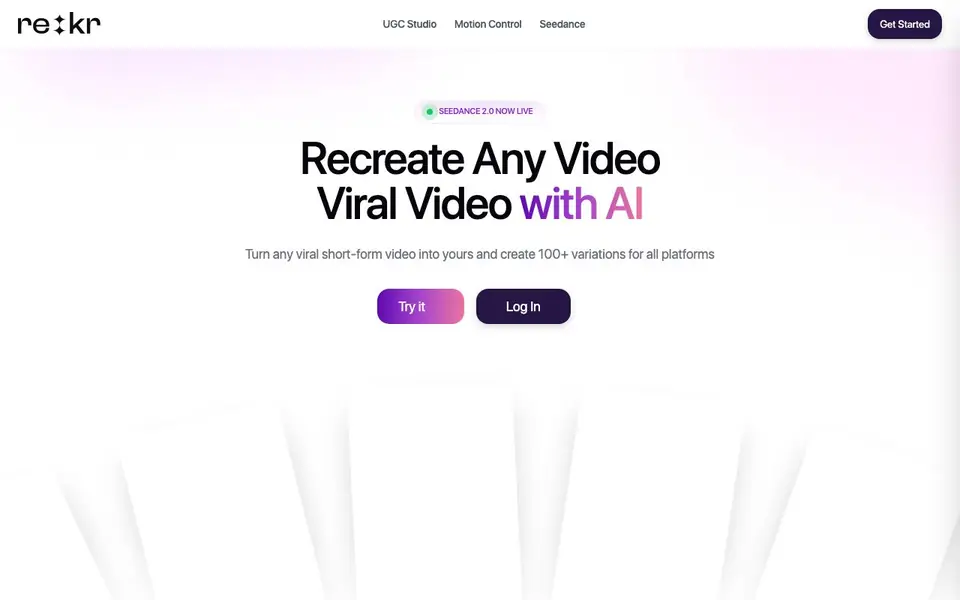
Rekreate AI helps you take any viral short-form video and remake it as your own. You can recreate dance videos, talking head clips, cartoon explainers, and split-screen formats. The platform uses AI to mirror movements, expressions, and style so you get professional-looking content without technical skills.
You start by pasting a link to a viral TikTok, Reel, or YouTube Short. The AI analyzes the video and lets you swap in your face, a realistic avatar, or a 3D character. You can also generate videos from a script, with lip-synced avatars speaking in 29+ languages using your cloned voice. For cartoons, the AI handles keyframing, style matching, and animated subtitles automatically.
Rekreate AI suits creators who want to grow on TikTok, Instagram, and YouTube Shorts by using proven viral formats. It includes a Seedance 2.0 engine for cinematic scenes, a Threads-to-carousel feature, and one-click export to multiple platforms. The website mentions over 50,000 creators and 240,000+ videos made, but does not state specific pricing or free plan details.
RE:Create Video features
- Viral Recreation: Input any viral TikTok or Reel and let AI mirror the movement for your own version.
- Precision Tracking: Maps every limb and facial expression onto your digital character or avatar.
- Lip-Sync Perfection: Ultra-realistic mouth movements that match every syllable in your script.
- Multi-Language Support: Your avatar speaks 29+ languages in your own cloned voice.
- Auto-Subtitles: Generates perfectly synced animated captions for maximum engagement.
What you can do with RE:Create Video
- Recreate a trending dance video with your face or a 3D character.
- Turn a script into a talking head avatar video with lip-sync.
- Make a cartoon explainer from a reference style and script.
- Convert a video into a branded carousel for LinkedIn, Instagram, or X.
How to get started with RE:Create Video
- Paste a link to a viral video you want to recreate.
- Choose your avatar, character, or style, and let AI mirror the movement.
- Export your new video directly to TikTok, Instagram, or YouTube Shorts.
Tips for better results with RE:Create Video
- Start by pasting a link to a proven viral TikTok, Reel, or YouTube Short, then use RE:Create Video's precision tracking to map your face or character onto the original movement.
- For talking head videos, write a clear script and let RE:Create Video handle lip-sync and subtitles automatically, then review the output to ensure the mouth movements match every syllable.
- When making cartoon explainers, upload a reference style image and a script so RE:Create Video can clone the aesthetic and handle keyframing, but check the result for consistency with your brand.
- Use RE:Create Video's Threads-to-carousel feature to convert a video into slides, but edit the auto-summarized text to keep your key points accurate and on-brand before exporting.
RE:Create Video pricing
RE:Create Video’s homepage does not list prices. Check recreate.video for current plans.
What to check before you rely on RE:Create Video
- Check whether RE:Create Video's website lists any pricing or free plan details; it does not state them, so you may need to contact support or sign up to see costs.
- Verify the platform's export formats and resolution options, as the site mentions 4K rendering but does not specify all output formats or platform integrations.
- Confirm data and privacy policies, especially for cloned voice and uploaded videos, since the website does not clearly state how your content is stored or used.
Who RE:Create Video is for
RE:Create Video suits content creators, social media marketers, small business owners and YouTubers. If that is not you, the AI video editors below may fit better.
Similar tools compared with RE:Create Video
| Tool | What it is | Pricing |
|---|---|---|
| RE:Create Video | AI viral video recreation and avatar studio | See website |
| SiVideoGen | AI video generator with multiple models | Freemium |
| Descript | AI video and audio text-based editor | Freemium |
| InVideo | Agentic AI video editor and maker | Freemium |
| VEED | AI video creation and editing platform | See website |
RE:Create Video FAQ
What types of videos can I recreate with Rekreate AI?
You can recreate dance videos, talking head clips, cartoon explainers, split-screen formats, and more. The AI mirrors movements and style from any viral short-form video you provide.
Does Rekreate AI have a free plan?
The website says 'No Credit Card Required' to start, but it does not specify if there is a free plan or trial. Check the pricing page on the site for current details.
Can I use my own voice with the avatars?
Yes, the tool supports your cloned voice for avatars, and they can speak in 29+ languages. This lets you create multilingual content with your own voice.
Who is Rekreate AI best for?
It's built for creators who want to grow on TikTok, Instagram, and YouTube Shorts by using proven viral formats. It also helps marketers and businesses create consistent branded video content.
What video formats and platforms can I export to with Rekreate AI?
Rekreate AI lets you export your videos directly to multiple platforms with one click. The website mentions one-click export to platforms like TikTok, Instagram, and YouTube Shorts. It also has a Threads-to-carousel feature for LinkedIn, Instagram, or X. For specific export file formats, the website does not list them, so check the platform's export options after logging in.
Does Rekreate AI run on mobile devices or only on desktop?
The Rekreate AI website does not specify whether it works on mobile or desktop. It mentions logging in and getting started, but not device compatibility. To find out, check the website's help or support section, or try accessing the tool from your mobile browser and desktop to see which works best for you.
What does the free plan of Rekreate AI include?
The Rekreate AI website does not mention a free plan or any pricing details. It shows a 'Get Started' button and login option, but no information about what's free or paid. To learn about any free trial or plan, you would need to sign up or contact their support team for details.


