
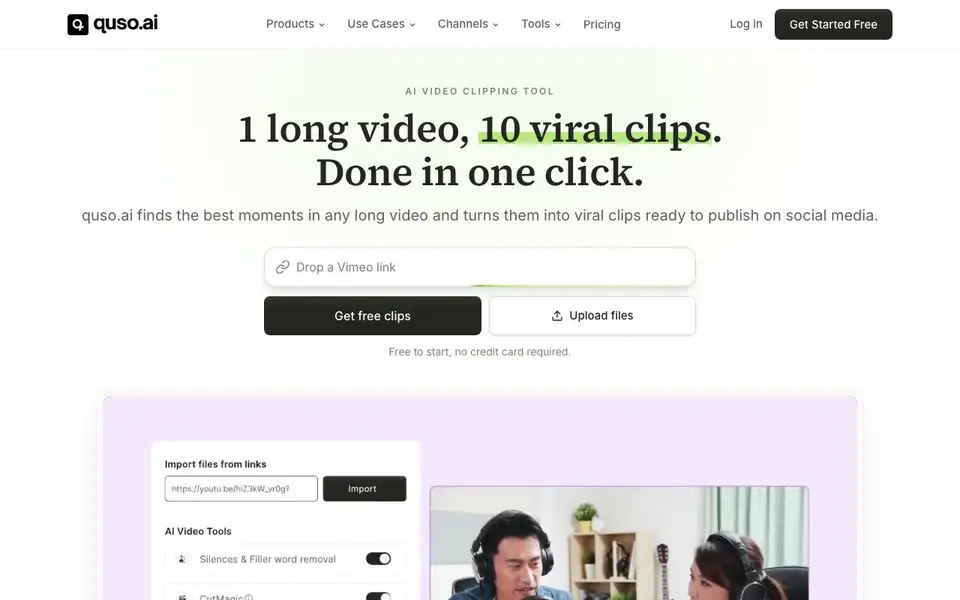
What is quso.ai?
quso.ai is an AI-powered video clipping tool that finds the most viral moments in your long videos, podcasts, and streams. It automatically creates short, captioned clips ready for TikTok, Reels, and Shorts. You can also schedule and publish these clips directly from the platform, saving you time and effort.
To use quso.ai, you upload your long video. The AI analyzes it, scores moments by virality, and generates clips with word-level animated captions in over 50 languages. You can then edit clips like a document, removing filler words or adding B-roll. Finally, you plan and schedule a month of posts from one calendar, and quso.ai auto-publishes them to your social channels.
It's built for creators, podcasters, agencies, and brands who want to grow their audience. The platform includes a brand kit to keep your clips consistent, and analytics to track performance. It replaces multiple tools like Opus Clip, Descript, CapCut, Hootsuite, and Buffer. Pricing starts at $29 per month, with a free plan to start.
quso.ai features
- AI Clips Generator: Finds the most viral moments in any long video and auto-scores them by virality.
- AI Subtitle Generator: Adds word-level animated captions in 50+ languages and removes filler words.
- Social Media Scheduler: Plans a month of posts and auto-publishes to every platform from one calendar.
- Brand Kit: Locks your fonts, colors, and logo so every clip looks consistent.
- AI Text Based Video Editor: Edits video like a doc, letting you delete words, remove silences, and add B-roll.
What you can do with quso.ai
- Turn a podcast episode into a week of short clips for social media.
- Repurpose a YouTube video into TikTok and Reels content automatically.
- Schedule and publish a month of clips across platforms from one calendar.
- Edit a video by removing filler words and adding B-roll with text-based commands.
How to get started with quso.ai
- Upload your long video, podcast, or stream to quso.ai.
- Let the AI find viral moments and generate captioned clips for you.
- Review, edit, and schedule your clips, then auto-publish them to your channels.
Tips for better results with quso.ai
- Upload your longest, most engaging video first so quso.ai has plenty of material to score and pull the strongest viral moments from for your clips.
- Use quso.ai's text-based editor to delete filler words and silences directly from the transcript, then preview each clip to ensure the cuts feel natural.
- Set up your brand kit in quso.ai before generating clips so every caption, color, and logo stays consistent across all your social posts automatically.
- Schedule a full month of clips in quso.ai's calendar at once, then review the auto-published posts weekly to catch any timing or platform issues early.
quso.ai pricing
quso.ai has a free way to start, with paid plans for heavier use. Check quso.ai for current limits and prices.
What to check before you rely on quso.ai
- Check quso.ai's free plan limits before uploading long videos, since the website says free to start but does not state how many clips or minutes you get.
- Verify which social platforms quso.ai's scheduler auto-publishes to, because the site lists every platform but does not name specific ones like TikTok or Instagram.
- Confirm your video file formats and size limits are supported by quso.ai, as the website does not list accepted upload types or maximum durations.
Who quso.ai is for
quso.ai suits creators, podcasters, agencies and brands. If that is not you, the AI video editors below may fit better.
Similar tools compared with quso.ai
| Tool | What it is | Pricing |
|---|---|---|
| quso.ai | AI video clipper and social media scheduler | Freemium |
| SiVideoGen | AI video generator with multiple models | Freemium |
| Descript | AI video and audio text-based editor | Freemium |
| InVideo | Agentic AI video editor and maker | Freemium |
| VEED | AI video creation and editing platform | See website |
quso.ai FAQ
What does quso.ai do?
quso.ai turns long videos into short, captioned clips for social media. It finds the best moments, adds animated captions, and lets you schedule and publish them directly to platforms like TikTok, Reels, and Shorts.
Is quso.ai free to use?
Yes, quso.ai is free to start with no credit card required. There are also paid plans starting at $29 per month, with options at $39 and $49, offering more features and usage.
Who is quso.ai for?
It's for creators, podcasters, agencies, and brands who want to grow their audience by repurposing long-form content into short clips. It's used by over 4 million creators and businesses across various niches.
What platforms does quso.ai support?
quso.ai supports social media platforms like TikTok, Instagram Reels, and YouTube Shorts. It also includes a social media scheduler that can auto-publish to multiple platforms from one calendar.
Can quso.ai export clips directly to my computer or only to social media?
quso.ai is built to publish clips straight to social platforms like TikTok, Reels, and Shorts. The website does not mention exporting clips as files to your computer. If you need that feature, check quso.ai's help center or contact support for the latest details.
Does quso.ai work on my phone or tablet, or is it desktop-only?
quso.ai is a web-based tool, so you can access it from any device with a browser, including phones and tablets. The website does not specify dedicated mobile apps, but you can upload videos and manage clips from your mobile browser. For the best experience, use a desktop for editing.
What exactly does the free plan of quso.ai include?
quso.ai offers a free plan to start, and you can get free clips without a credit card. The website does not list the exact limits of the free plan, such as how many clips or exports you get. Check quso.ai's pricing page for the current free plan details.


