

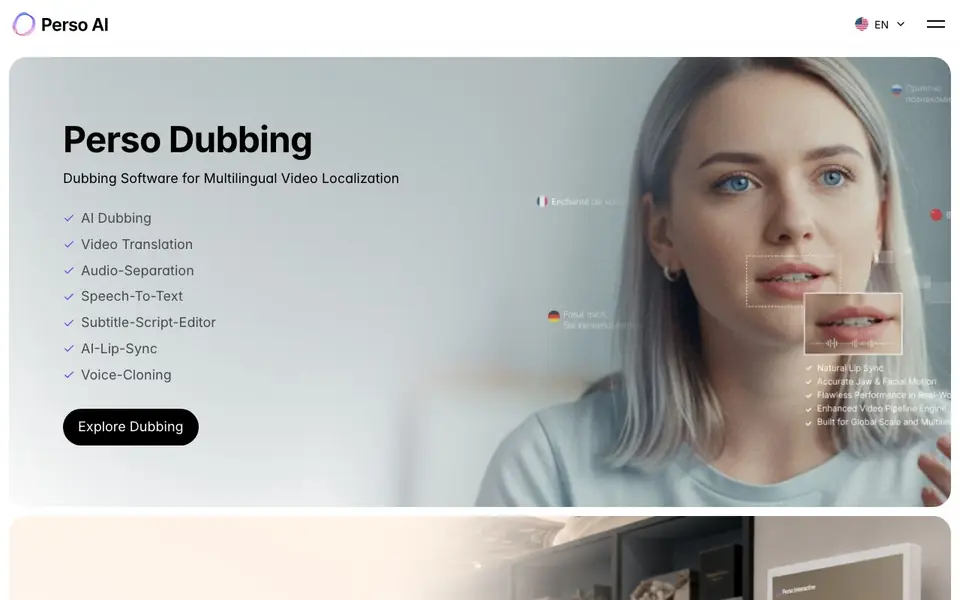
What is PERSO.ai?
Perso AI is a platform from ESTsoft that combines dubbing, avatars, and voice generation. It offers several tools: Perso Dubbing for translating videos into many languages with lip sync, Perso Interactive for building AI stations and touch-based experiences, and Studio Perso for creating Korean AI avatars and editing video.
You can use Perso Dubbing to translate video content, separate audio, convert speech to text, and edit subtitles. Perso LiveDub works in real time for video meetings, syncing your voice and lips, and it works with Zoom and Google Meet. Perso Live Translator provides two-way interpretation in 32 languages on tablets, kiosks, and displays.
Perso Video Profile lets you create intro videos from a photo and your voice, with AI outfit changes, delivered via a link. The platform suits content creators, businesses, and educators who need multilingual video localization or avatar-based media. The website does not state pricing details, so you should check their site for plan information.
PERSO.ai features
- Multilingual dubbing: Translate videos into 99+ languages with AI dubbing.
- AI lip sync: Sync dubbed audio with the speaker's lip movements.
- Real-time LiveDub: Dub video meetings live with your voice and lips, compatible with Zoom and Google Meet.
- Live Translator: Interpret conversations in real time across 32 languages on various screens.
- Video Profile avatars: Create intro videos from a photo and voice, with outfit changes.
What you can do with PERSO.ai
- Localize marketing videos into multiple languages for global audiences.
- Dub live video meetings in real time for international teams.
- Create AI avatar videos for introductions or presentations without filming.
- Interpret in-person conversations on kiosks or displays for customer service.
How to get started with PERSO.ai
- Visit Perso AI's website and choose the tool you need, like Perso Dubbing or LiveDub.
- Upload your video or connect your meeting platform, then select languages.
- Generate the dubbed or avatar video and review or edit subtitles as needed.
Tips for better results with PERSO.ai
- Start with a clean, well-lit video where the speaker faces the camera directly, so Perso.ai can capture lip movements accurately for dubbing and lip sync.
- Use Perso.ai's subtitle editor to review and correct speech-to-text output before finalizing translations, since accurate scripts improve the quality of dubbed audio.
- For LiveDub meetings, test Perso.ai with a short Zoom or Google Meet call first to adjust microphone settings and ensure your voice and lips sync smoothly.
- When creating a Video Profile avatar, provide a clear photo and a steady voice recording, then experiment with outfit changes to match your intended tone.
PERSO.ai pricing
PERSO.ai’s homepage does not list prices. Check perso.ai for current plans.
What to check before you rely on PERSO.ai
- Check Perso.ai's website for pricing details, as it does not list any plan costs or subscription fees, so you may need to contact sales.
- Verify which of Perso.ai's tools require a paid plan or have usage limits, since the site does not specify free tiers or trial conditions.
- Confirm data privacy policies for uploaded videos and voice samples, as the website does not state how your content is stored or used.
Who PERSO.ai is for
PERSO.ai suits content creators, businesses, educators and event organizers. If that is not you, the AI video editors below may fit better.
Similar tools compared with PERSO.ai
| Tool | What it is | Pricing |
|---|---|---|
| PERSO.ai | AI dubbing, avatar, and voice platform | See website |
| SiVideoGen | AI video generator with multiple models | Freemium |
| Descript | AI video and audio text-based editor | Freemium |
| InVideo | Agentic AI video editor and maker | Freemium |
| VEED | AI video creation and editing platform | See website |
PERSO.ai FAQ
What does Perso AI do?
Perso AI is a platform for dubbing videos, creating AI avatars, and generating voices. It includes tools for video translation, real-time meeting dubbing, live interpretation, and avatar-based video production.
How many languages does Perso Dubbing support?
Perso Dubbing supports dubbing in 99+ languages, according to the website. This makes it suitable for global video localization.
Does Perso AI work with video meeting tools?
Yes, Perso LiveDub works with Zoom and Google Meet. It provides real-time voice dubbing and facial lip sync during video meetings.
What is Perso Video Profile?
Perso Video Profile lets you create intro videos from a photo and your voice. It includes AI outfit changes and delivers the final video via a link, without needing a shoot.
What file formats can Perso AI export or connect to?
The Perso AI website does not mention specific export formats or third-party integrations beyond Zoom and Google Meet for LiveDub. For details on export options, check the tool's documentation or contact their support team.
Does Perso AI run on mobile devices or only desktop?
The Perso AI website does not specify which devices or platforms its tools run on. Perso Live Translator works on tablets, kiosks, and displays, but for other tools like Perso Dubbing or Studio Perso, you should check the site for system requirements.
Is there a free plan for Perso AI?
The Perso AI website does not state any pricing or free plan details. To find out if a free tier exists, visit the pricing section on their site or contact their sales team for current plan options.


