

What is PandasAI?
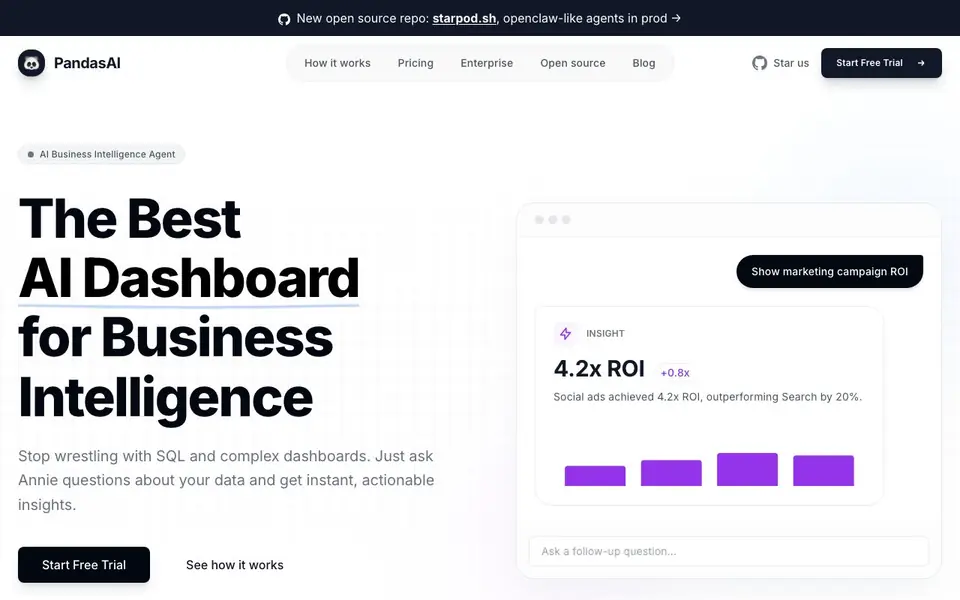
PandasAI is an AI business intelligence agent that turns your data into answers. Instead of writing SQL or Python, you chat with Annie, an AI data analyst, to explore trends, find anomalies, and build visual reports. It connects to databases and SaaS tools like PostgreSQL, Snowflake, Google Sheets, and Salesforce, giving you a unified view of your business.
You start by connecting your data sources, then ask questions like "What were my top selling products last month?" Annie generates the queries and visualizations for you. You can follow up, drill down, and get presentation-ready charts in seconds. The tool also proactively discovers hidden patterns and growth opportunities you might miss.
It suits business users who want insights without coding, as well as data teams needing faster analysis. The open-source PandasAI library is trusted by over 20,000 developers, and the commercial Annie product adds integrations, sharing, and enterprise security. Pricing starts with a free trial, then paid plans from €29.99 per month.
PandasAI features
- Natural language queries: Ask questions in plain English and get instant data answers without SQL.
- Instant visualizations: Generate charts and dashboards in milliseconds, ready for presentations.
- Automated discovery: Annie finds hidden patterns, anomalies, and growth opportunities on its own.
- 30+ integrations: Connect databases and SaaS tools like Snowflake, Google Sheets, and Salesforce.
- Shareable dashboards: Export executive summaries, client reports, and PDFs with one click.
What you can do with PandasAI
- Analyze marketing campaign ROI across multiple ad platforms.
- Track sales trends and forecast future performance from your database.
- Create boardroom-ready dashboards for client reports without manual formatting.
- Detect anomalies in your business data to catch issues early.
How to get started with PandasAI
- Start a free trial on the PandasAI website.
- Connect your data sources, like databases or Google Sheets.
- Ask Annie questions in plain language and review the generated insights and dashboards.
Tips for better results with PandasAI
- Start with simple, specific questions like 'What were my top selling products last month?' to help PandasAI understand your data structure and return accurate answers quickly.
- Connect your most important data sources first, such as PostgreSQL or Google Sheets, so PandasAI can analyze trends and anomalies across the full picture without missing key context.
- Use follow-up questions to drill down into results, like asking for a breakdown by region or date, to get deeper insights from PandasAI without writing new queries.
- Export your charts and dashboards as PDFs directly from PandasAI when you need presentation-ready reports, saving time on manual formatting for client or executive updates.
PandasAI pricing
PandasAI has a free way to start, with paid plans for heavier use. Check pandas-ai.com for current limits and prices.
What to check before you rely on PandasAI
- Verify your plan's credit limit before heavy use, since the free trial and Plus plan include only 100 credits per month, which may run out quickly.
- Check whether your required data sources are supported, as the website lists many integrations but does not state if all connectors are available in every plan.
- Confirm data privacy and security features for your business data, since the site mentions enterprise security but does not detail what is included in lower-tier plans.
Who PandasAI is for
PandasAI suits business analysts, data teams, non-technical managers and small business owners. If that is not you, the AI data analysis tools below may fit better.
Similar tools compared with PandasAI
| Tool | What it is | Pricing |
|---|---|---|
| PandasAI | AI data analyst and dashboard maker | Freemium |
| Julius AI | AI workspace for data and content | See website |
| Rows | AI-powered spreadsheet and data analyst | See website |
| Clay | AI platform for go-to-market workflows | Freemium |
| Semrush Copilot | SEO and AI search visibility platform | Freemium |
PandasAI FAQ
What is Annie?
Annie is the AI data analyst inside PandasAI. You ask her questions about your data in natural language, and she generates the queries, charts, and insights for you. She handles everything from ad-hoc queries to trend analysis and forecasting.
How much does it cost?
PandasAI offers a free trial, then paid plans. Plus costs €29.99 per month with 100 credits, Pro costs €99.99 per month with 500 credits, and Enterprise plans start at $1,000+ per month. The website lists these prices clearly.
Do I need coding skills to use it?
No. PandasAI is designed for people who don't write SQL or Python. You just ask questions in plain English, like texting a colleague. The tool handles the technical work behind the scenes.
Can I share my dashboards with my team?
Yes, sharing is a core feature. You can share dashboards with your team with one click, and export them as executive summaries, client reports, or PDFs. The website highlights this as part of the Ask. Answer. Share. workflow.
Can PandasAI export my dashboards or reports to PDF?
Yes, PandasAI lets you export executive summaries, client reports, and PDFs with one click. This is part of the shareable dashboards feature, so you can create boardroom-ready documents directly from your charts and visualizations. The website highlights PDF exports as a key output option.
Does PandasAI work on mobile devices or only on desktop?
The PandasAI website does not mention specific device support, such as mobile apps or desktop-only requirements. It appears to be a web-based tool, but the site does not specify whether it is optimized for tablets or phones. Check the demo or contact support to confirm device compatibility.
What does the free trial of PandasAI include?
PandasAI offers a free trial, but the website does not detail what the trial includes, such as the number of credits or which features are available. The paid plans start at €29.99 per month for 100 credits. For trial specifics, visit the pricing page or start the trial to see what is included.


