

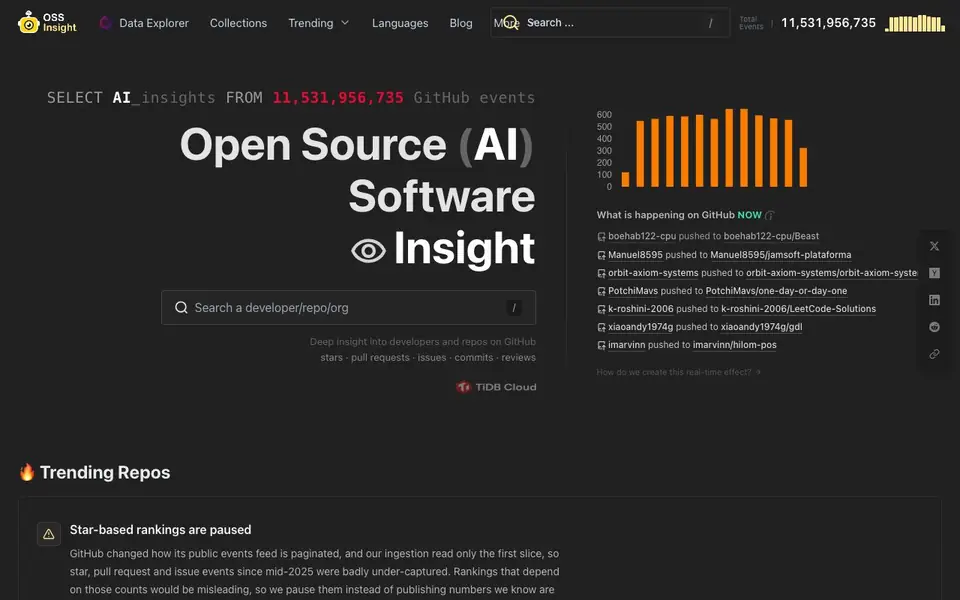
What is OSS Insight?
OSSInsight is a free analytics platform that tracks over 10 billion GitHub events in real time. It gives you deep insights into open source repositories, developers, and organizations. You can explore stars, pull requests, issues, commits, reviews, contributors, and community health metrics all in one place.
To get started, you can use the Data Explorer to search for any repository or developer. The platform shows you live activity from GitHub, so you can see what is happening right now. You can also browse curated collections and trending repos to spot popular projects and technical fields.
OSSInsight suits developers, maintainers, and researchers who want to understand open source trends. Note that star-based rankings are paused because GitHub changed its events feed, so some rankings may be missing. History before May 2025 and commit activity remain unaffected.
OSS Insight features
- Data Explorer: Search any repository or developer to see detailed metrics and activity.
- Real-time event tracking: Monitor over 10 billion GitHub events as they happen.
- Community health metrics: Analyze contributors, reviews, and issues for any project.
- Hot Collections: Browse curated lists of repositories by technical field and trend.
- API access: Query the platform programmatically for custom analytics.
What you can do with OSS Insight
- Compare two repositories to see which has healthier community engagement.
- Discover trending open source projects in a specific language or field.
- Analyze a developer's contribution patterns across their public repos.
- Track real-time GitHub activity to spot emerging projects early.
How to get started with OSS Insight
- Go to OSSInsight's website and use the search bar to find a repository or developer.
- Open the Data Explorer to view detailed metrics like stars, commits, and issues.
- Browse Collections or Trending sections to explore curated lists and hot projects.
Tips for better results with OSS Insight
- Use the Data Explorer to search a specific repository or developer, then compare community health metrics like contributors and reviews to spot engagement patterns quickly.
- For OSSInsight, rely on commit activity and repository totals synced from GitHub, since star-based rankings are paused and may mislead your analysis.
- Browse Hot Collections to find curated repository lists by technical field, then drill into individual repos to validate trends before drawing conclusions.
- Query the OSSInsight API programmatically to pull custom analytics, but cross-check any event counts against GitHub directly because ingestion gaps exist since mid-2025.
- checks
OSS Insight pricing
OSS Insight is free to use according to its website.
What to check before you rely on OSS Insight
- Verify whether star, pull request, and issue rankings are still paused on OSSInsight, as the website states these are under-captured since mid-2025.
- Check if the data you need falls before May 2025, since history before that is unaffected, but newer event counts may be incomplete.
- Confirm the pricing label says free, but the website does not state any limits on API usage, data export formats, or platform availability.
Who OSS Insight is for
OSS Insight suits developers, open source maintainers, data analysts and researchers. If that is not you, the AI data analysis tools below may fit better.
Similar tools compared with OSS Insight
| Tool | What it is | Pricing |
|---|---|---|
| OSS Insight | Open source GitHub analytics platform | Free |
| Julius AI | AI workspace for data and content | See website |
| Rows | AI-powered spreadsheet and data analyst | See website |
| Clay | AI platform for go-to-market workflows | Freemium |
| Semrush Copilot | SEO and AI search visibility platform | Freemium |
OSS Insight FAQ
What is OSSInsight?
OSSInsight is a free analytics platform that tracks over 10 billion GitHub events in real time. It provides insights into repositories, developers, and organizations, covering metrics like stars, commits, pull requests, issues, and community health.
Is OSSInsight free to use?
Yes, the website states it is free and open source. You can use all the core analytics features without paying, and the platform is sponsored by TiDB Cloud.
How often is the data updated?
The platform tracks GitHub events in real time, so data is continuously updated. However, the website notes that star-based rankings are paused due to changes in GitHub's events feed, affecting some data since mid-2025.
Can I analyze my own GitHub profile?
The website does not explicitly state whether you can analyze your own profile. You can search for any GitHub username or repository in the Data Explorer, so it likely works, but check the FAQ section for confirmation.
Does OSS Insight offer an API for custom analytics?
Yes, OSS Insight provides API access so you can query the platform programmatically for custom analytics. The website mentions this feature under the platform's capabilities. You can use it to build your own dashboards or integrate OSS Insight data into other tools.
Can OSS Insight compare two repositories directly?
Yes, OSS Insight supports comparing two repositories to see which has healthier community engagement. You can use the Data Explorer to search for each repository and view metrics like contributors, reviews, and issues side by side, helping you evaluate community activity.
Does OSS Insight require creating an account to use it?
The OSS Insight website does not mention any requirement to create an account for using the platform. It appears to be freely accessible for exploring data and viewing insights. For the most accurate and current information, check the website's sign-in or getting started sections.


