
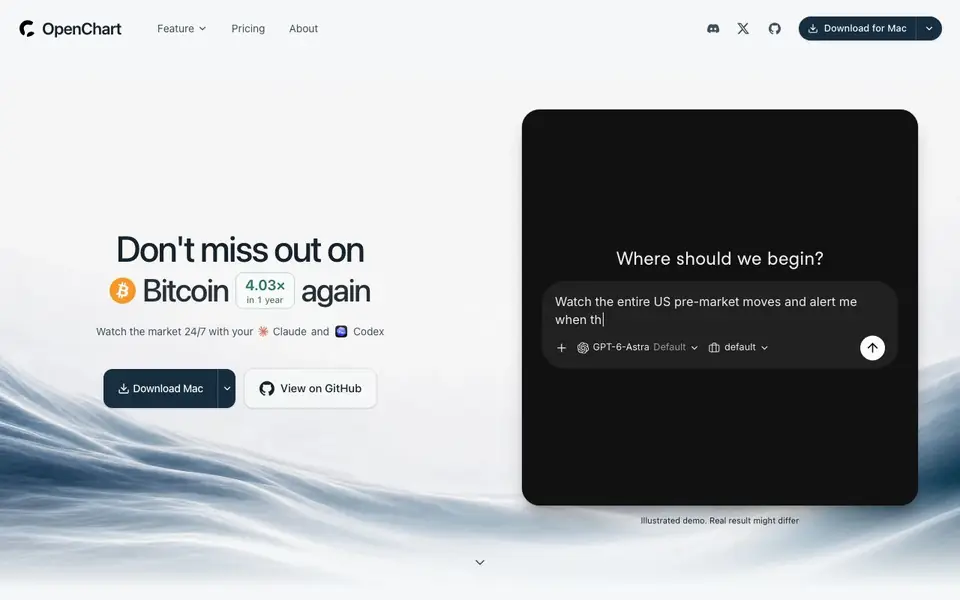
What is openchart?
OpenChart is a free desktop application for charting and market monitoring. It connects to AI agents like Claude or Codex so you can describe what to watch and get alerts, research, and analysis without writing code. Your data stays local, and you choose your market data provider.
You start by describing what you want to monitor in plain language, such as unusual moves across a supply chain. OpenChart turns that into Tea monitors that evaluate live streaming data. When a condition fires, your connected agent researches why and sends desktop notifications with suggested actions. You can also draw lines or wedges on charts and get alerted when price crosses them.
The software is free with no paywall or quotas on charts, indicators, or alerts. It's open source and built for privacy, with strategies and research stored in a local database. It suits traders who want AI-assisted market watching and research without leaving their desktop.
openchart features
- AI agent integration: Connect Claude or Codex to research chart moves and alert triggers.
- Tea language: Build custom indicators and alerts using an open-source language for markets.
- Drawing alerts: Sketch lines, wedges, or zones and get alerted when price crosses them.
- Local storage: Your strategies and research stay in a local database on your desktop.
- Free and unlimited: No paywall, plan quotas, or limits on charts, indicators, or alerts.
What you can do with openchart
- Watch pre-market moves and get alerted on breakouts.
- Monitor a supply chain for stocks that haven't rallied yet.
- Research why a price moved and get source-linked annotations.
- Set up custom alerts for price anomalies across many stocks.
How to get started with openchart
- Download OpenChart for Mac from the website or GitHub.
- Connect your preferred AI agent (Claude or Codex) and choose a market data provider.
- Describe what you want to watch or draw on a chart, then receive alerts and research.
Tips for better results with openchart
- Describe your monitoring goal in plain language, like unusual moves across a supply chain, so OpenChart can turn it into precise Tea monitors that evaluate live data.
- Use the drawing tools to sketch lines, wedges, or zones on charts, then set alerts; OpenChart will notify you when price crosses your drawing and your agent can research the trigger.
- Connect Claude or Codex to OpenChart so that when an alert fires, your agent automatically researches why and sends desktop notifications with suggested actions, saving you manual digging.
- Keep your strategies and research in OpenChart's local database, and experiment with Tea to build custom indicators and alerts that match your exact market-watching needs.
- Start with a simple watchlist like pre-market breakouts, then refine your Tea monitors based on the alerts and research OpenChart returns, iterating on your descriptions for better results.
openchart pricing
openchart is free to use according to its website.
What to check before you rely on openchart
- Check that your chosen market data provider is supported by OpenChart, since the website does not list specific providers or their data coverage.
- Verify that your connected AI agent, like Claude or Codex, is compatible with OpenChart's integration, as the site does not specify agent version requirements.
- Confirm that OpenChart's free plan includes all features you need, since the website states no paywall or quotas but does not list any paid tiers or limitations.
- Review OpenChart's privacy policy to ensure local storage of strategies and research meets your data handling requirements, as the site emphasizes privacy but lacks detailed terms.
- Test OpenChart's alert accuracy with historical data before relying on it for live trades, since the demo results are illustrative and real outcomes may differ.
Who openchart is for
openchart suits traders, investors, market watchers and quant enthusiasts. If that is not you, the AI data analysis tools below may fit better.
Similar tools compared with openchart
| Tool | What it is | Pricing |
|---|---|---|
| openchart | Desktop charting with AI agents | Free |
| Julius AI | AI workspace for data and content | See website |
| Rows | AI-powered spreadsheet and data analyst | See website |
| Clay | AI platform for go-to-market workflows | Freemium |
| Semrush Copilot | SEO and AI search visibility platform | Freemium |
openchart FAQ
Is OpenChart really free?
Yes, the software is free with no paywall and no plan quotas on charts, indicators, or alerts. Optional cloud data and your AI agent are separate and may have their own costs.
How does OpenChart use AI?
You connect an AI agent like Claude or Codex. The agent writes Tea monitors, researches chart moves, and explains why prices changed, all based on your plain-language requests.
What can I do with OpenChart?
You can watch markets 24/7, set alerts for price crosses or anomalies, draw on charts, and get AI research on what moved the price. It's built for monitoring and analysis.
Does OpenChart support my broker?
The website mentions a broker connection as a coming soon feature. It also shows illustrative order fills, but nothing executes in the current version.
What platforms does OpenChart run on?
OpenChart is a desktop application. The website currently lists a download for Mac, so that is the platform explicitly supported. If you use Windows or Linux, check the GitHub page or the official site for updates on other versions.
Does OpenChart connect to my broker for trading?
OpenChart itself does not execute trades. It can send desktop notifications with suggested actions, like a limit order, but the website shows a simulated fill and notes that nothing executes. Broker Connection is listed as 'Coming soon' on the site, so direct broker integration is not available yet.
What data providers does OpenChart support?
OpenChart lets you choose your market data provider, but the website does not list specific providers. The demo shows Bitstamp for BTC/USD data. For the full list of supported providers, check the official documentation or contact the team.


