

What is MotionClone?
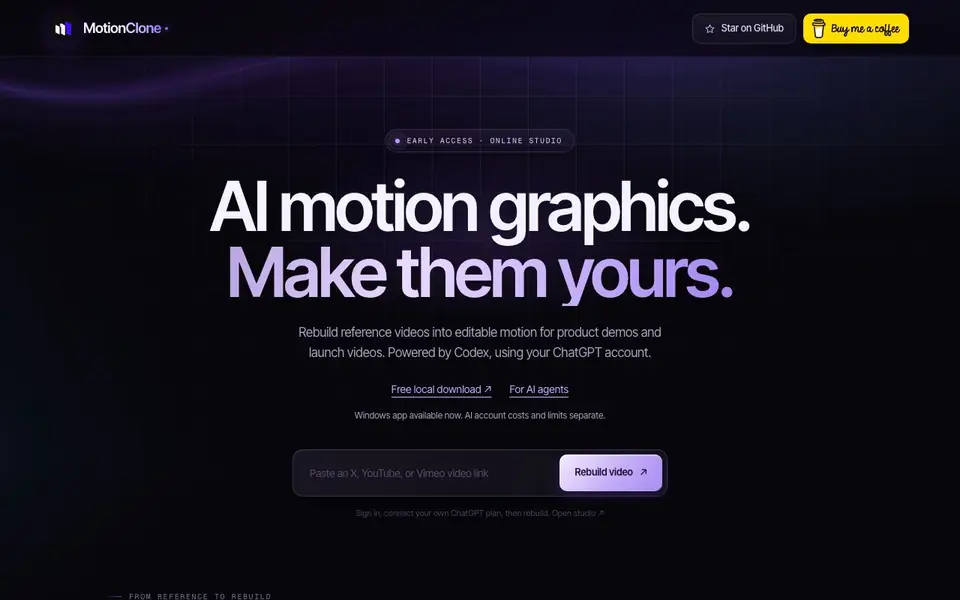
MotionClone is a Windows app that rebuilds reference videos into editable motion graphics. You point it at a video whose motion you like, and it reconstructs the movement as real layers—not a screen recording. This lets you swap text, colors, and timing to make the motion your own.
To use it, you download the app for free, connect your own ChatGPT account (which powers the AI via Codex), and then provide a public video link. The app analyzes the reference, rebuilds the motion into editable layers, and lets you review the match before exporting.
You can export your final video or project. It's designed for creators making product demos and launch videos, and it works with AI coding agents. The website notes that AI account costs and limits are separate, and there's an early-access online studio available.
MotionClone features
- Reference video rebuild: Reconstructs motion from a video into editable layers, not just a screen recording.
- Editable output: Lets you change text, colors, and timing to customize the motion.
- Free local download: Get the Windows app for free, then connect your own ChatGPT plan.
- AI agent integration: Works with AI coding agents like Codex for automated editing workflows.
- Export options: Download your video or project after reviewing the match.
What you can do with MotionClone
- Create product demo videos with editable motion graphics from a reference.
- Build launch video titles and feature reveals with custom motion.
- Rebuild animated typography and transitions from a video you like.
- Export MP4 videos after editing the motion to match your brand.
How to get started with MotionClone
- Download MotionClone for Windows from the website.
- Sign in and connect your own ChatGPT account.
- Provide a public video link and rebuild the motion into editable layers.
Tips for better results with MotionClone
- Choose a reference video with clear, simple motion and minimal camera cuts, so MotionClone can rebuild the layers accurately and you can edit them without fighting artifacts.
- Connect a ChatGPT plan that includes Codex access before you start, since MotionClone relies on that account for the AI rebuild and you will hit limits otherwise.
- Review the rebuilt layers side by side with the original reference before exporting, and adjust text, colors, and timing in small passes to keep the motion natural.
- Use MotionClone with an AI coding agent like Codex to automate repetitive edits across multiple scenes, but verify each change in the preview before you export the final MP4.
MotionClone pricing
MotionClone has a free way to start, with paid plans for heavier use. Check motionclone.lol for current limits and prices.
What to check before you rely on MotionClone
- Check that your ChatGPT plan covers Codex usage and its separate costs, because the MotionClone website does not list specific AI account pricing or limits.
- Confirm the Windows app meets the Python, Node.js, FFmpeg, Chrome, and Codex requirements, since the site does not state minimum system specs.
- Verify the export formats available in your plan, as the website mentions video or project export but does not list all supported file types or resolution options.
Who MotionClone is for
MotionClone suits video creators, product marketers, launch teams and AI agent users. If that is not you, the AI video editors below may fit better.
Similar tools compared with MotionClone
| Tool | What it is | Pricing |
|---|---|---|
| MotionClone | AI motion graphics from reference videos | Freemium |
| SiVideoGen | AI video generator with multiple models | Freemium |
| Descript | AI video and audio text-based editor | Freemium |
| InVideo | Agentic AI video editor and maker | Freemium |
| VEED | AI video creation and editing platform | See website |
MotionClone FAQ
What is MotionClone?
MotionClone is a Windows app that rebuilds reference videos into editable motion graphics. It uses AI to reconstruct movement as real layers, so you can customize text, colors, and timing for your own videos.
Is MotionClone free?
The local download is free, but you need your own ChatGPT account to power the AI. The website notes that AI account costs and limits are separate, so you may incur charges based on your ChatGPT plan.
Can I make product demo videos and launch videos?
Yes, MotionClone is designed for product demos and launch videos. You can rebuild reference videos into editable motion graphics, then customize them for your product or launch.
Can I use MotionClone in my browser today?
There's an early-access online studio, but the full app is a Windows download. The website doesn't specify if the online studio has all features, so check the site for current availability.
Does MotionClone work on Mac or Linux?
MotionClone is currently available as a Windows app only. The website does not mention native versions for Mac or Linux. If you need to run it on another operating system, check the official setup guide or GitHub repository for any workarounds or updates.
What video formats can I export from MotionClone?
MotionClone lets you export your final video or project after reviewing the match. The website specifically mentions MP4 export in its workflow guides. For a full list of supported formats, refer to the export options section in the official documentation.
Does MotionClone require a ChatGPT account to work?
Yes, MotionClone requires you to connect your own ChatGPT account, which powers the AI via Codex. The app is free to download, but you must have a ChatGPT plan. The website notes that AI account costs and limits are separate from MotionClone itself.


