

What is Latte Social?
Latte Social is an AI-powered video editor built for creators and businesses who want professional-looking short-form content without manual effort. It combines several tools in one studio: automatic animated subtitles, one-click viral clip extraction, an AI visual enhancer, and text-to-video generation. The platform also offers AI Shorts Series, which creates a new video daily based on your initial instructions, so you can run a channel on autopilot.
You start by uploading raw footage or providing a script, blog post, or short prompt. Latte's AI then trims rambling parts, removes filler words like 'ums' and 'ahs', picks your best takes, and adds animated subtitles in over 20 styles. You can customize fonts, colors, and animations to match your brand. For long-form content, it automatically extracts and formats clips for TikTok, YouTube Shorts, and IG Reels.
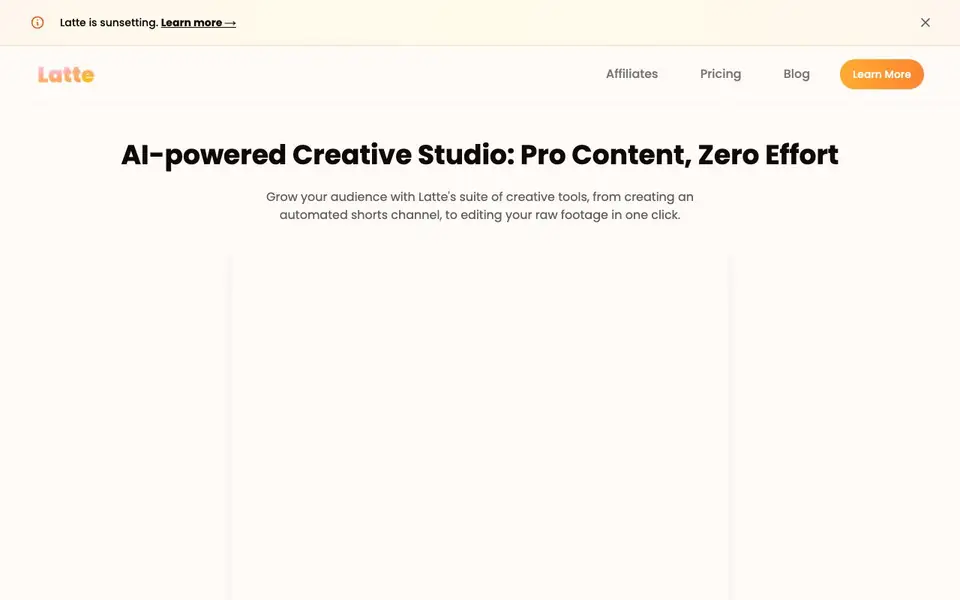
The tool suits solo creators, social media managers, and businesses that post regularly. The website notes Latte is sunsetting, so you should check its blog or pricing page for the latest status. A free trial is available with no credit card required, and you can cancel anytime.
Latte Social features
- Animated subtitles: Adds on-trend, customizable subtitles in over 20 styles with one click.
- AI Brew editor: Automatically trims rambling content and removes filler words from your footage.
- Viral clip extraction: Repurposes long videos into platform-optimized clips for TikTok, Shorts, and Reels.
- AI Shorts Series: Creates a new video daily based on your instructions and chosen theme.
- Text to video: Turns scripts, blog posts, or prompts into videos with AI voices and visuals.
What you can do with Latte Social
- Turn a long YouTube video into multiple short clips for TikTok.
- Generate a daily animated video series for your channel automatically.
- Clean up a podcast recording by removing pauses and filler words.
- Create an educational video from a blog post with AI narration.
How to get started with Latte Social
- Sign up for a free trial on Latte Social's website—no credit card needed.
- Upload your raw footage or enter a script, blog post, or prompt.
- Choose your subtitle style, visual theme, and AI voice, then let the AI edit and generate your video.
Tips for better results with Latte Social
- Start with a clear script or prompt when using Latte Social's text-to-video feature, as the AI generates visuals and narration directly from your input, so precise wording improves output quality.
- Upload high-quality raw footage with good lighting and audio to Latte Social, since the AI Brew editor relies on source clarity to trim rambling parts and select your best takes effectively.
- Customize subtitle fonts, colors, and animations in Latte Social to match your brand style, which helps maintain consistency across your short-form content and boosts viewer engagement.
- Use Latte Social's AI Shorts Series by setting your theme and visual style once, then let it generate daily videos automatically, saving hours while keeping your channel active.
- Review the extracted viral clips from Latte Social manually before posting, as the AI's selection may not always match your intended message or platform-specific nuances.
- Experiment with different AI voices and visual styles in Latte Social's text-to-story feature to find what resonates with your audience, but keep your brand voice consistent.
- Combine Latte Social's animated subtitles with the AI visual enhancer for a polished look, as both features work together to increase retention without manual editing.
- Check Latte Social's blog for sunsetting updates before starting a long-term project, since the website notes the tool is being phased out, which affects reliability.
Latte Social pricing
Latte Social offers a free trial before you pay. Check latte.social for current plans.
What to check before you rely on Latte Social
- Confirm Latte Social's current availability and sunsetting timeline on its blog or pricing page, as the website states the tool is sunsetting but does not specify an end date.
- Verify what the free trial includes, since the site says no credit card is required but does not list trial duration or feature limits.
- Check if Latte Social supports your preferred export formats and platforms, as the website mentions TikTok, Shorts, and Reels but does not detail file types or resolution options.
- Review Latte Social's data security and privacy policies for uploaded content, as the FAQ mentions security but the website does not provide specific compliance details.
- Look for pricing details on Latte Social's pricing page, since the site labels it as trial but does not state costs for paid plans after the trial ends.
Who Latte Social is for
Latte Social suits content creators, social media managers, small businesses and YouTubers. If that is not you, the AI video editors below may fit better.
Similar tools compared with Latte Social
| Tool | What it is | Pricing |
|---|---|---|
| Latte Social | AI video editor for social media | Free trial |
| SiVideoGen | AI video generator with multiple models | Freemium |
| Descript | AI video and audio text-based editor | Freemium |
| InVideo | Agentic AI video editor and maker | Freemium |
| VEED | AI video creation and editing platform | See website |
Latte Social FAQ
Who is Latte Social for?
It's for creators and businesses who want to produce short-form videos for social media without manual editing. You can use it for personal channels, client work, or brand content, and it's designed to save time on repetitive tasks.
Can I customize the subtitles' appearance?
Yes. Latte Social lets you customize fonts, colors, and animations for your subtitles to match your brand style. There are over 20 animated subtitle styles to choose from, so you can keep your videos on-trend.
What types of videos can I repurpose with Latte?
You can repurpose long-form videos into short clips for TikTok, YouTube Shorts, and Instagram Reels. The AI automatically extracts the best moments and formats them for each platform, saving you hours of manual editing.
Is there a trial period or demo available?
Yes, Latte Social offers a free trial. The website says you can try it for free, cancel anytime, and no credit card is required. However, the site also mentions Latte is sunsetting, so check their blog for current availability.
What does the Latte Social free trial include?
The Latte Social free trial lets you try the platform without providing a credit card, and you can cancel anytime. The website does not specify which features are included in the trial or any limits on usage. For details on what the trial covers, check the pricing page on latte.social.
Can I use Latte Social on my phone or tablet?
The Latte Social website does not mention whether it offers a mobile app or which devices it supports. It describes the platform as a web-based creative studio, but you should check the site's documentation or contact support for confirmation about mobile access.
Does Latte Social offer a free plan after the trial ends?
The Latte Social website does not mention a permanent free plan. It highlights a free trial with no credit card required and cancel anytime, but pricing details beyond that are not listed on the main page. For current plan options, visit the pricing page on latte.social.


