

What is Klypse?
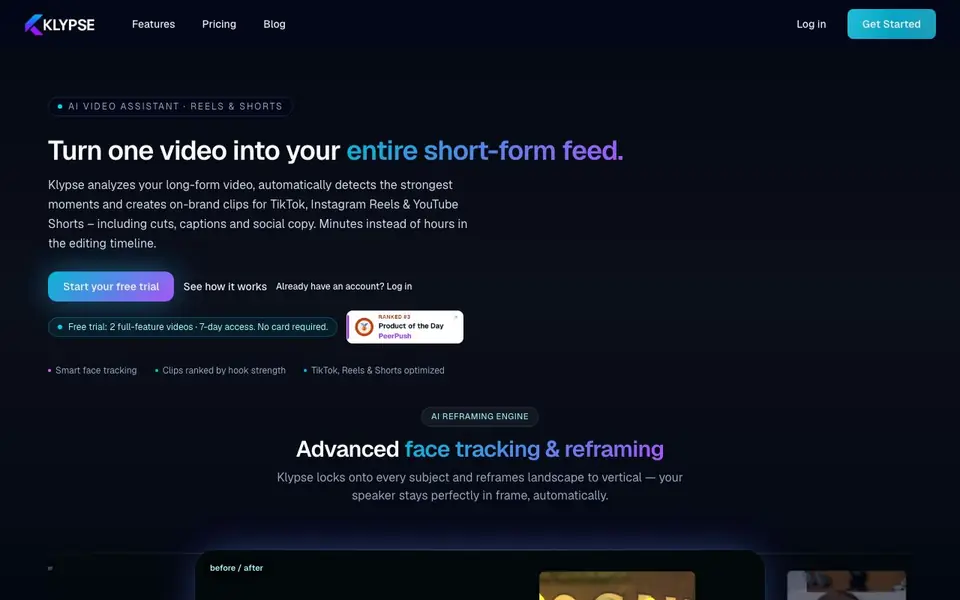
Klypse is an AI video assistant that turns long-form videos into short clips for TikTok, Instagram Reels, and YouTube Shorts. It analyzes your video, finds the strongest moments, and creates on-brand clips with cuts, captions, and social copy. You get minutes instead of hours in the editing timeline.
You start by uploading a video or pasting a YouTube link and choosing a format like 9:16. Klypse then runs transcription, highlight detection, face tracking, and segmentation in the background. You can pick from four modes: Shorts for standard highlights, Fast Cut for dynamic pacing, Jump Cut for clean talking-head edits, or Search for specific topics. Each clip gets a hook score and platform-specific ratings.
After processing, you review clips ranked by hook strength, check transcripts and social copy, and fine-tune in the built-in editor. You can set fonts, colors, and safe zones once so all clips match your brand. Klypse suits creators, coaches, consultants, agencies, and social teams who need consistent content from every video. The site notes a free trial with 2 full-feature videos and 7-day access, no card required.
Klypse features
- Smart face tracking: Keeps speakers centered when reframing landscape to vertical.
- Hook scoring: Ranks clips by hook strength with platform-specific ratings for TikTok, Reels, and Shorts.
- Word-perfect cuts: Ensures every clip starts and ends on natural speech boundaries.
- Built-in editor: Fine-tune clips, check transcripts, and adjust social copy before export.
- Four processing modes: Choose Shorts, Fast Cut, Jump Cut, or Search depending on your goal.
What you can do with Klypse
- Turn talking-head videos, vlogs, or live sessions into a steady stream of Reels and Shorts.
- Repurpose client calls, webinars, and keynotes into short clips for LinkedIn and Instagram.
- Manage multiple brands with one workflow for agencies and social teams.
- Generate social ads from long-form video with fast cuts and captions.
How to get started with Klypse
- Upload a video file or paste a YouTube link and select your target format like 9:16.
- Let Klypse analyze and cut, choosing Shorts, Fast Cut, Jump Cut, or Search mode.
- Review clips ranked by hook strength, fine-tune in the editor, and export or share to your scheduler.
Tips for better results with Klypse
- Upload a clean, well-lit video with clear speech so Klypse can detect highlights and transcribe accurately, which improves hook scores and cut quality.
- Try each of Klypse's four modes—Shorts, Fast Cut, Jump Cut, and Search—on the same video to see which style best matches your content and audience.
- Use Klypse's built-in editor to review transcripts and social copy before exporting, and adjust fonts, colors, and safe zones once to keep all clips on-brand.
- Paste a YouTube link instead of uploading a file when testing Klypse, since it saves time and lets you evaluate the tool with content you already have.
- Check the hook score and platform-specific ratings for each clip in Klypse, then prioritize the highest-scoring ones for posting to save editing effort.
Klypse pricing
Klypse offers a free trial before you pay. Check klypse.app for current plans.
What to check before you rely on Klypse
- Verify whether the free trial's 2-video limit applies per account or per project, since the website only states the trial includes 2 full-feature videos and 7-day access.
- Confirm what happens after the trial ends—the site does not list pricing plans or credit costs, so you need to contact support or check your account.
- Check if Klypse exports files in formats compatible with your editing or posting workflow, as the website does not specify export file types or resolutions.
- Review Klypse's data privacy policy to see how uploaded videos are stored and used, since the site does not state retention or deletion terms.
Who Klypse is for
Klypse suits creators, personal brands, coaches and consultants and agencies and social teams. If that is not you, the AI video editors below may fit better.
Similar tools compared with Klypse
| Tool | What it is | Pricing |
|---|---|---|
| Klypse | AI video assistant for short-form clips | Free trial |
| SiVideoGen | AI video generator with multiple models | Freemium |
| Descript | AI video and audio text-based editor | Freemium |
| InVideo | Agentic AI video editor and maker | Freemium |
| VEED | AI video creation and editing platform | See website |
Klypse FAQ
What does Klypse do?
Klypse turns long-form videos into short clips for TikTok, Instagram Reels, and YouTube Shorts. It detects highlights, reframes landscape to vertical with face tracking, adds captions, and scores each clip's hook strength.
Is there a free trial or free plan?
Klypse offers a free trial with 2 full-feature videos and 7-day access. No card is required. The site does not state whether a free plan exists beyond the trial.
Who is Klypse for?
Klypse is built for creators, personal brands, coaches, consultants, experts, and agencies. It helps people who publish consistently from talking-head videos, calls, webinars, and live sessions.
What processing modes does Klypse offer?
Klypse has four modes: Shorts for standard highlight reels, Fast Cut for dynamic pacing, Jump Cut for clean talking-head edits, and Search for clips on specific topics. You choose based on your goal.
What video formats and platforms can Klypse export to?
Klypse creates clips optimized for TikTok, Instagram Reels, and YouTube Shorts, and you can choose your target format like 9:16. The website does not list specific export file formats or direct publishing integrations beyond one-click sharing, so check the app's export options after logging in.
Does Klypse work on mobile devices or only on desktop?
The Klypse website does not specify whether it runs on mobile, desktop, or both. It mentions uploading a video and using a built-in editor, but you'll need to check the app or contact support to confirm which devices are supported.
What does the Klypse free trial include exactly?
The Klypse free trial gives you 2 full-feature videos and 7-day access, with no card required. That means you can process two videos with all features during the trial week. After that, you'd need to check the pricing page for paid plans.


