

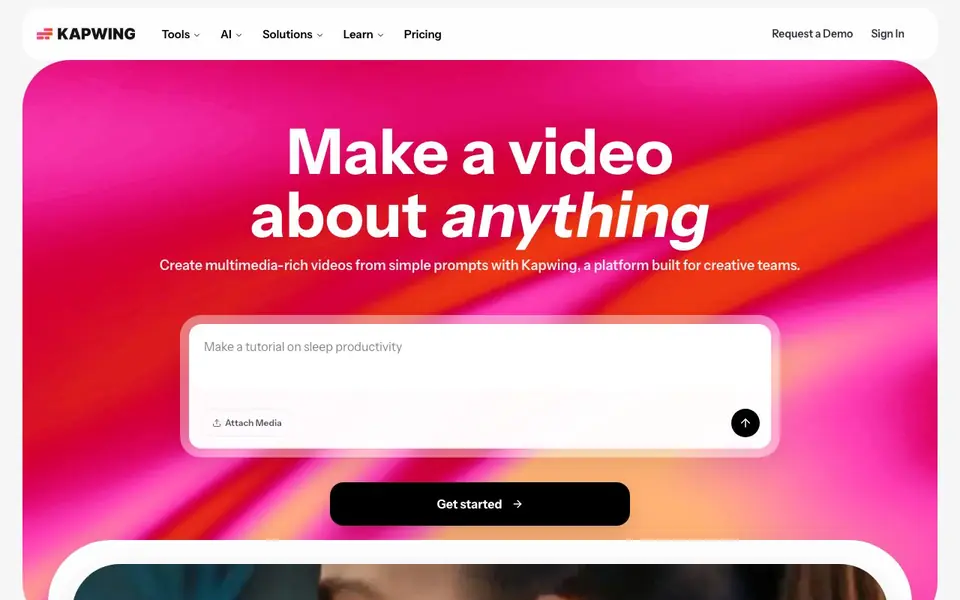
What is Kapwing?
Kapwing is an online video platform that helps you make videos from scratch or edit existing footage. You can start with a simple text prompt and get a full project with layers, timing, sound, and visuals. It also offers a suite of editing tools for trimming, combining clips, adding effects, and cleaning audio.
To get started, you open the editor in your browser, attach media or type a prompt, and Kapwing builds a draft. You can then customize the script, adjust timing, add subtitles, or use tools like Smart Cut to remove silences. The interface is drag-and-drop, and you can collaborate with your team in real time.
Kapwing suits marketers, content creators, educators, and training teams. It includes tools for repurposing videos into clips, translating dialogue into 40+ languages, and generating B-roll. The site mentions over 30 million creators use it, but it does not state specific pricing details, so you should check their pricing page for plan options.
Kapwing features
- Video Generator: Turn a text prompt into a full video with voiceover, visuals, subtitles, music, and characters.
- Subtitler: Add captions and subtitles to videos directly in the browser.
- Dubbing: Translate dialogue into over 40 languages for wider reach.
- Smart Cut: Automatically remove silences from your video to tighten pacing.
- Repurpose Studio: Turn a long video into social-ready clips for different platforms.
What you can do with Kapwing
- Create a tutorial video from a prompt without recording any footage.
- Edit a podcast recording by cleaning audio and adding subtitles.
- Translate a marketing video into multiple languages for global audiences.
- Generate short clips from a webinar for social media posts.
How to get started with Kapwing
- Go to Kapwing's website and click Start Editing or sign in.
- Attach your media or type a prompt like 'Make a tutorial on sleep productivity'.
- Customize the generated project with the script, timing, and subtitles, then export.
Tips for better results with Kapwing
- Start with a detailed text prompt that includes your topic, tone, and desired length, so Kapwing's Video Generator produces a draft closer to your vision.
- Use Kapwing's Smart Cut after generating a draft to remove silences and tighten pacing, then review the result before adding subtitles or effects.
- When repurposing a long video, use Kapwing's Repurpose Studio to create social clips, but manually check each clip's framing and captions for accuracy.
- For multilingual projects, run Kapwing's Dubbing tool on your final edit, then listen to a sample of each language to verify voice quality and timing.
Kapwing pricing
Kapwing’s homepage does not list prices. Check kapwing.com for current plans.
What to check before you rely on Kapwing
- Check Kapwing's pricing page before committing, since the site does not state specific plan costs or free tier limits.
- Verify whether your required export formats and resolution options are available in your plan, as Kapwing does not list these details upfront.
- Review Kapwing's data and privacy policy to confirm how your uploaded videos and prompts are stored or used, especially for sensitive content.
Who Kapwing is for
Kapwing suits marketers, content creators, educators and training teams. If that is not you, the AI video editors below may fit better.
Similar tools compared with Kapwing
| Tool | What it is | Pricing |
|---|---|---|
| Kapwing | AI video editor and generator | See website |
| SiVideoGen | AI video generator with multiple models | Freemium |
| Descript | AI video and audio text-based editor | Freemium |
| InVideo | Agentic AI video editor and maker | Freemium |
| VEED | AI video creation and editing platform | See website |
Kapwing FAQ
What can I make with Kapwing?
You can create videos from text prompts, edit existing clips, add subtitles, generate voiceovers, translate dialogue, and repurpose long videos into short clips. It's designed for social media content, tutorials, ads, and internal communications.
Is Kapwing free to use?
The website does not state whether there is a free plan or trial. You should check Kapwing's pricing page for details on costs and what each plan includes.
Who is Kapwing for?
Kapwing is built for marketing teams, content creators, educators, and training teams. It offers tailored workflows for each group, such as brand consistency for marketers and lesson creation for schools.
Does Kapwing work in the browser?
Yes, Kapwing's tools run in the browser. You can edit videos, add subtitles, and use AI features without installing software, and you can collaborate with your team in the same project.
Can Kapwing export videos in formats like MP4 or GIF?
Kapwing lets you export your finished projects in common video formats, including MP4 and GIF, directly from the browser. The exact export options may vary depending on your plan, so check the export menu in the editor or the pricing page for details. You can also resize or adjust settings before exporting.
Does Kapwing work on mobile devices or only desktop browsers?
Kapwing works in any modern web browser, so you can use it on desktop, laptop, tablet, or smartphone as long as you have an internet connection. The interface is optimized for touch and drag-and-drop, making it easy to edit on the go. For the best experience, use a recent browser version.
What does Kapwing's free plan include, and are there watermarks?
Kapwing offers a free plan that lets you create and edit videos with most core tools, but it may add a watermark to your exports. The website does not specify all free plan limits, so check the pricing page for details on export length, resolution, and storage. Upgrading removes watermarks and unlocks more features.


