

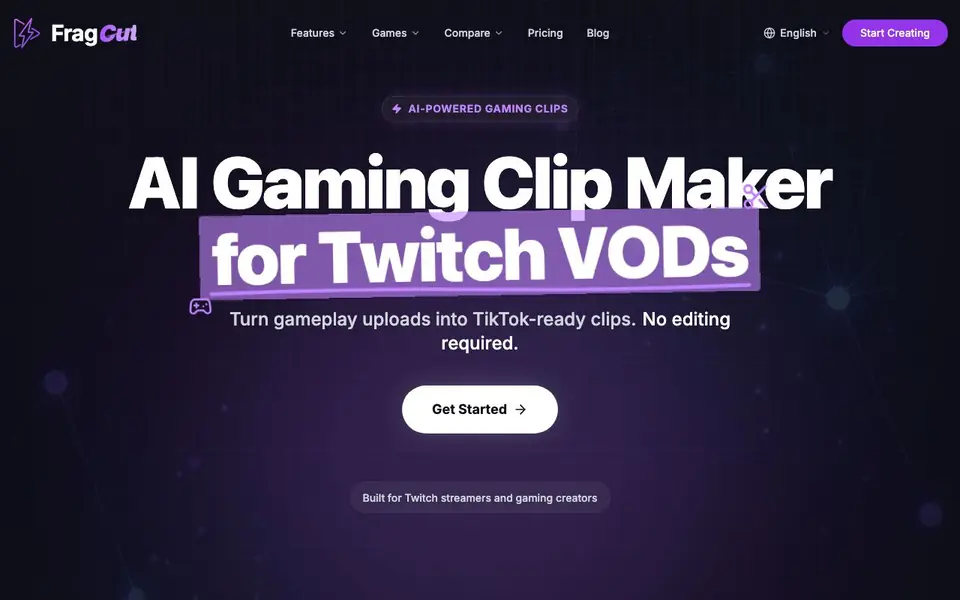
What is FragCut?
FragCut is an AI-powered clipping tool built for Twitch streamers and gaming creators. It analyzes your gaming videos to find the best moments—kills, aces, clutches, and funny interactions—then converts them into 9:16 vertical clips ready for TikTok, Reels, and Shorts. You get 5-8 clips from a single video, so you can post more content without extra editing effort.
Getting started is simple. You upload video files (MP4, MOV, WebM, MKV) or paste a Twitch URL, and FragCut supports up to 4 hours of footage. The AI finds the highlights and creates vertical clips with burned-in speech-to-text subtitles. You can then fine-tune clips with frame-level precision, preview changes in your browser, and download or post directly to social platforms.
FragCut also includes a montage maker that stitches multiple clips into one video—drag to reorder and hit Auto Stitch for highlight compilations. It works with any game, including Valorant, CS2, Apex Legends, and more. The website mentions paid plans with cancel-anytime options, but does not list specific pricing details on the main page.
FragCut features
- AI Highlight Detection: Analyzes your gaming videos to find kills, aces, clutches, and funny moments automatically.
- Vertical Format: Converts landscape footage to 9:16 vertical video for TikTok, Reels, and Shorts.
- Auto Subtitles: Generates speech-to-text subtitles and burns them into clips for viewers watching on mute.
- Montage Maker: Stitches multiple clips into one video with drag-to-reorder and Auto Stitch for compilations.
- Fine-Tune Clips: Adjust start and end times with frame-level precision and preview changes in real-time.
What you can do with FragCut
- Turn Twitch VODs into TikTok-ready clips without manual editing.
- Create highlight compilations from multiple gameplay moments.
- Post 5-8 short clips from a single video to keep your social feeds active.
- Catch clutch rounds and funny moments your viewers will share.
How to get started with FragCut
- Upload video files (MP4, MOV, WebM, MKV) or paste a Twitch URL, up to 4 hours of footage.
- Let the AI analyze your gameplay and find highlight moments, creating vertical clips.
- Review and fine-tune clips, then download or post directly to TikTok, Shorts, and Reels.
Tips for better results with FragCut
- Upload your highest-quality MP4 or MOV files to FragCut, since the AI detects highlights more reliably from clean footage with stable audio and clear game HUD elements.
- Paste a Twitch URL directly into FragCut instead of downloading the VOD first, which saves time and lets the tool process up to 4 hours of footage without extra steps.
- Use FragCut's frame-level fine-tuning to trim each clip's start and end times, because the AI sometimes includes a second too early or late around the actual kill or clutch moment.
- Run your clips through FragCut's montage maker with Auto Stitch to combine multiple highlights into one compilation, then reorder the segments manually for a stronger narrative flow.
FragCut pricing
FragCut is a paid product. Check fragcut.io for current plans and whether a demo or trial is offered.
What to check before you rely on FragCut
- Check whether your chosen FragCut plan includes enough processing minutes for your typical video length, since the website does not list specific plan limits or pricing details.
- Verify that FragCut's direct posting to TikTok, Shorts, and Reels works with your target platforms, as the site does not specify which social networks are supported for direct uploads.
- Confirm how FragCut handles your uploaded footage and who owns the resulting clips, because the FAQ mentions security but the main page does not state its data retention or privacy policy.
Who FragCut is for
FragCut suits Twitch streamers, gaming creators and esports content teams. If that is not you, the AI video editors below may fit better.
Similar tools compared with FragCut
| Tool | What it is | Pricing |
|---|---|---|
| FragCut | AI gaming clip maker for Twitch VODs | Paid |
| SiVideoGen | AI video generator with multiple models | Freemium |
| Descript | AI video and audio text-based editor | Freemium |
| InVideo | Agentic AI video editor and maker | Freemium |
| VEED | AI video creation and editing platform | See website |
FragCut FAQ
How does FragCut work?
You upload a video file or paste a Twitch URL. The AI analyzes your gameplay, detects highlights like kills and clutches, and creates vertical clips with subtitles. You can then fine-tune and download them.
Which games does FragCut support?
FragCut works with any game. The website lists Valorant, Counter-Strike 2, Apex Legends, Overwatch 2, Deadlock, Delta Force, Marvel Rivals, and League of Legends, with a view-all page for more.
How long does video processing take?
The website mentions creating TikTok-ready clips in 15-30 minutes. Exact processing time may vary based on video length and complexity.
Can I edit or customize the generated clips?
Yes. You can fine-tune clips with frame-level precision, adjust start and end times, and preview changes in your browser. The montage maker also lets you reorder and auto-stitch clips.
What video formats can FragCut import and what can it export?
FragCut accepts MP4, MOV, WebM, and MKV files, and you can paste a Twitch URL. It exports vertical 9:16 clips for TikTok, Reels, and Shorts. The website does not mention other export formats, so check the app or pricing page for details.
Does FragCut require software installation or can I use it in a browser?
FragCut runs entirely in your browser. You upload videos or paste a Twitch link, then preview and fine-tune clips directly in the browser. The FAQ confirms no software installation is needed, so you can start creating clips from any device with internet access.
Is there a free plan for FragCut or what does the paid subscription include?
FragCut is labeled as paid, and the main page mentions paid plans with cancel-anytime options. It does not list specific pricing or free-plan details on the main page. Check the Pricing page on fragcut.io for exact plan features and costs.


