

What is FlexClip?
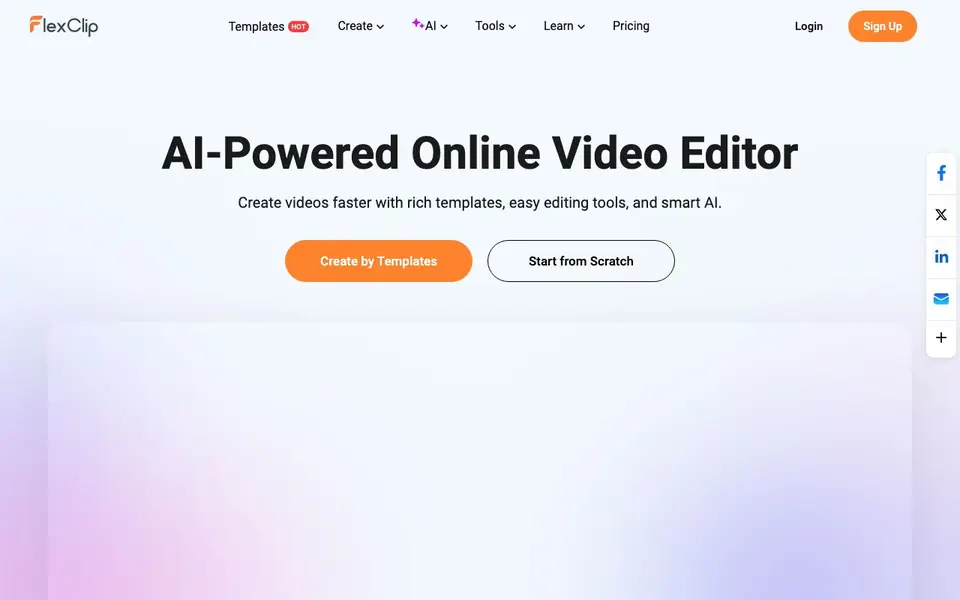
FlexClip is an AI-powered online video maker and editor. It gives you a large library of templates and resources so you can start fast. You can create videos from scratch or use AI tools to generate videos from prompts, articles, or URLs. The editor is designed to be simple, so you do not need a steep learning curve.
To get started, you can pick a template from categories like business, wedding, or marketing, or begin with a blank project. Then you can add your own clips, text, music, and voiceovers. AI tools can help you generate scripts, turn text into speech, remove backgrounds, and add subtitles automatically. You can also translate videos into multiple languages.
FlexClip suits anyone who wants to make videos for personal or business purposes. It includes resources like stock videos, photos, music, and sound effects. You can collaborate with teammates and share your work. The website mentions exporting videos up to 4K resolution and sharing directly to social platforms.
FlexClip features
- AI Video Generator: Generate videos from your prompt, article, or URL to save time.
- AI Text to Speech: Turn your written text into natural-sounding voiceovers for your videos.
- AI BG Remover: Remove backgrounds from videos or images with a single click.
- AI Auto Subtitle: Automatically detect speech and generate subtitles for your video.
- AI Translator: Create multi-language versions of your videos with ease.
What you can do with FlexClip
- Create marketing videos for your business using templates and AI tools.
- Make wedding slideshows or intro and outro clips for your channel.
- Add subtitles and voiceovers to your videos for better engagement.
- Translate your video content into other languages to reach more viewers.
How to get started with FlexClip
- Sign up for a free account on FlexClip's website.
- Choose a template from the library or start from scratch.
- Use AI tools to generate scripts, subtitles, or voiceovers, then edit and export your video.
Tips for better results with FlexClip
- Start with a template from FlexClip's 6000+ library to save time, then replace the placeholder clips and text with your own footage and branding.
- Use FlexClip's AI Video Generator by pasting a URL or article to draft a rough cut, then refine the scenes manually for better pacing.
- Run FlexClip's AI Auto Subtitle after adding your voiceover, then proofread the captions for accuracy before exporting.
- Test FlexClip's AI BG Remover on a short clip first to check edge quality, then apply it to longer footage if results look clean.
- checks
FlexClip pricing
FlexClip has a free way to start, with paid plans for heavier use. Check flexclip.com for current limits and prices.
What to check before you rely on FlexClip
- Check FlexClip's free plan limits on exports, watermarks, and resolution, since the website labels it freemium but does not list specific caps.
- Verify whether FlexClip's 4K export and AI translation features are available on the free tier or require a paid plan, as the site does not state this.
- Confirm FlexClip's data handling for uploaded videos and AI-generated content, since the website does not detail privacy or retention policies.
Who FlexClip is for
FlexClip suits marketers, content creators, small business owners and social media managers. If that is not you, the AI video editors below may fit better.
Similar tools compared with FlexClip
| Tool | What it is | Pricing |
|---|---|---|
| FlexClip | Online video maker and editor with AI tools | Freemium |
| SiVideoGen | AI video generator with multiple models | Freemium |
| Descript | AI video and audio text-based editor | Freemium |
| InVideo | Agentic AI video editor and maker | Freemium |
| VEED | AI video creation and editing platform | See website |
FlexClip FAQ
What can I do with FlexClip?
FlexClip is an online video maker and editor. You can create videos from templates or scratch, and use AI tools to generate videos from prompts, add subtitles, remove backgrounds, and more.
Is FlexClip free to use?
FlexClip's website says you can try it free. It does not specify whether there are paid plans, so check the pricing page on their site for details.
Who is FlexClip for?
FlexClip is for anyone who wants to make videos for personal or business purposes. It is designed to be simple, so you do not need prior editing experience.
What AI features does FlexClip offer?
FlexClip includes an AI video generator, text to speech, script generator, background remover, auto subtitles, and translator. These help you create and edit videos faster.
Can FlexClip export videos in 4K resolution?
Yes, FlexClip supports exporting videos up to 4K resolution. You can choose your desired resolution when you finish editing and export your project. The website mentions this capability, so you can expect to create high-quality videos with FlexClip.
Does FlexClip require an account to use?
FlexClip requires you to sign up for an account to start creating videos. The website has login and sign-up options, and you need to be logged in to save and export your projects. You can sign up for free to begin using FlexClip.
Can FlexClip be used on mobile devices?
The FlexClip website does not mention a dedicated mobile app. However, since FlexClip is an online video editor, you can access it through a web browser on your mobile device. For the best experience, check the website for any updates on mobile compatibility.


