

What is FaceFusion?
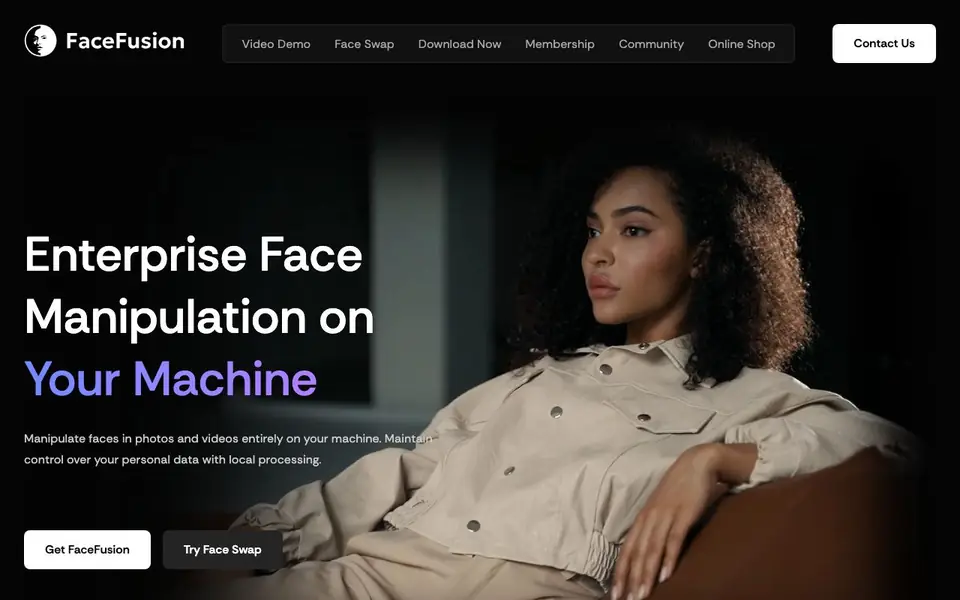
FaceFusion is a face manipulation platform that runs entirely on your local machine. It lets you swap faces, enhance facial details, sync lips to audio, modify age, and more. Because everything processes locally, you keep control over your personal data.
To get started, you can clone the open-source code from GitHub for free. If you prefer a simpler setup, you can buy a Windows or macOS installer that automates the installation of GIT, Conda, and FFmpeg. The installer also sets up a start menu entry, desktop shortcut, and lets you choose your accelerator.
The platform includes a range of tools like Face Swapper, Face Enhancer, Frame Enhancer, Lip Syncer, and Age Modifier. For professional use, there are plugins for After Effects, Premiere Pro, Nuke, and DaVinci Resolve. The website notes that some features, like the HyperSwap plugin, require a license, and the free version is the open-source code.
FaceFusion features
- Face Swapper: Swap faces with AI models and precision masking for realistic results.
- Face Enhancer: Improve facial clarity and detail using super-resolution enhancement.
- Frame Enhancer: Upscale video quality up to 8x for sharper, clearer footage.
- Lip Syncer: Sync lip movements to any audio track for accurate dubbing.
- Age Modifier: Apply convincing age progression or regression to faces.
What you can do with FaceFusion
- Swap faces in videos for creative projects or entertainment.
- Enhance facial details in photos for professional editing.
- Sync lip movements to audio for video dubbing.
- Modify age in portraits for visual effects or fun.
How to get started with FaceFusion
- Clone the FaceFusion source code from GitHub or buy the installer for Windows or macOS.
- Install the required dependencies like GIT, Conda, and FFmpeg using the installer.
- Launch the app and choose a face manipulation tool to start editing.
Tips for better results with FaceFusion
- Start with the free open-source code from GitHub to test FaceFusion's core features before paying for an installer, ensuring it meets your needs.
- Use FaceFusion's precision masking on Face Swapper to refine edges around hair and glasses, which dramatically improves realism in swapped faces.
- For video projects, apply Frame Enhancer after Face Swapper to upscale output up to 8x, but check your hardware's capacity to avoid slow rendering times.
- When using Lip Syncer, match your audio track's sample rate with the video's to prevent drift, and preview results at low resolution first for quick adjustments.
FaceFusion pricing
FaceFusion has a free way to start, with paid plans for heavier use. Check facefusion.io for current limits and prices.
What to check before you rely on FaceFusion
- Verify your computer's GPU and RAM meet FaceFusion's requirements for local processing, as the website does not list minimum hardware specs.
- Confirm whether the free open-source version includes Lip Syncer and Age Modifier, since the site only mentions licenses for HyperSwap plugins.
- Check if the $20 Windows or $30 macOS installer covers future updates, as the website does not state whether upgrades are included in the price.
Who FaceFusion is for
FaceFusion suits content creators, VFX artists, film studios and video editors. If that is not you, the AI video editors below may fit better.
Similar tools compared with FaceFusion
| Tool | What it is | Pricing |
|---|---|---|
| FaceFusion | Local face manipulation platform for photos and videos | Freemium |
| SiVideoGen | AI video generator with multiple models | Freemium |
| Descript | AI video and audio text-based editor | Freemium |
| InVideo | Agentic AI video editor and maker | Freemium |
| VEED | AI video creation and editing platform | See website |
FaceFusion FAQ
Is FaceFusion free?
the website code is free to clone from GitHub, so you can use the core platform at no cost. However, paid options exist, like the Windows installer for $20 and macOS installer for $30, plus a HyperSwap plugin for professional use.
What can I do with FaceFusion?
You can swap faces, enhance facial details, upscale video frames, sync lips to audio, modify age, remove backgrounds, and colorize black-and-white footage. It works on both photos and videos.
Who is FaceFusion for?
It suits content creators, VFX artists, film studios, and video editors who need face manipulation. The plugins for After Effects, Premiere Pro, Nuke, and DaVinci Resolve target professional production workflows.
Does FaceFusion work on my machine?
The website does not state specific system requirements. It mentions choosing an accelerator during installation, which suggests you need a compatible GPU. Check the GitHub repository or community for detailed specs.
What can FaceFusion export or connect to?
FaceFusion offers plugins for After Effects, Premiere Pro, Nuke, and DaVinci Resolve, with OBS Studio listed as on request. The website also mentions mask export and video composition for professional workflows. For specific export formats or other integrations, check the official FaceFusion website or plugin documentation.
Does FaceFusion run on Linux or only Windows and macOS?
The FaceFusion website mentions installers for Windows and macOS, but the open-source code can be cloned from GitHub, which likely supports other platforms. The website does not explicitly mention Linux support, so check the GitHub repository or community forums for details on running FaceFusion on Linux.
What does the free plan of FaceFusion include?
The free version of FaceFusion is the open-source code you clone from GitHub. It includes core features like Face Swapper, Face Enhancer, Frame Enhancer, Lip Syncer, and Age Modifier. Some plugins, such as HyperSwap, require a license. For a simpler setup, paid installers are available for Windows and macOS.


