

What is Dubverse.ai?
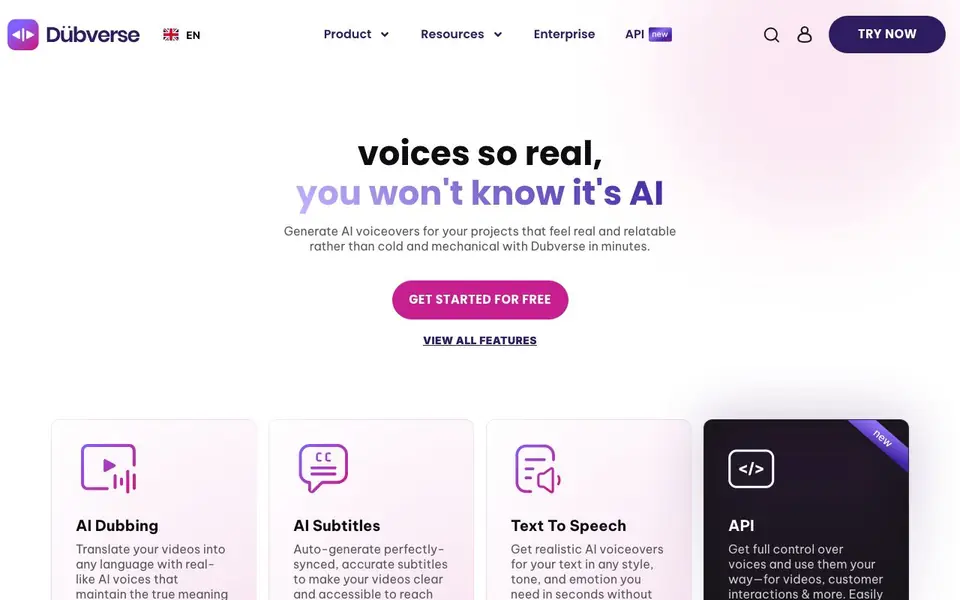
Dubverse is a generative AI platform that handles video dubbing, text-to-speech, and auto subtitles. It aims to produce voices that sound real and relatable, not cold or mechanical. You can translate videos into many languages while keeping the original meaning and emotion.
You start by uploading a video or text, then pick from over 200 customizable voices that vary by age, gender, tone, and dialect. The platform uses two AI models, Neo.One and Candy.Two, for quality and speed. You can also clone a custom voice for a consistent brand sound across languages, and batch process multiple files at once.
Dubverse suits creators, marketers, and developers. It offers an API for integrating voices into your own workflows, and built-in online video editing tools. The website mentions high-quality, low-latency generation with response times as low as 500 ms, and supports mixed-language scripts like Hinglish or Spanglish.
Dubverse.ai features
- AI Dubbing: Translate videos into any language with realistic voices that preserve meaning and emotion.
- AI Subtitles: Auto-generate accurately synced subtitles to make videos accessible on every platform.
- Text to Speech: Turn text into voiceovers in seconds with various styles, tones, and emotions.
- Custom Voice Cloning: Replicate any voice to create a branded, consistent sound across languages.
- Batch Processing: Generate multiple audio files simultaneously for efficient production of demos or podcasts.
What you can do with Dubverse.ai
- Dubbing a marketing video from English to Hindi for local audiences.
- Adding auto subtitles to a tutorial to reach viewers on mute.
- Creating a podcast voiceover with a chosen tone and accent.
- Integrating AI voices into a customer interaction platform via API.
How to get started with Dubverse.ai
- Sign up and get started for free on the Dubverse website.
- Upload your video or text and choose a voice or language.
- Generate the voiceover or subtitles, then edit or export your project.
Tips for better results with Dubverse.ai
- Upload a clear video with minimal background noise before dubbing, since Dubverse matches voice timing to the original audio track.
- Test several of Dubverse's 200+ voices on a short sample clip first, adjusting age, gender, and tone to match your content's mood.
- Use Dubverse's custom voice cloning for branded content, then apply that same voice across all languages to keep your identity consistent.
- For mixed-language scripts like Hinglish, write the text exactly as spoken and run a test in Dubverse to confirm pronunciation and flow before finalizing.
Dubverse.ai pricing
Dubverse.ai has a free way to start, with paid plans for heavier use. Check dubverse.ai for current limits and prices.
What to check before you rely on Dubverse.ai
- Check the freemium plan's limits on video length, number of generations, or export quality, since the website does not list specific caps.
- Verify whether the free tier includes commercial rights for your dubbed videos, as the site does not state usage permissions clearly.
- Confirm that your required output formats and integrations are supported, because the website only mentions an API without detailing file types or platform compatibility.
Who Dubverse.ai is for
Dubverse.ai suits creators, marketers, developers and businesses. If that is not you, the AI video editors below may fit better.
Similar tools compared with Dubverse.ai
| Tool | What it is | Pricing |
|---|---|---|
| Dubverse.ai | AI video dubbing and voiceover platform | Freemium |
| SiVideoGen | AI video generator with multiple models | Freemium |
| Descript | AI video and audio text-based editor | Freemium |
| InVideo | Agentic AI video editor and maker | Freemium |
| VEED | AI video creation and editing platform | See website |
Dubverse.ai FAQ
What can I do with Dubverse?
You can dub videos into multiple languages, generate realistic text-to-speech voiceovers, and auto-create subtitles. It also offers an API for integrating voices into your own platform.
Is Dubverse free to use?
The website says you can get started for free, but it doesn't detail a free plan's limits or whether paid plans exist. Check the pricing or plans section on their site for specifics.
Who is Dubverse for?
It's for creators, marketers, and developers who need video dubbing, voiceovers, or subtitles. The site mentions 500K+ brands and 11M+ creators using it.
Can I clone my own voice with Dubverse?
Yes, the site mentions custom voice cloning to create a branded voice that adapts to all languages and content forms, so you sound consistent everywhere.
What languages does Dubverse support for dubbing and voiceovers?
Dubverse supports 10+ Indian and global languages for dubbing, and you can mix languages like Hinglish or Spanglish in a single script. The website doesn't list every language, so check the language selector in the studio or API docs for the full list.
Does Dubverse offer a free plan and what does it include?
Dubverse is freemium, so you can start for free. The website doesn't specify exactly what the free plan includes, such as minutes or features. To see current limits, visit the pricing page or sign up to check your available credits.
Can I use Dubverse on my mobile device or desktop?
Dubverse is a web-based platform, so you can access it through a browser on any device with internet, like a laptop, tablet, or phone. The website doesn't mention dedicated mobile apps, so check the site for any app availability updates.


