
What is AI Video Enhancer?
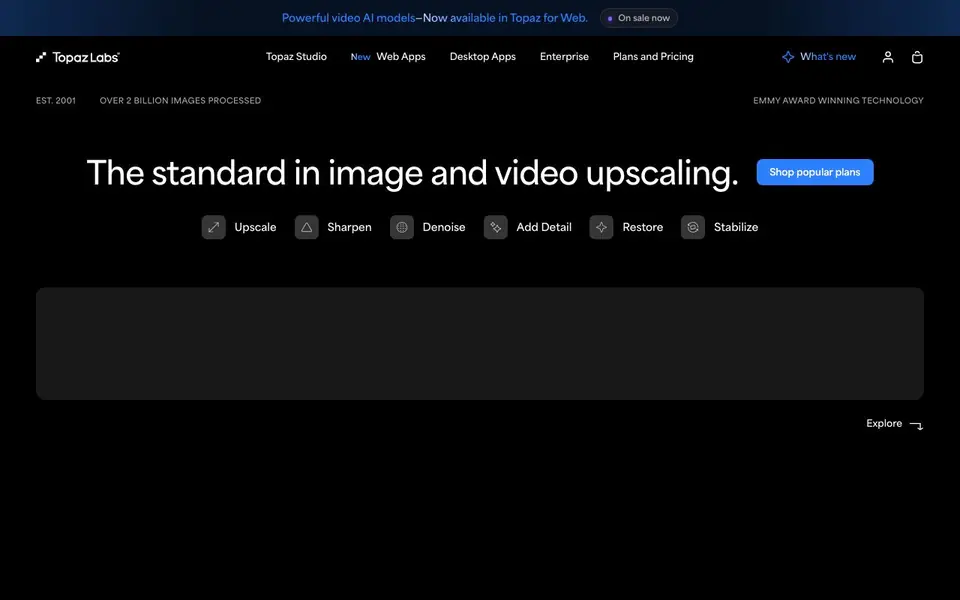
Topaz Labs is a suite of AI-powered tools for enhancing and upscaling images and videos. It includes desktop apps like Topaz Video, Topaz Photo, and Topaz Gigapixel, plus newer web and mobile options. The technology is Emmy award-winning and has processed over 2 billion images.
You can use Topaz to upscale, sharpen, denoise, add detail, restore, and stabilize your footage. For videos, you can also create slow motion. The tools work locally on your computer or in the cloud via your browser. Topaz for Web - Video lets you enhance and upscale videos directly in your browser, while Topaz for Mobile brings the power to your iPhone.
Topaz is trusted by creative professionals, including filmmakers and photographers. It's used in finishing processes for documentaries and commercial work, and by wildlife photographers to save dark or noisy images. the website says specific AI models like Starlight Precise and Astra, but doesn't detail their differences.
AI Video Enhancer features
- Upscale: Increases resolution of your videos and images with AI.
- Denoise: Removes noise from low-light or high-ISO footage.
- Sharpen: Enhances detail and clarity in your media.
- Add Detail: Brings out fine textures and details in your content.
- Stabilize: Reduces camera shake in your videos.
What you can do with AI Video Enhancer
- Upscale old or low-resolution videos for modern displays.
- Denoise dark footage from a wildlife shoot to save the image.
- Sharpen soft images before printing or publishing.
- Create slow-motion effects from standard frame-rate video.
How to get started with AI Video Enhancer
- Choose a Topaz app: desktop, web, or mobile.
- Upload your video or image to the tool.
- Select an AI model and adjust settings to enhance your media.
Tips for better results with AI Video Enhancer
- Start with the lowest upscale factor that meets your needs, then compare AI models like Starlight Precise and Astra on a short clip to see which preserves detail best for your footage.
- For noisy low-light video, apply denoise before upscaling in Topaz Video to avoid amplifying artifacts, and preview the result at full resolution to judge the trade-off between smoothness and texture.
- Use Topaz for Web - Video when you need quick cloud processing without installing desktop software, but upload a small test clip first to gauge processing speed and output quality for your specific source material.
- When creating slow motion from standard frame-rate footage, experiment with different interpolation settings in Topaz Video and check motion artifacts on fast-moving subjects before committing to the full render.
- Compare results from Topaz Video's local and cloud processing on the same clip, as they may use different AI models or settings that affect sharpness and temporal consistency for your footage.
AI Video Enhancer pricing
AI Video Enhancer is a paid product. Check topazlabs.com for current plans and whether a demo or trial is offered.
What to check before you rely on AI Video Enhancer
- Confirm whether your chosen plan covers the specific features you need, like slow motion or stabilization, since the website lists capabilities but does not state which plans include each one.
- Check the export formats and resolution limits for your plan before relying on Topaz for delivery, as the site does not specify these details for web or desktop versions.
- Verify data handling for cloud processing in Topaz for Web - Video, since the website does not state how long your uploaded footage is stored or whether it is used for model training.
- Review the pricing page carefully because the advertised starting prices may be promotional, and the site does not list full plan details or renewal terms without clicking through.
Who AI Video Enhancer is for
AI Video Enhancer suits videographers, photographers, 3D artists and content creators. If that is not you, the AI video editors below may fit better.
Similar tools compared with AI Video Enhancer
| Tool | What it is | Pricing |
|---|---|---|
| AI Video Enhancer | AI video and photo enhancement suite | Paid |
| SiVideoGen | AI video generator with multiple models | Freemium |
| Descript | AI video and audio text-based editor | Freemium |
| InVideo | Agentic AI video editor and maker | Freemium |
| VEED | AI video creation and editing platform | See website |
AI Video Enhancer FAQ
What does Topaz Labs do?
Topaz Labs uses AI to enhance and upscale images and videos. You can denoise, sharpen, add detail, restore, and stabilize your media, either on your desktop or in the cloud via your browser.
Is Topaz Labs free?
No, Topaz Labs is a paid tool. The website shows plans starting at $29/month for web video, $59/month for desktop video, and $19/month for web image enhancement, with discounts for annual billing.
Who is Topaz Labs for?
It's designed for creative professionals like filmmakers, photographers, and 3D artists, but any content creator can use it to improve the quality of their videos and images.
Can I use Topaz Labs in my browser?
Yes, Topaz offers web-based tools like Topaz for Web - Video and Topaz for Web - Image, which let you enhance and upscale media directly in your browser without installing software.
Does AI Video Enhancer work on Mac or Windows?
AI Video Enhancer is available for Mac, Windows, and web browsers. The desktop app runs locally on your computer, and the web version works in your browser. The website does not specify which operating systems are supported for the web version, so check the system requirements before subscribing.
Can AI Video Enhancer export videos in formats like MP4 or ProRes?
AI Video Enhancer can upscale, sharpen, denoise, and stabilize videos, but the website does not list the specific export formats it supports. To find out which file types you can export, check the product documentation or contact Topaz Labs support directly.
Does AI Video Enhancer require an account to use?
AI Video Enhancer is a paid tool, and you likely need to create an account to purchase a subscription or manage your license. The website does not explicitly state whether an account is required for the desktop app, but for web and mobile versions, an account is typically needed. Check the sign-up process on the Topaz Labs site for details.


