
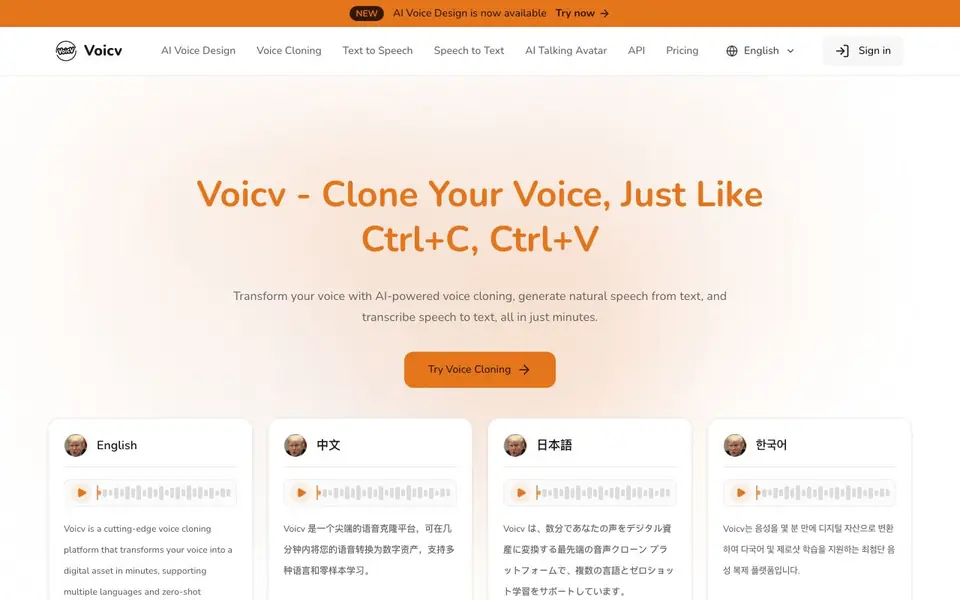
What is Voicv?
Voicv is an AI-powered platform that turns your voice into a digital asset. You can clone your voice with a short audio sample, generate natural speech from text, and transcribe audio into text. It supports multiple languages and includes an AI talking avatar feature.
To get started, you upload a voice sample of 10-30 seconds for cloning. Then you can generate speech in languages like English, Japanese, Korean, Chinese, French, German, Arabic, and Spanish. The tool also offers emotion control, letting you add pauses, breaths, and laughter to make speech more expressive.
Voicv is designed for content creators, podcasters, businesses, and professionals. It offers real-time processing and an enterprise-ready API for deployment. The website mentions zero-shot learning and high accuracy, but does not specify pricing details.
Voicv features
- Zero-Shot Voice Cloning: Clone any voice with just 10-30 seconds of audio sample, maintaining high fidelity.
- Multilingual Support: Generate speech in multiple languages including English, Japanese, Korean, Chinese, and more.
- Real-Time Processing: Experience fast voice generation with an optimized engine for quick iterations.
- Emotion Control: Add pauses, breaths, and laughter to make generated speech more natural and expressive.
- AI Talking Avatar: Upload an avatar image and combine it with TTS or your own audio to create a talking video.
What you can do with Voicv
- Create a consistent brand voice for your content across multiple languages.
- Generate audiobooks or e-learning materials from written text.
- Transcribe meeting notes or audio recordings into searchable text.
- Produce talking avatar videos for presentations or social media.
How to get started with Voicv
- Sign in to Voicv and choose the voice cloning tool from the menu.
- Upload a 10-30 second audio sample of the voice you want to clone.
- Generate speech in your chosen language, or use the talking avatar feature to create a video.
Tips for better results with Voicv
- Upload a clean 10-30 second voice sample with no background noise or music, speaking in a steady tone, to get the most accurate Voicv clone.
- Use Voicv's emotion control to add pauses, breaths, or laughter where you want emphasis, making the generated speech sound more natural and expressive.
- Test Voicv's multilingual output by generating a short phrase in each language you need, then compare the pronunciation and tone before committing to longer projects.
- Combine Voicv's text-to-speech with the AI talking avatar feature by uploading a clear, high-resolution avatar image to create polished videos for presentations or social media.
- For real-time processing, keep your text inputs concise and iterate quickly with Voicv, adjusting the script or emotion settings between generations to refine the result.
Voicv pricing
Voicv’s homepage does not list prices. Check voicv.com for current plans.
What to check before you rely on Voicv
- Check Voicv's pricing page directly, as the website does not state any plan costs, limits, or whether a free tier exists before you start.
- Review Voicv's data and privacy policy to see how your uploaded voice samples and audio files are stored, used, or deleted, since this is not detailed on the main page.
- Confirm Voicv's export formats for generated audio and transcriptions, and whether the API supports your deployment environment, as the site does not list these specifics.
- Verify that Voicv's real-time processing works reliably for your internet connection and device, since the website does not specify system requirements or latency benchmarks.
Who Voicv is for
Voicv suits content creators, podcasters, businesses and voice actors. If that is not you, the AI voice generators below may fit better.
Similar tools compared with Voicv
| Tool | What it is | Pricing |
|---|---|---|
| Voicv | AI voice cloning and audio tools | See website |
| ElevenLabs | AI voice generator and voice agents platform | Freemium |
| Murf | AI voice and conversational agent platform | See website |
| Resemble AI | AI deepfake detection and watermarking platform | See website |
| Speechify | AI text-to-speech and voice assistant | Freemium |
Voicv FAQ
What does Voicv do?
Voicv offers AI voice cloning, text-to-speech, speech-to-text, and AI talking avatar features. You can clone a voice with a short sample, generate speech from text, transcribe audio, and create avatar videos.
How much audio do I need for voice cloning?
Voicv's zero-shot voice cloning works with just 10-30 seconds of audio sample. This short sample is enough to create a high-fidelity digital replica of the voice.
What languages does Voicv support?
Voicv supports multiple languages including English, Japanese, Korean, Chinese, French, German, Arabic, and Spanish. You can generate speech in these languages using cloned or TTS voices.
Is Voicv free to use?
The website does not state pricing details. You can check the Pricing page on Voicv's website for information about plans and costs.
Does Voicv require an account to use?
The Voicv website does not mention whether you need to create an account to use the platform. To find out, check the sign-in or sign-up section on the site, or contact their support team for clarification.
What file formats can Voicv export audio in?
The Voicv website does not specify which audio file formats it supports for export. For details on export options, review the platform's documentation or reach out to their support team for accurate information.
Can Voicv integrate with other apps or platforms?
Voicv offers an enterprise-ready API for deployment, but the website does not mention specific integrations with other apps or platforms. To learn about available integrations, check the API documentation or contact their team for more details.


