

What is Speechify?
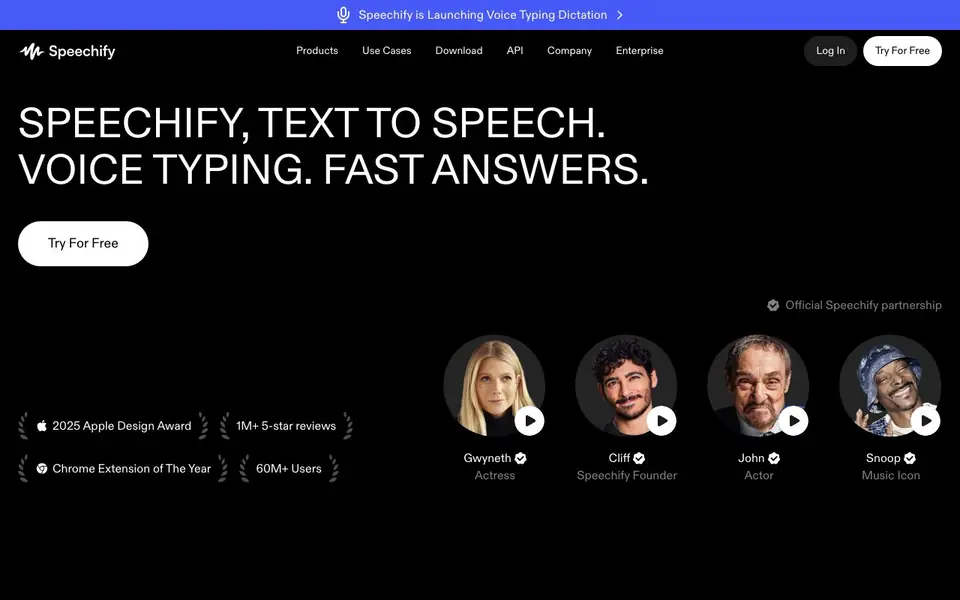
Speechify is a voice AI assistant that reads text aloud, takes dictation, and answers questions. It works across many devices and platforms, including web, mobile, and browser extensions. You can listen to PDFs, docs, and web pages with natural-sounding voices, or use voice typing to write up to five times faster than typing.
To get started, you upload or open a document, and Speechify reads it with highlighting and speed control. You can also snap a photo of text to have it read aloud. The assistant summarizes content, creates quizzes, and can turn any reading into a podcast. For meetings, it takes notes and provides summaries.
Speechify suits professionals, students, creators, and people who want easier access to written content. It offers a free tier, with paid plans for more features. The site mentions it has over 60 million users and won a 2025 Apple Design Award.
Speechify features
- Natural-sounding voices: Listen to text with lifelike AI voices that feel real.
- Text highlighting: Follow along with highlighted text as Speechify reads aloud.
- Speed control: Adjust listening pace to match your preference.
- Scan and listen: Snap a photo of any text and have it read back to you.
- Voice typing: Dictate text in any app up to five times faster than typing.
What you can do with Speechify
- Listen to PDFs and documents while commuting or doing chores.
- Dictate emails and notes in Google Docs or Gmail with your voice.
- Turn articles or links into podcasts for on-the-go learning.
- Get summaries and answers from your files or meeting recordings.
How to get started with Speechify
- Visit the Speechify website and sign up for a free account.
- Upload a PDF, doc, or web page, or use the Chrome extension on any site.
- Press play to listen, or use voice typing to dictate your own text.
Tips for better results with Speechify
- Upload a clear PDF or document first, then use Speechify's highlighting and speed control to follow along and adjust the pace to match your comprehension.
- Use Speechify's scan feature on a clean, well-lit photo of text to ensure accurate reading, and verify the captured text before listening.
- Try Speechify's voice typing in Google Docs or Gmail by speaking naturally and clearly, then review the dictated output for any errors before sending.
- For meeting notes, let Speechify record and summarize the call, then ask it specific questions about the conversation to extract the details you need.
Speechify pricing
Speechify has a free way to start, with paid plans for heavier use. Check speechify.com for current limits and prices.
What to check before you rely on Speechify
- Check the free tier's limits on characters, documents, or features, since the website does not specify what the free plan includes.
- Verify which platforms you need, like web, mobile, or browser extensions, and confirm Speechify supports all the devices you use regularly.
- Review the privacy policy for how your uploaded documents and recordings are stored or used, as the website does not state data handling details.
Who Speechify is for
Speechify suits professionals, students, creators and accessibility users. If that is not you, the AI voice generators below may fit better.
Similar tools compared with Speechify
| Tool | What it is | Pricing |
|---|---|---|
| Speechify | AI text-to-speech and voice assistant | Freemium |
| ElevenLabs | AI voice generator and voice agents platform | Freemium |
| Murf | AI voice and conversational agent platform | See website |
| Resemble AI | AI deepfake detection and watermarking platform | See website |
| Synthesia | AI video and avatar platform for business | Freemium |
Speechify FAQ
What does Speechify do?
Speechify reads text aloud with lifelike AI voices. It also lets you dictate text with your voice, summarizes content, creates podcasts, and answers questions about your documents.
Is Speechify free?
Yes, you can try Speechify for free. The site offers a free tier, and paid plans are available for additional features and premium voices.
Who is Speechify for?
It's for professionals who need to work through documents, students who want to learn faster, creators making podcasts, and anyone who prefers listening over reading for accessibility.
What can I listen to with Speechify?
You can listen to books, PDFs, docs, web pages, and more. You can also upload files or use the Chrome extension to read any online text aloud.
Which devices and platforms does Speechify run on?
Speechify runs on iPhone, iPad, Android, Windows, Mac, and web browsers. It also offers Chrome and Edge extensions. You can use the web app on any computer with a browser. The website lists these options, so check the product pages for the latest details.
What can Speechify export or connect to?
Speechify can turn text into podcasts and summaries, but the website does not mention specific export formats or direct integrations with other apps. For example, it doesn't list exporting to MP3 or connecting to Google Drive. Check the help center or pricing page for more details.
Does Speechify require an account to use?
The website doesn't explicitly say whether an account is required. To start using Speechify, you likely need to sign up because it offers a free tier and paid plans. For the exact sign-up process, check the Speechify website or help center for instructions.


