
What is Voice.ai?
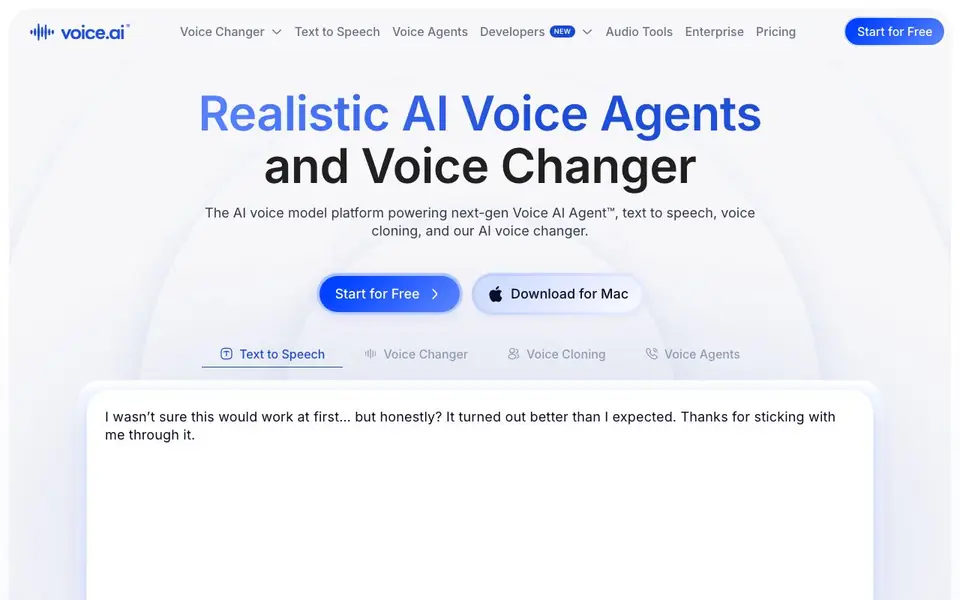
Voice.ai is a platform for working with AI voices. You can change your voice in real time for gaming, streaming, or online chats, switching between thousands of voices instantly. It also offers text to speech that turns your written words into studio-quality audio, and voice cloning that replicates a voice from just 10 seconds of audio.
To get started, you download the app for Mac or use the online platform. Pick a voice, input your text or speak, and the tool processes it in real time. For developers, there are APIs and SDKs for the Voice Agent API, Text-to-Speech API, and Voice Changer API, with Python and TypeScript SDKs designed for low latency and enterprise compliance.
The platform also includes Voice AI Agents—human-sounding AI agents that handle inbound and outbound calls for businesses, automating calls, answering questions, and scheduling appointments. These agents are enterprise-ready, compliant, and can be deployed on-premise or in the cloud. Voice.ai supports text to speech in over 15 languages and offers online audio tools like a vocal remover and stem splitter.
Voice.ai features
- Real-time voice changer: Switch between thousands of voices instantly for gaming, streaming, or chatting.
- Text to speech: Generate studio-quality audio from text with lifelike voices in over 15 languages.
- Voice cloning: Replicate any voice with just 10 seconds of audio for unique, realistic results.
- Voice AI Agent: Automate inbound and outbound calls with human-sounding AI agents that handle conversations end-to-end.
- Developer APIs and SDKs: Integrate voice changer, TTS, and voice agent APIs with Python and TypeScript SDKs.
What you can do with Voice.ai
- Change your voice live while gaming or streaming to create a new persona.
- Generate voiceovers for videos, audiobooks, or training content with text to speech.
- Clone your own voice or others' for personalized audio projects.
- Deploy AI voice agents to handle customer calls and schedule appointments automatically.
How to get started with Voice.ai
- Start for free on the Voice.ai website or download the app for Mac.
- Choose a voice or clone one from a short audio sample.
- Use the voice changer in real time or input text to generate speech.
Tips for better results with Voice.ai
- Start with the free tier to test Voice.ai's voice changer and text to speech on your own hardware before committing to a paid plan or enterprise setup.
- Use Voice.ai's voice cloning with a clean 10-second audio sample of the target voice, avoiding background noise, to get the most realistic replication results.
- For real-time use like gaming or streaming, close other audio-heavy apps and check your microphone input levels in Voice.ai to reduce latency and glitches.
- When building with Voice.ai's APIs, prototype with the Python or TypeScript SDKs first, then test latency and compliance requirements before scaling to production.
Voice.ai pricing
Voice.ai has a free way to start, with paid plans for heavier use. Check voice.ai for current limits and prices.
What to check before you rely on Voice.ai
- Verify what the free plan includes for Voice.ai, since the website lists freemium pricing but does not state specific limits on voices, minutes, or downloads.
- Check whether Voice.ai's voice cloning and text to speech outputs are cleared for commercial use, as the site does not specify licensing terms for generated audio.
- Confirm Voice.ai's data handling and privacy policies before using it with sensitive calls or recordings, since the website does not detail how audio samples are stored or used.
Who Voice.ai is for
Voice.ai suits gamers, streamers, content creators and businesses. If that is not you, the AI voice generators below may fit better.
Similar tools compared with Voice.ai
| Tool | What it is | Pricing |
|---|---|---|
| Voice.ai | AI voice changer and voice agent platform | Freemium |
| ElevenLabs | AI voice generator and voice agents platform | Freemium |
| Murf | AI voice and conversational agent platform | See website |
| Resemble AI | AI deepfake detection and watermarking platform | See website |
| Speechify | AI text-to-speech and voice assistant | Freemium |
Voice.ai FAQ
Is Voice.ai free to use?
Voice.ai offers a free start, but the website doesn't detail specific free limits or paid plans. Check their pricing page for the latest options.
What can I do with Voice.ai?
You can change your voice in real time, generate text to speech, clone voices from short audio samples, and use AI voice agents for business calls.
Who is Voice.ai for?
It's for gamers, streamers, content creators, and businesses that want to automate calls or generate lifelike audio at scale.
Can I integrate Voice.ai into my own apps?
Yes, Voice.ai provides APIs and SDKs for voice changer, text to speech, and voice agents, with Python and TypeScript support.
Does Voice.ai offer a mobile app for iOS or Android?
The Voice.ai website mentions downloading the app for Mac and using the online platform, but it does not mention a dedicated mobile app for iOS or Android. To check for the latest availability, visit the official Voice.ai website or contact their support team.
What are the limitations of the free plan on Voice.ai?
Voice.ai is labeled as freemium, but the website does not specify the exact limitations of the free plan, such as usage limits or which features are restricted. For detailed information about what the free plan includes, you should review the pricing page on the Voice.ai website.
Can Voice.ai export audio files in formats like MP3 or WAV?
The Voice.ai website does not mention specific export formats for audio files, such as MP3 or WAV. It focuses on real-time voice changing, text to speech, and voice cloning. To find out about export options, check the Voice.ai help center or contact their support.


