
What is Uberduck?
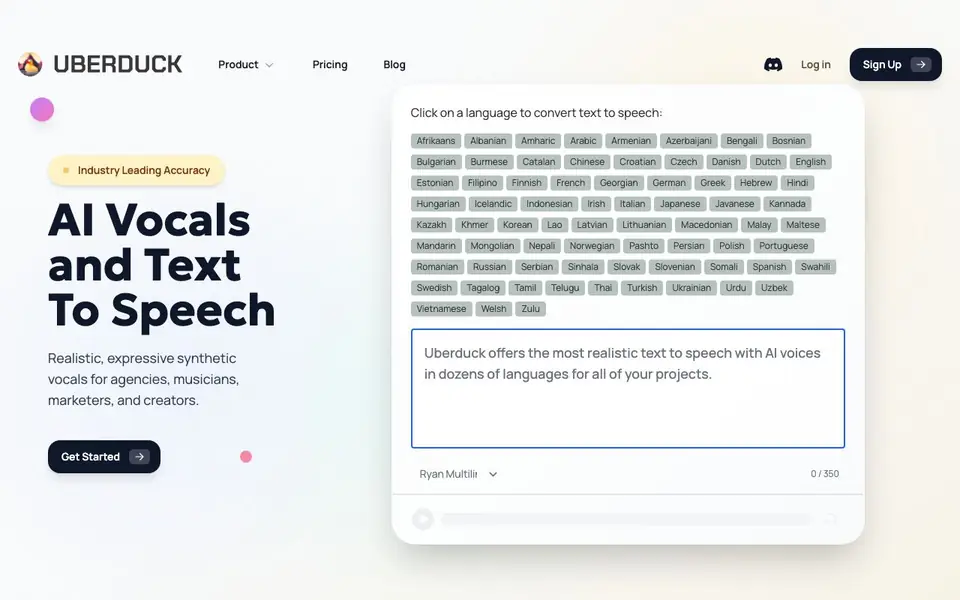
Uberduck is a synthetic voice platform that lets you generate speech, singing, and rapping from text. It offers a large library of voices across many languages, plus tools for voice cloning and speech-to-speech conversion. You can use it for voiceovers, music, videos, and more.
To get started, you pick a voice and type your text. The tool then converts it to audio in that voice. You can also create custom voices by cloning an existing one, or change your own voice to someone else's while keeping the style. For developers, there's an API to integrate these features into your own apps.
Uberduck suits agencies, musicians, marketers, and creators who need realistic, expressive vocals. It also includes an AI music generator that creates full tracks from lyrics in seconds, supporting over 70 languages and many musical styles. Commercial use is available on paid plans.
Uberduck features
- Text to Speech: Convert written text into natural-sounding spoken audio in many voices.
- Text to Singing: Generate sung vocals from lyrics and text input.
- Text to Rapping: Create rapped vocals from your written lyrics.
- Voice Cloning: Make custom voices that can speak, sing, and rap.
- Speech to Speech: Change your voice to another while preserving the original style.
What you can do with Uberduck
- Create voiceovers for YouTube videos and podcasts.
- Generate custom brand jingles and social media promos.
- Produce video game soundtracks and background music.
- Build apps that convert text to speech via the API.
How to get started with Uberduck
- Sign up for an Uberduck account on their website.
- Choose a voice from the library or clone your own.
- Type your text or lyrics and generate the audio.
Tips for better results with Uberduck
- Start with a short, clear text sample to test different Uberduck voices before committing to a longer project, since voice quality varies by language and style.
- Use Uberduck's voice cloning feature on a clean, high-quality recording of the target voice to improve the accuracy of your custom clone.
- For singing or rapping, write lyrics with natural rhythm and syllable emphasis, then adjust punctuation in Uberduck to guide phrasing and timing.
- When using Uberduck for commercial work, check your plan's licensing terms first, as free usage may not cover paid projects or broadcasts.
Uberduck pricing
Uberduck has a free way to start, with paid plans for heavier use. Check uberduck.ai for current limits and prices.
What to check before you rely on Uberduck
- Verify your Uberduck plan's commercial use rights and output ownership before publishing any generated audio, since the website does not list these details.
- Check the Uberduck website for current pricing and feature limits, as the freemium label does not specify what the free tier includes.
- Confirm the export formats and audio quality available on your Uberduck plan, since the site does not state supported file types or bitrates.
Who Uberduck is for
Uberduck suits musicians, marketers, creators and developers. If that is not you, the AI voice generators below may fit better.
Similar tools compared with Uberduck
| Tool | What it is | Pricing |
|---|---|---|
| Uberduck | AI voice, singing, and music generator | Freemium |
| ElevenLabs | AI voice generator and voice agents platform | Freemium |
| Murf | AI voice and conversational agent platform | See website |
| Resemble AI | AI deepfake detection and watermarking platform | See website |
| Speechify | AI text-to-speech and voice assistant | Freemium |
Uberduck FAQ
What can I create with Uberduck?
You can create speech, singing, and rapping from text. It also has an AI music generator that makes full tracks from lyrics, and you can clone voices for custom results.
Does Uberduck offer a free plan?
The website mentions upgrading to paid plans for commercial use, but it does not clearly state if a free plan is available. Check the pricing page for details.
Who is Uberduck for?
It's for agencies, musicians, marketers, and creators who need realistic synthetic vocals for voiceovers, music, and video projects. Developers can also use the API.
Can I use Uberduck for commercial projects?
Yes, the site says you can use the AI music commercially on any paid plan. For other features, check the pricing page for commercial terms.
What audio formats can I export from Uberduck?
The Uberduck website does not specify which audio formats you can export. You can check the tool's documentation or contact support for details on available export options.
Does Uberduck have a mobile app?
The Uberduck website does not mention a mobile app. You can use Uberduck through your web browser on any device with internet access, but there is no dedicated app listed.
Can I use Uberduck without creating an account?
The Uberduck website does not clearly state whether you can use it without an account. To access features like saving projects or using the API, you likely need to sign up, but check the site's sign-up process for specifics.


