

What is termish?
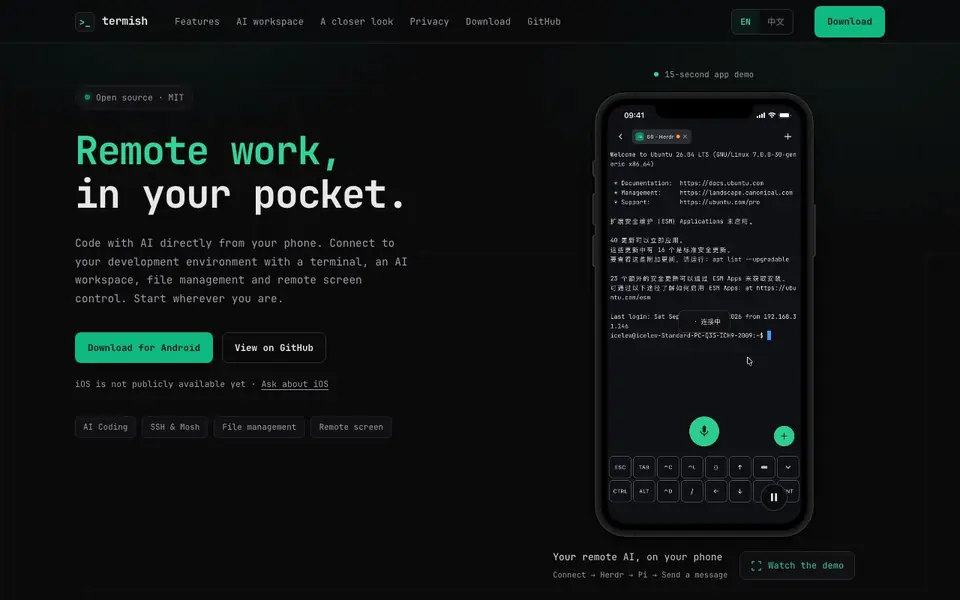
Termish is an open-source mobile workspace that brings remote development to your pocket. It combines an SSH and Mosh terminal with an AI workspace, file management, and remote screen control. You can connect to your own servers and use your own AI accounts, keeping your work under your control. The app is MIT licensed and available for Android; iOS is not publicly available yet.
Getting started is straightforward. First, add your SSH-enabled server by entering its address, port, and username, then choose a password or SSH key. Next, choose your workspace—start with a terminal or SFTP, or open Agent for native AI chat. In Agent, select your server, a supported agent (like Codex, Claude Code, Gemini CLI, OpenCode, or Pi), and a working directory. Finally, connect the agent to your own AI account or configured provider, send a small first task, and review the reply from your saved conversation.
Termish is designed for developers who need to handle unexpected issues or make quick fixes when away from their desk. You can check services, run commands, send attachments to agents, inspect generated documents, and transfer files. The app includes a dedicated keyboard for comfortable typing, a Git panel for reviewing diffs and committing, and a voice input feature for dictating commands. Privacy is emphasized: credentials are stored in your device's protected storage, and connections go directly to your servers without a relay.
termish features
- AI workspace: Start native conversations with Codex, Claude Code, Gemini CLI, OpenCode, or Pi from your phone.
- SSH & Mosh terminal: Connect to your servers over SSH or Mosh with a dedicated keyboard and touch controls.
- File management: Browse remote folders, upload and download files, and preview text, images, and Markdown.
- Remote screen: View and control your remote desktop in a floating window or full screen with touch or virtual mouse.
- Git panel: Review changes, inspect diffs, and commit from the Git panel alongside your terminal session.
What you can do with termish
- Check a service or run a command on your server when your laptop is out of reach.
- Describe a feature or bug and let an AI agent implement it from your phone.
- Send an attachment to an agent and inspect the generated document directly in the conversation.
- Move between networks with Mosh and switch between servers without losing your session.
How to get started with termish
- Add your SSH-enabled server by entering its address, port, and username, then choose a password or SSH key.
- Choose your workspace: start with a terminal or SFTP, or open Agent for native AI chat and select a supported agent.
- Connect the agent to your own AI account or provider, send a small first task, and review the reply from your saved conversation.
Tips for better results with termish
- Set up your SSH key in Termish before your first session so you can connect without typing passwords on a small screen, which saves time and avoids errors.
- Use Termish's Mosh support when you switch between Wi-Fi and mobile data, as it keeps your terminal session alive across network changes without reconnecting.
- In Termish's Agent workspace, send a small test task first to confirm your AI account and server configuration work, then scale up to larger coding requests.
- Review diffs in Termish's Git panel before committing, since the small screen makes it easy to miss changes that you would catch on a desktop.
termish pricing
termish’s homepage does not list prices. Check termish.dev for current plans.
What to check before you rely on termish
- Check that your server supports SSH or Mosh, since Termish requires an SSH-enabled server and the website does not list any built-in hosting options.
- Verify your AI provider account is active and configured, as Termish connects to your own accounts and the site does not state which providers are supported beyond the listed agents.
- Confirm your Android device meets the app's requirements, since iOS is not publicly available and the website does not specify minimum Android versions or storage needs.
Who termish is for
termish suits developers, sysadmins and remote workers. If that is not you, the AI coding tools below may fit better.
Similar tools compared with termish
| Tool | What it is | Pricing |
|---|---|---|
| termish | Open-source mobile SSH and AI workspace | See website |
| Tabnine | Agentic quality engineering platform for AI code | See website |
| CodeRabbit | AI pull request reviewer and prioritizer | Free trial |
| Cursor | AI coding agent for ambitious software | See website |
| Claude Code | AI coding agent for terminal and IDE | Paid |
termish FAQ
What is Termish?
Termish is an open-source mobile workspace that combines an SSH and Mosh terminal with an AI coding workspace, file management, and remote screen control. It lets you connect to your own servers and use AI agents from your phone.
Is Termish free?
Termish is open source and MIT licensed, but the website does not state whether the app itself is free or has paid plans. Check the download page or GitHub for pricing details.
Which AI agents does Termish support?
Termish supports Codex, Claude Code, Gemini CLI, OpenCode, and Pi. Your agents run in your own server's development environment, and you connect them to your own AI accounts or configured providers.
Is Termish available for iOS?
The website says iOS is not publicly available yet. You can ask about iOS, but there is no public download for it. Android is available for download.
Can Termish connect to any SSH server, or only specific ones?
Termish lets you connect to your own SSH-enabled servers by entering the address, port, and username, then choosing a password or SSH key. The website does not list any restrictions on server types, so you can use it with any server that supports SSH or Mosh.
Does Termish support file transfer between my phone and server?
Yes, Termish includes file management features that let you browse remote folders, upload and download files, and preview text, images, and Markdown. You can transfer files directly between your phone and your server using the app's built-in tools.
What AI agents can I use with Termish?
Termish supports Codex, Claude Code, Gemini CLI, OpenCode, and Pi. You connect these agents to your own AI accounts or configured providers, and they run in your server's development environment. The website notes that agent availability depends on your server setup and the service account you connect.


