

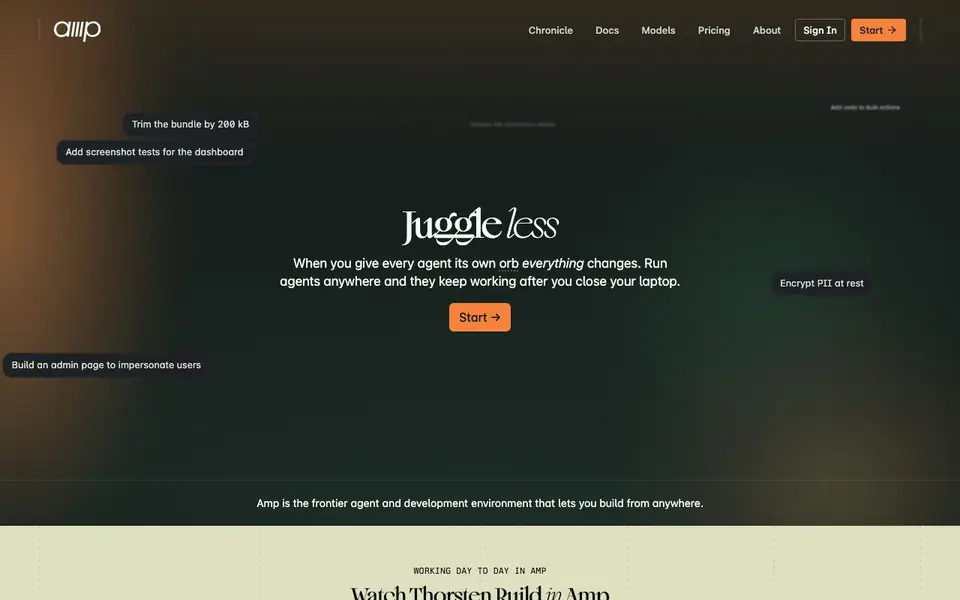
What is Sourcegraph Amp?
Amp is a coding agent and development environment built for the frontier. It lets you build from anywhere by giving each agent its own orb, a remote machine where the agent works without supervision. You can spawn as many orbs as you need, from tiny fixes to complete features, and they keep working after you close your laptop.
You start by creating an orb with your code, plugins, and tools. The agent works inside it, and you can watch changes live through portals with live reloading. You review the agent's changes, browse files, and edit from any device, like you're developing locally. You can also open a terminal into the orb, shared with the agent, to inspect files, run tests, and debug together.
Orbs wake on outside events, like a new Linear issue or CI failing on main. You can invite your team into the orb for multiplayer control of the same agent, code, and running app. Amp suits developers who want to delegate coding tasks and review results remotely, without managing local worktrees or dev servers. The website shows examples like trimming bundle size, adding screenshot tests, and fixing bugs the moment they're filed.
Sourcegraph Amp features
- Orbs: Remote machines where agents run without supervision, with your code, plugins, and tools.
- Portals: Live preview of the app inside the orb with live reloading, so you can try changes as they happen.
- Remote review: Browse files and review changes from any device, and edit like you're developing locally.
- Wake on events: Orbs start on outside triggers like new issues, CI failures, or schedules the agent sets.
- Multiplayer: Invite your team to share control of the same agent, code, and running app in the orb.
What you can do with Sourcegraph Amp
- Delegate a small fix like trimming a bundle by 200 kB to an agent.
- Add screenshot tests for a dashboard without setting up a local environment.
- Build an admin page to impersonate users while you review from your phone.
- Fix a flaky CI test by opening a terminal into the orb and debugging with the agent.
How to get started with Sourcegraph Amp
- Create an orb with your code, plugins, and tools.
- Give the agent a task, like fixing a bug or adding a feature.
- Review changes through portals, files, and terminal from any device, then ship.
Tips for better results with Sourcegraph Amp
- Start with a small, well-scoped task like trimming bundle size or fixing a flaky test, so you can verify Amp's workflow before delegating larger features.
- Use Amp's portals to watch changes live and reload as the agent works, catching issues early without waiting for a full review cycle.
- Open the shared terminal inside the orb to run tests or debug alongside Amp, especially when a task involves tricky logic or CI failures.
- Set up wake-on-events for recurring triggers like CI failures or new issues, so Amp starts work automatically without you needing to spawn an orb manually.
Sourcegraph Amp pricing
Sourcegraph Amp’s homepage does not list prices. Check ampcode.com for current plans.
What to check before you rely on Sourcegraph Amp
- Check whether Amp's pricing is listed on the website; it is not stated, so you may need to contact sales or sign in to see plans.
- Verify what data and privacy protections apply to your code and orbs, since the website does not detail security or compliance policies.
- Confirm which platforms Amp supports for remote access and whether your team's devices are covered, as the site does not list system requirements.
Who Sourcegraph Amp is for
Sourcegraph Amp suits developers, engineering teams and solo builders. If that is not you, the AI coding tools below may fit better.
Similar tools compared with Sourcegraph Amp
| Tool | What it is | Pricing |
|---|---|---|
| Sourcegraph Amp | Coding agent and remote dev environment | See website |
| Tabnine | Agentic quality engineering platform for AI code | See website |
| CodeRabbit | AI pull request reviewer and prioritizer | Free trial |
| Cursor | AI coding agent for ambitious software | See website |
| Claude Code | AI coding agent for terminal and IDE | Paid |
Sourcegraph Amp FAQ
What is an orb in Amp?
An orb is a remote machine where a coding agent runs without supervision. Each thread gets a fresh orb with your code, plugins, and tools, so there are no worktrees to juggle or port conflicts. Agents keep working after you close your laptop.
Can I control Amp from my phone?
Yes. The website says you can pick up agents from the web, your terminal, or your phone. You can review changes, browse files, and edit from any device, like you're developing locally.
Does Amp work with my existing tools like Linear?
Yes. Orbs wake on outside events, such as a new Linear issue, CI failing on main, or a schedule the agent sets itself. This lets agents react to your workflow automatically.
What does Amp cost?
The website does not state pricing details. You can check the Pricing page linked in the site's navigation for current plans and options.
Can Amp run on my Windows or Linux machine?
Amp is a web-based development environment, so you can access it from any device with a browser, including Windows and Linux. The website does not specify any operating system restrictions, so you can likely use it on your current setup. For specific system requirements, check the docs section on ampcode.com.
Does Amp integrate with GitHub or GitLab?
Amp works with your existing code and tools, and the website shows examples of waking orbs on events like new Linear issues or CI failures. However, the website does not explicitly mention GitHub or GitLab integrations. To see the full list of supported integrations, check the docs or contact Amp support.
Can I use Amp for free?
Amp's pricing is not listed on the website, so it's unclear if there is a free plan. The website has a 'Pricing' link, but the details are not shown in the website. To find out about free trials or plans, visit the pricing page on ampcode.com.


