

What is OpenRouter?
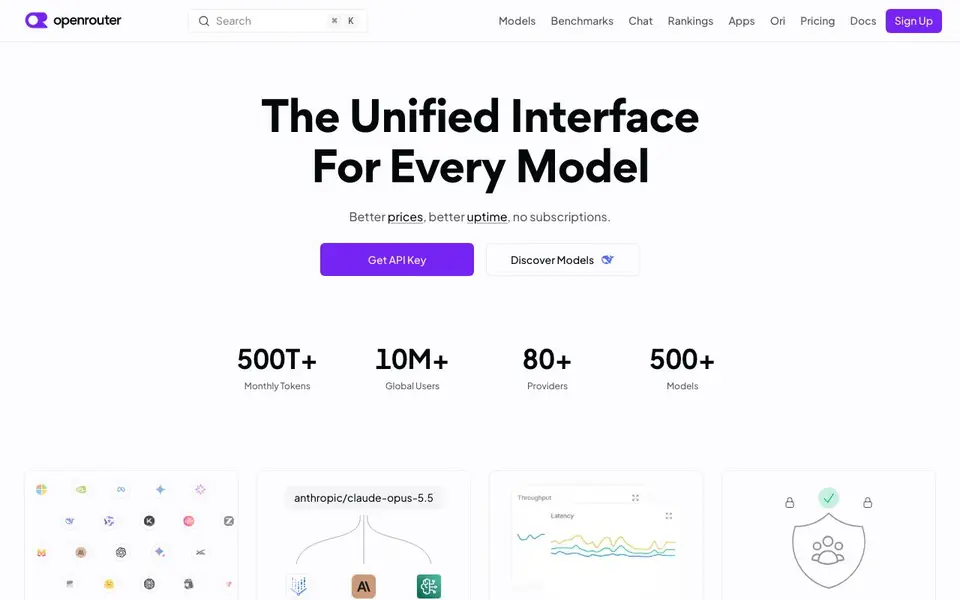
OpenRouter is a single interface that connects you to hundreds of AI models from many providers. Instead of signing up for each provider separately, you get one API key that works with models like Gemini, GPT, and Claude. It handles text, images, videos, and audio through the same unified endpoint.
You start by creating an account, then buy credits that work with any model or provider. After that, you generate an API key and start making requests. The API is fully OpenAI compatible, so if you already use OpenAI, you can switch to OpenRouter with minimal changes to your code.
OpenRouter runs on distributed infrastructure across 80+ providers. If one provider goes down, your requests automatically fall back to another. You can also set custom data policies to control which models and providers your prompts go to. The site mentions 500+ models, 500T+ monthly tokens, and 10M+ global users.
OpenRouter features
- Unified API access: One API key works with 500+ models from 80+ providers, covering text, images, video, and audio.
- Automatic fallback: If a provider goes down, your requests route to another provider to keep your app running.
- Cost control: Buy credits that work across all models, and compare prices to keep spending in check.
- Custom data policies: Set fine-grained rules to ensure prompts only go to models and providers you trust.
- OpenAI-compatible API: Start making requests quickly if you already know OpenAI's API format.
What you can do with OpenRouter
- Route support bot questions to cheap models and escalate hard ones to stronger models.
- Swap models in your app by changing a single string in your API call.
- Build an agent that picks the best model per task without managing multiple provider accounts.
- Protect sensitive prompts by restricting which providers can process your data.
How to get started with OpenRouter
- Create an account on OpenRouter's website.
- Buy credits that work with any model or provider.
- Generate an API key and start making requests with the OpenAI-compatible format.
Tips for better results with OpenRouter
- Start with a cheap model for routine tasks and escalate only hard requests to stronger models, using OpenRouter's routing to control costs while keeping quality high.
- Use OpenRouter's OpenAI-compatible API to switch models by changing a single string in your code, letting you test Gemini, GPT, and Claude without rewriting your integration.
- Set custom data policies in OpenRouter to restrict which providers process your prompts, ensuring sensitive data only goes to models you trust.
- Compare prices across models before buying credits, and monitor your spend per request to keep costs predictable when using OpenRouter at scale.
OpenRouter pricing
OpenRouter has a free way to start, with paid plans for heavier use. Check openrouter.ai for current limits and prices.
What to check before you rely on OpenRouter
- Verify your credit balance and per-model pricing before production use, since OpenRouter's site lists freemium but does not state exact credit costs or minimum purchase amounts.
- Check which providers and models honor your custom data policies, as OpenRouter does not specify how each provider handles data retention or compliance.
- Confirm your target models are available and their fallback behavior, since OpenRouter does not list which providers support automatic failover for every model.
Who OpenRouter is for
OpenRouter suits developers, AI engineers, startups building AI apps and enterprise teams. If that is not you, the AI developer platforms below may fit better.
Similar tools compared with OpenRouter
| Tool | What it is | Pricing |
|---|---|---|
| OpenRouter | Unified API for many AI models | Freemium |
| SiVideoAPI | Unified API for top AI video models | Freemium |
| OpenSI | AI model comparison and pricing tool | See website |
| Ollama | Run open models locally or cloud | Freemium |
| fal | Generative media API and serverless GPU platform | Paid |
OpenRouter FAQ
What is OpenRouter?
OpenRouter is a unified API that gives you access to 500+ AI models from 80+ providers through one interface. You get one API key, one set of credits, and automatic fallback if a provider goes down.
How does pricing work?
You buy credits that work with any model or provider. The site shows prices per model so you can compare costs. There is no subscription mentioned; you pay as you go with credits.
Who is OpenRouter for?
It is for developers and teams building AI-powered apps. If you want to use multiple models without managing separate accounts, or need reliable uptime with automatic fallback, OpenRouter is designed for you.
Is OpenRouter compatible with OpenAI's API?
Yes, the API is fully OpenAI compatible. If you already use OpenAI, you can switch to OpenRouter with minimal code changes. Just create an API key and start making requests.
Does OpenRouter offer a free plan or free credits?
OpenRouter is freemium, but the website does not specify a free tier or free credits. You create an account, buy credits, and then use those credits across any model. Check the pricing page or your account dashboard for any current free credit promotions.
What data does OpenRouter collect and can I control where my prompts are sent?
OpenRouter lets you set custom data policies to restrict which models and providers process your prompts. The website does not detail what data it logs or stores beyond that. For specifics on data retention and privacy, review the privacy policy or contact support.
Can I use OpenRouter with my existing OpenAI SDK or code?
Yes, OpenRouter's API is fully OpenAI compatible. If you already use OpenAI's API, you can switch to OpenRouter by changing the base URL and API key. The website states this compatibility, so your existing code should work with minimal changes.


