

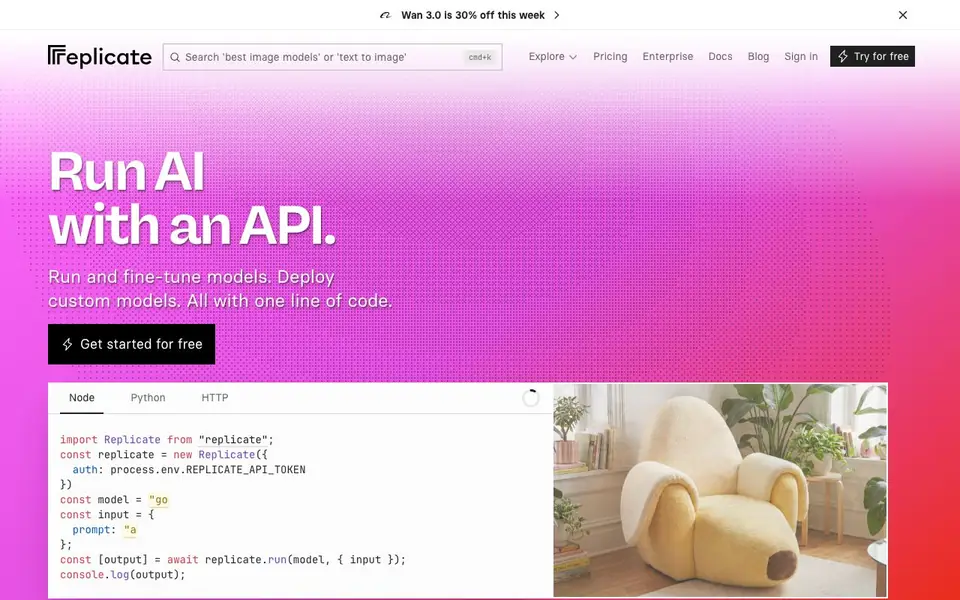
What is Replicate?
Replicate is a cloud platform that lets you run thousands of open-source machine learning models through a simple API. You can generate images, speech, music, and videos, restore images, caption images, and run large language models. All models are production-ready, not just demos, and come with official support from providers like Google, OpenAI, and Black Forest Labs.
To get started, you sign up for a free account and get an API token. Then you pick a model from the library, write a few lines of code in Node, Python, or HTTP, and call it with your input. You can also push your own models to the platform and deploy them with the same API.
Replicate suits developers and teams who want to integrate AI into their apps without managing infrastructure. The website shows popular models with run counts, and you can explore thousands of community-contributed models. Pricing is usage-based, with a free tier to try it out.
Replicate features
- One-line API: Run any model with a single line of code in Node, Python, or HTTP.
- Model library: Access thousands of community-contributed, production-ready models.
- Image generation: Use models like Flux, Imagen, and GPT-Image for text-to-image and editing.
- Video generation: Generate videos from text or images with models like Pruna and Alibaba.
- Model deployment: Push your own custom models and deploy them with the same API.
What you can do with Replicate
- Generate images from text prompts for your app or website.
- Create videos from images or text for content projects.
- Restore old or damaged photos using image restoration models.
- Run large language models for chat or text processing in your product.
How to get started with Replicate
- Sign up for a free account on Replicate and get your API token.
- Choose a model from the library or push your own model to the platform.
- Write a few lines of code in Node, Python, or HTTP to call the model with your input.
Tips for better results with Replicate
- Start with the model library on Replicate to see run counts and pick a popular, production-ready model that matches your task, then test it with a free API token before committing.
- Write detailed prompts for Replicate image and video models, specifying style, lighting, and composition, since the quality of output depends heavily on how clearly you describe what you want.
- Use Replicate's one-line API in Node, Python, or HTTP to integrate models into your app quickly, but prototype with a small script first to verify the model behaves as expected.
- Check the model's official status and provider on Replicate before using it in production, since community models may vary in reliability and support compared to official ones.
- Monitor your usage on Replicate's dashboard to avoid unexpected costs, as pricing is usage-based and free tier limits may not cover heavy experimentation.
- Push your own models to Replicate if you need custom behavior, but test them thoroughly with sample inputs to ensure they deploy and run correctly via the same API.
Replicate pricing
Replicate has a free way to start, with paid plans for heavier use. Check replicate.com for current limits and prices.
What to check before you rely on Replicate
- Verify Replicate's free tier limits and usage-based pricing on the website, as the exact quotas and costs are not clearly stated in the available information.
- Check whether the specific model you need supports your input format and output type, since Replicate hosts thousands of models with varying capabilities.
- Review the data and privacy policy on Replicate's site before sending sensitive data, as the platform's data handling practices are not detailed in the provided source.
- Confirm that your chosen model is officially supported by its provider, since community-contributed models may lack updates or maintenance.
- Ensure your code environment matches Replicate's supported languages (Node, Python, HTTP) and that you have an API token set up correctly before relying on it.
Who Replicate is for
Replicate suits developers, AI engineers, product teams and startups. If that is not you, the AI developer platforms below may fit better.
Similar tools compared with Replicate
| Tool | What it is | Pricing |
|---|---|---|
| Replicate | Cloud API for running AI models | Freemium |
| SiVideoAPI | Unified API for top AI video models | Freemium |
| OpenSI | AI model comparison and pricing tool | See website |
| OpenRouter | Unified API for many AI models | Freemium |
| Ollama | Run open models locally or cloud | Freemium |
Replicate FAQ
What does Replicate do?
Replicate is a cloud API platform for running open-source machine learning models. You can generate images, speech, music, and videos, restore images, caption images, and run large language models, all with a simple API call.
Is Replicate free to use?
Replicate offers a free tier to get started, and then you pay for usage based on the models you run. The website says 'Get started for free' and shows pricing pages, but exact free limits and rates are not detailed on the homepage.
Who is Replicate for?
Replicate is built for developers and teams who want to integrate AI into their applications. If you can write a few lines of code, you can use Replicate to run models without managing your own infrastructure.
Can I deploy my own models on Replicate?
Yes, Replicate lets you push your own models to the platform and deploy them with the same API. The website encourages users to 'push a model' and says all models have production-ready APIs.
What programming languages does Replicate support for its API?
Replicate provides official client libraries for Node.js and Python, and you can also call the API directly over HTTP. You can use any language that can make HTTP requests, but the quickest setup is with the Node or Python SDKs. Check the docs for code examples in each language.
Does Replicate offer a free plan and what does it include?
Replicate has a free tier that lets you try the platform. You sign up for a free account and get an API token to start running models. Usage beyond the free tier is billed based on how much you use. The exact free limits are not listed on the homepage, so check the pricing page for current details.
Can I run Replicate models on my own hardware or is it cloud-only?
Replicate is a cloud platform, so you run models through their API rather than on your own hardware. You send inputs to the API and get outputs back. The website does not mention an option to run models locally, so if that's important to you, check the docs or contact support.


