

What is Sider?
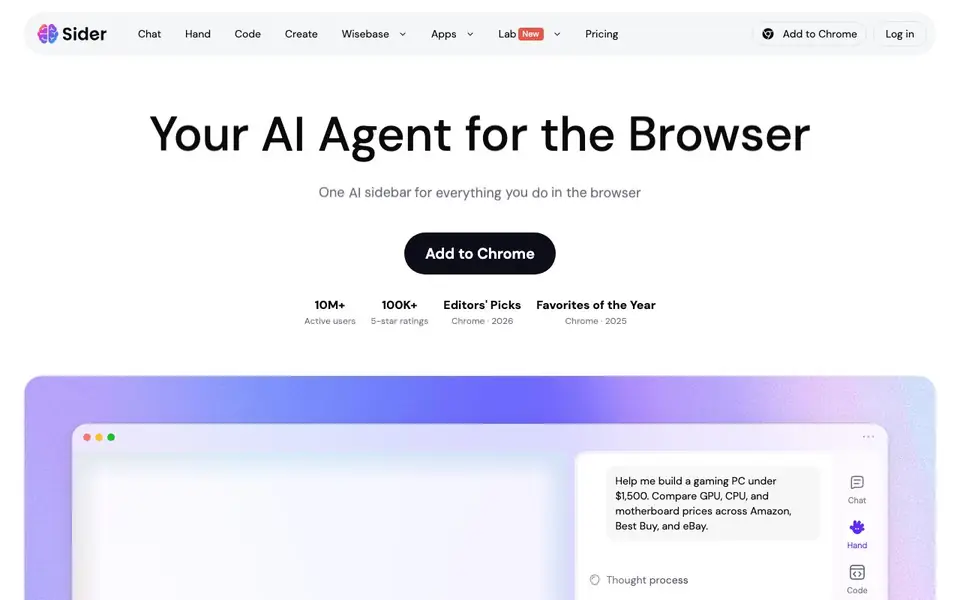
Sider is an AI sidebar for your browser that puts multiple AI models in one place. You can chat with leading models like GPT, Claude, and Gemini without leaving the page you are on. It is built for research, reading, and everyday browsing tasks.
You start by adding Sider to Chrome. Then you can ask it to summarize a web page, explain a PDF, translate text, or answer follow-up questions. For bigger jobs, Sider Hand can automate multi-step tasks across real websites using your logged-in sessions. Sider Code lets you describe changes to a page in plain words, and it updates the page in real time and remembers those changes for future visits.
Sider suits students, researchers, and anyone who spends a lot of time in the browser. It also offers extra tools like a math solver, audio-to-text, and image editing. The website shows over 10 million active users and a free plan, but it does not detail what the paid plans cost.
Sider features
- Chat with multiple models: Ask questions using GPT, Claude, or Gemini from one sidebar.
- Summarize any content: Get quick summaries of web pages, PDFs, and YouTube videos.
- Automate browser tasks: Give Sider Hand a task and it works across websites for you.
- Customize websites: Tell Sider Code what to change and it edits the page live.
- Cross-device access: Use Sider on Chrome, Edge, Mac, Windows, iOS, and Android.
What you can do with Sider
- Research a topic by comparing prices across multiple shopping sites.
- Summarize a long article or PDF without leaving the browser tab.
- Translate a web page or image text into another language.
- Edit a website's layout or content and keep the changes for next time.
How to get started with Sider
- Go to sider.ai and click Add to Chrome to install the extension.
- Open the sidebar on any page and start chatting or ask for a summary.
- Try Sider Hand for automated tasks or Sider Code to customize pages.
Tips for better results with Sider
- Use Sider Chat to summarize long PDFs or YouTube videos by pasting the link directly, then ask follow-up questions to dig deeper into specific sections.
- For multi-step research, give Sider Hand a clear task with exact websites and items to compare, like prices on Amazon and Best Buy, to get structured results.
- Try Sider Code on a page you visit often, describe a layout or content change in plain words, and verify the edit sticks on your next visit.
- Switch between GPT, Claude, and Gemini in Sider Chat for the same question to compare answers and pick the most accurate one for your task.
Sider pricing
Sider has a free way to start, with paid plans for heavier use. Check sider.ai for current limits and prices.
What to check before you rely on Sider
- Check whether the free plan covers the models and features you need, since the website does not list what is included for free.
- Verify the paid plan pricing before committing, as the website mentions freemium but does not state any costs.
- Confirm Sider Hand works with your logged-in sessions and the specific websites you use, since automation depends on site compatibility.
- Review the privacy policy for how your browsing data and chat inputs are handled, as the website does not detail data practices.
Who Sider is for
Sider suits students, researchers, browser power users and shoppers. If that is not you, the AI chatbots below may fit better.
Similar tools compared with Sider
| Tool | What it is | Pricing |
|---|---|---|
| Sider | AI sidebar and browser agent | Freemium |
| SiChatApp | Free browser chat with multiple AI models | Freemium |
| ChatGPT | AI chatbot for chat, work, and creation | Freemium |
| Gemini | AI assistant for chat and tasks | Freemium |
| Kimi | AI assistant for coding and knowledge work | See website |
Sider FAQ
What can Sider do in my browser?
Sider works as a sidebar. You can chat with AI models, summarize pages and videos, translate content, automate multi-step tasks across websites, and customize pages with plain-language commands.
Is Sider free to use?
The website says you can get Sider for free and shows a free plan. It also lists a Pricing page, so there are likely paid plans, but the homepage does not state the costs.
Which AI models does Sider support?
Sider lets you chat with GPT, Claude, and Gemini, according to its homepage. It also mentions power from ChatGPT, Gemini, Claude, Grok, and Deepseek in its description.
Can Sider work on my phone?
Yes. Sider offers apps for iOS and Android, plus extensions for Chrome and Edge and desktop apps for Mac and Windows, so you can use it across devices.
Does Sider require an account to use the free plan?
Sider's website does not explicitly state whether an account is required for the free plan. To get the most accurate answer, check the sign-up process when you add Sider to Chrome or visit the pricing page on sider.ai for the latest details.
Can Sider export or save the results of its tasks, like summaries or automated research?
Sider's website does not mention specific export options for summaries or task results. However, Sider Hand can turn multi-step work into usable results, and you can likely copy or save them manually. For exact export features, check the app's interface or support documentation.
What does Sider's free plan include, and are there usage limits?
Sider's website mentions a free plan but does not detail what it includes or any usage limits. It does highlight features like Chat, Hand, and Code, but you'll need to visit sider.ai or the Chrome extension page to see current free plan specifics.


