

What is Runcell - Jupyter AI Agent?
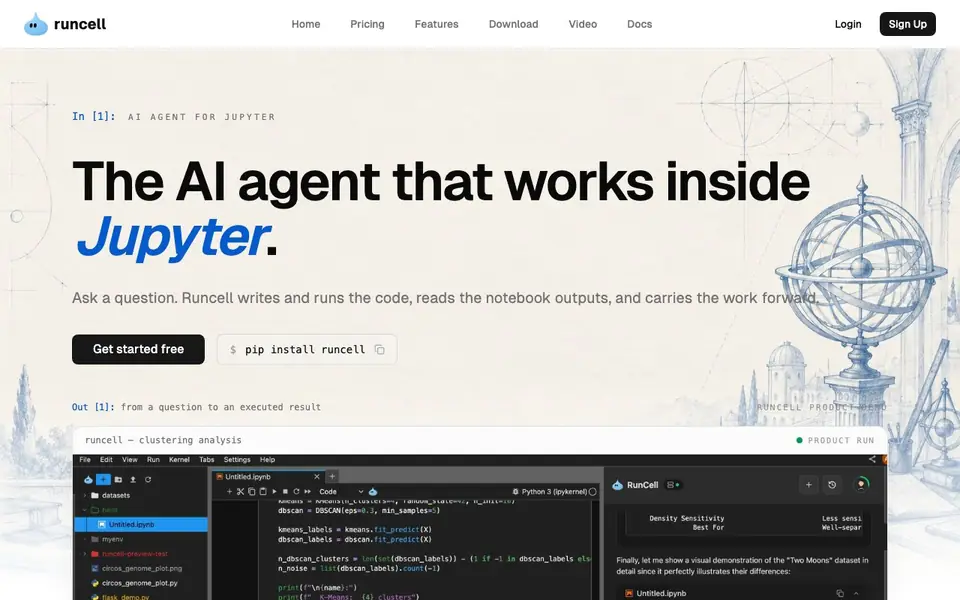
Runcell is an AI agent that lives inside JupyterLab. You ask a question, and it plans the notebook steps, writes the Python code, executes the cells, and fixes errors as it goes. It reads the tables, charts, and statistics your code produces, so it reasons about actual results rather than guessing.
To start, you install runcell with pip and open it in JupyterLab. Describe the result you need. Runcell inspects your notebook and data, breaks the task into steps, runs them, and recovers from errors without you leaving Jupyter. It works on your existing.ipynb files and keeps context across iterations, so the next step builds on the previous work.
Runcell suits analysts, data scientists, and researchers who need reproducible, explainable results. It covers data analysis, data science, risk and quantitative finance, and research experimentation. The website notes you can get started free and that no API key is required.
Runcell - Jupyter AI Agent features
- Notebook-native: Runs inside JupyterLab on your existing.ipynb files with no new editor to learn.
- Auto execution and debugging: Runs cells, diagnoses errors, and keeps your analysis moving without manual fixes.
- Output-aware reasoning: Reads tables, charts, and statistics from your cells to base decisions on actual results.
- Context-aware workflows: Keeps questions, decisions, and previous outputs connected across iterations for continuity.
- Multi-step planning: Breaks a question into notebook steps for inspection, transformation, analysis, validation, and follow-up.
What you can do with Runcell - Jupyter AI Agent
- Turn a business question into reproducible code and clear evidence.
- Explore data and test analytical methods side by side with real outputs.
- Analyze markets, portfolios, forecasts, and risk with defendable diagnostics.
- Convert a research question into code, figures, and reproducible evidence.
How to get started with Runcell - Jupyter AI Agent
- Install runcell with pip and open it in JupyterLab.
- Describe the result you need in a cell or prompt.
- Let Runcell plan, write, execute, and debug the notebook steps, then review the outputs.
Tips for better results with Runcell - Jupyter AI Agent
- Start each session by clearly stating the result you need, including any specific columns, thresholds, or output format, so Runcell can plan the notebook steps accurately.
- Let Runcell read your tables and charts after each run, then ask follow-up questions based on those outputs to keep the analysis moving in the right direction.
- Use Runcell on your existing.ipynb files to maintain context across iterations, and check the executed cells to verify the logic before trusting the final result.
- When Runcell hits an error, describe what you expected instead of just pasting the traceback, so it can apply a fix that matches your intent rather than guessing.
Runcell - Jupyter AI Agent pricing
Runcell - Jupyter AI Agent has a free way to start, with paid plans for heavier use. Check runcell.dev for current limits and prices.
What to check before you rely on Runcell - Jupyter AI Agent
- Check the freemium plan limits before relying on Runcell for large or frequent jobs, since the website does not state specific usage caps or pricing tiers.
- Verify that your JupyterLab version is compatible with Runcell, as the site does not list supported versions or installation requirements beyond pip.
- Review the data privacy policy for your notebook contents, because the website does not state whether your data is processed locally or sent to external servers.
Who Runcell - Jupyter AI Agent is for
Runcell - Jupyter AI Agent suits data analysts, data scientists, researchers and quantitative finance professionals. If that is not you, the AI coding tools below may fit better.
Similar tools compared with Runcell - Jupyter AI Agent
| Tool | What it is | Pricing |
|---|---|---|
| Runcell - Jupyter AI Agent | AI agent for Jupyter notebooks | Freemium |
| Tabnine | Agentic quality engineering platform for AI code | See website |
| CodeRabbit | AI pull request reviewer and prioritizer | Free trial |
| Cursor | AI coding agent for ambitious software | See website |
| Claude Code | AI coding agent for terminal and IDE | Paid |
Runcell - Jupyter AI Agent FAQ
What does Runcell do exactly?
Runcell is an AI agent that works inside Jupyter. You ask a question, and it writes and runs Python code, executes cells, reads the outputs, and fixes errors. It carries the analysis forward from the result instead of stopping at a suggestion.
Is Runcell free to use?
The website says you can get started free, and it mentions no API key is required. For details on pricing plans, check the Pricing page on Runcell's website.
Who is Runcell for?
It's built for analysts, data scientists, and researchers whose work has to survive beyond a single prompt. It also suits people in risk and quantitative finance, and anyone doing research and experimentation in Jupyter.
Does Runcell work on my existing notebooks?
Yes. Runcell runs inside JupyterLab on your existing.ipynb files. It inspects the notebook, data, and existing code before deciding the next useful step, so you don't need to start from a blank prompt.
Does Runcell require an API key to work?
No, the Runcell website states that no API key is required to get started. You can install Runcell with pip and open it in JupyterLab to begin using it. For the most current setup details, check the Runcell documentation or the official website.
What can Runcell export or connect to?
The Runcell website does not mention specific export formats or external connections. Runcell works inside JupyterLab on your existing.ipynb files, and it reads outputs like tables and charts. For details on exporting or integrations, check the Runcell docs or contact support.
Which platforms or devices does Runcell run on?
Runcell is a JupyterLab extension, so it runs wherever JupyterLab runs, including on your local machine or a server. The website does not list specific operating systems or devices. For system requirements, refer to the Runcell installation guide or documentation.


