

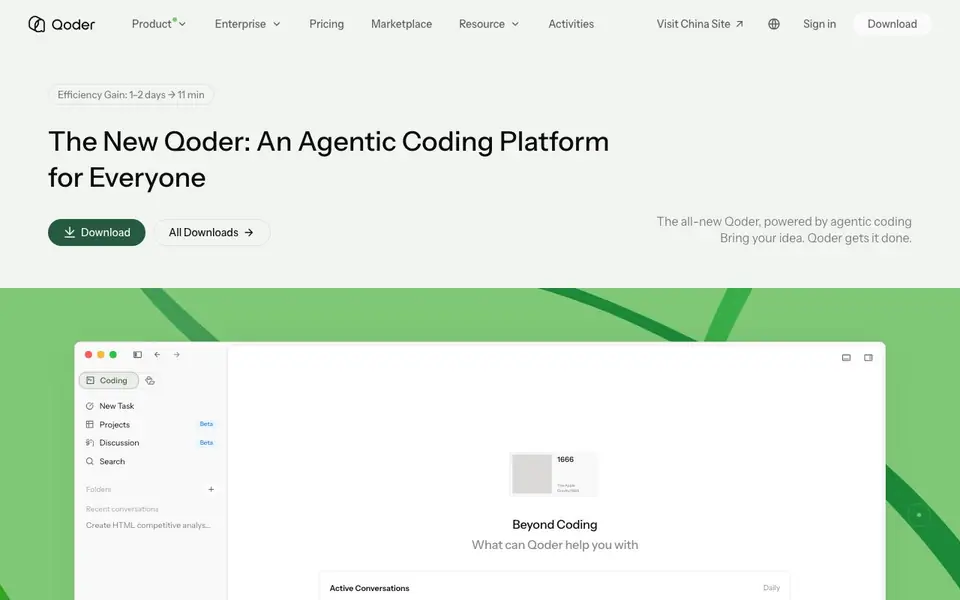
What is Qoder?
Qoder is an AI coding platform designed to help you build software faster. It combines intelligent code completion, conversational programming, and automatic code generation in one place. The platform supports multiple ways of working, including a desktop app, mobile app, IDE integration, JetBrains plugin, and command-line interface.
You can start by bringing an idea and letting Qoder handle the coding. Use autocomplete for quick refinements, chat with the AI for collaborative coding, or delegate tasks to autonomous agents that work through your codebase. The IDE offers deep codebase awareness, while the JetBrains plugin adds backend intelligence for refactoring and database work. From your phone, you can monitor agent progress, approve actions, and review deliverables.
Qoder suits individual developers and teams who want flexibility in how they build. The platform includes features like projects, knowledge centers, sites, automations, and extensions. It emphasizes production-ready results, with examples showing tasks completed in minutes instead of days. The website highlights a free download but does not detail pricing plans.
Qoder features
- Agentic coding: Delegate tasks to AI agents that work autonomously on your codebase.
- Code autocomplete: Get intelligent suggestions as you type to speed up coding.
- Conversational programming: Chat with the AI to collaborate on code and solve problems.
- IDE integration: Works with VS Code and JetBrains IDEs for a familiar environment.
- Mobile agent control: Monitor and approve agent actions from your phone.
What you can do with Qoder
- Build a new feature by describing it to the AI and letting agents implement it.
- Review authentication flows with focused AI assistance for edge cases.
- Manage coding tasks remotely by approving agent actions from your phone.
- Refactor backend code with database awareness in JetBrains IDEs.
How to get started with Qoder
- Download Qoder from the website for your preferred platform, such as desktop or IDE.
- Sign in with Google or GitHub to start a new task or conversation.
- Describe your idea or code task, then let Qoder's agents work or use chat and autocomplete.
Tips for better results with Qoder
- Start with a small, well-defined task like a single function or bug fix, and let Qoder's agents work on it before scaling up to larger projects.
- Use Qoder's IDE integration for deep codebase awareness, and give clear, specific instructions in your prompts to get production-ready results.
- Monitor agent progress from the mobile app and approve actions as they happen, so you can catch issues early and steer the work in real time.
- Try Qoder's JetBrains plugin for backend refactoring and database work, where its backend intelligence can save you hours on complex code changes.
Qoder pricing
Qoder’s homepage does not list prices. Check qoder.com for current plans.
What to check before you rely on Qoder
- Check whether Qoder's free download includes all features or if some require a paid plan, since the website does not list pricing details.
- Verify what data Qoder collects from your codebase and how it handles privacy, especially if you work with proprietary or sensitive code.
- Confirm which IDEs and platforms Qoder supports beyond VS Code and JetBrains, and whether the CLI works on your operating system.
Who Qoder is for
Qoder suits developers, development teams and backend engineers. If that is not you, the AI coding tools below may fit better.
Similar tools compared with Qoder
| Tool | What it is | Pricing |
|---|---|---|
| Qoder | Agentic coding platform for developers | See website |
| Tabnine | Agentic quality engineering platform for AI code | See website |
| CodeRabbit | AI pull request reviewer and prioritizer | Free trial |
| Cursor | AI coding agent for ambitious software | See website |
| Claude Code | AI coding agent for terminal and IDE | Paid |
Qoder FAQ
What does Qoder do?
Qoder is an AI coding platform that helps you build software. It offers code completion, conversational programming, and autonomous agents that can handle coding tasks from start to finish.
Is Qoder free?
The website says you can download Qoder for free, but it does not specify whether there are paid plans. Check the pricing page on Qoder's website for details.
Who is Qoder for?
Qoder is for developers and teams who want flexibility in building software. It supports individual builders and enterprise needs, with tools for coding, project management, and automation.
What platforms does Qoder support?
Qoder offers a desktop app, mobile app, IDE integration, JetBrains plugin, and CLI. This lets you work in your preferred environment, including on the go.
Can Qoder connect to external services or export my code to other tools?
The Qoder website does not mention specific integrations for exporting code or connecting to external services. It does list extensions and automations as part of the platform, but details about what those can do are not provided. Check the Qoder marketplace or documentation for current integration options.
Does Qoder require an account to use, and can I sign in with existing accounts?
Yes, Qoder requires you to sign in to use it. The website shows sign-in options with Google and GitHub accounts. You can download the app first, but you will need to authenticate with one of those accounts to start working with Qoder.
How does Qoder handle my data and code privacy when using its AI agents?
The Qoder website does not provide specific details about data handling or privacy policies for your code. Since it is an AI coding platform that processes your codebase, you should review the official privacy policy or terms of service on qoder.com for information about data storage and usage.


