
What is openqodex?
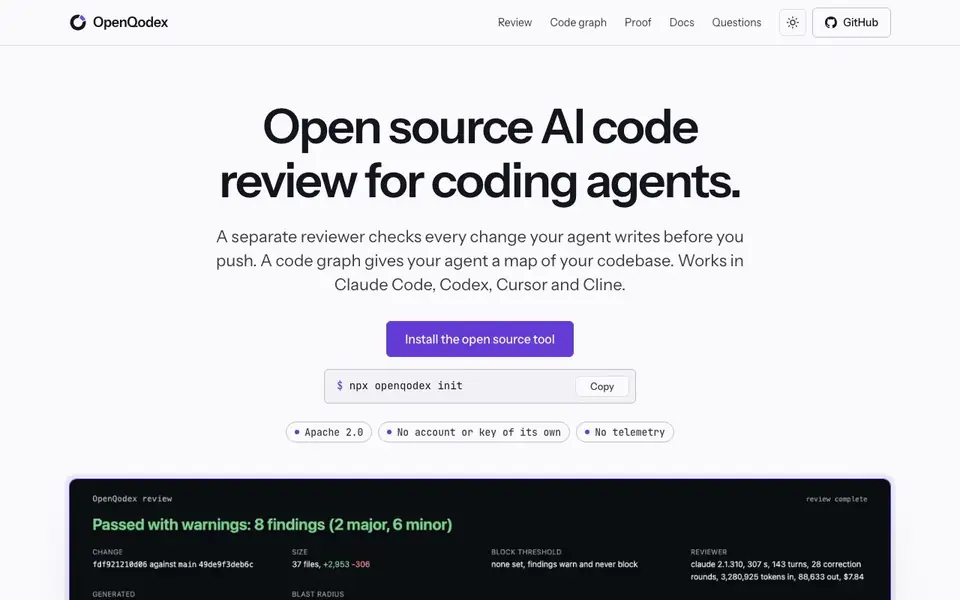
OpenQodex is an open source tool that adds a second pair of eyes to your AI coding workflow. It works with Claude Code, Codex, Cursor, and Cline. After your agent writes code, OpenQodex runs a separate reviewer on your own login to check the changes before you push. This reviewer is not your agent, so it gives an independent verdict on each change.
You start by installing the tool with a single command. OpenQodex then runs scanners that fit the files you changed, keeping findings on the lines you touched. A separate Claude Code or Codex session reads the change along with the code that calls it, quoting evidence for each finding. A script verifies every quote against the actual code. You get a receipt with a verdict and one line per finding, and your agent can fix only what you name.
OpenQodex also builds a code graph of your repository on your machine, with no model. This graph maps functions, classes, calls, imports, and inheritance, with proof for each. Your agent can ask the same questions through an MCP server that opens no network port. The tool supports TypeScript, TSX, JavaScript, Python, Go, and Ruby, with plugins for Django, Rails, Express, React, Next.js, FastAPI, and Go net/http. It is Apache 2.0 licensed, with no account or key of its own, and no telemetry.
openqodex features
- Independent review: A separate Claude Code or Codex reviewer checks your agent's changes on your own login.
- Receipt with findings: You get a verdict and one line per finding, with severity and file location.
- Code graph: A local map of your repository shows calls, imports, and inheritance with evidence.
- MCP server: Your agent can query the code graph through a local tool server with no network port.
- Push gate: A hook warns before git push, and blocks only if your repo sets review.block_on_severity.
What you can do with openqodex
- Review changes from Claude Code before pushing to main.
- Catch bugs in Codex-generated code with a separate reviewer.
- Map your codebase to help your agent understand callers.
- Block pushes when major findings are present in your repository.
How to get started with openqodex
- Install OpenQodex with the command npx openqodex init.
- Let your coding agent make changes, then OpenQodex runs scanners and a separate reviewer.
- Review the receipt with verdict and findings, and have your agent fix what you name.
Tips for better results with openqodex
- Run OpenQodex on a small sample change first to see how the reviewer formats findings and whether the severity levels match your expectations before trusting it on larger diffs.
- Use OpenQodex's code graph to ask your agent about callers and imports before making changes, so it understands the impact on other parts of your codebase.
- Configure the push gate with review.block_on_severity to block only major findings, then let minor warnings through so your workflow isn't slowed by low-priority issues.
- Check the receipt's evidence quotes against your actual code lines, since OpenQodex verifies each quote but you should confirm the finding makes sense in context before fixing.
openqodex pricing
openqodex is free to use according to its website.
What to check before you rely on openqodex
- Verify that OpenQodex supports the languages and frameworks in your project, since it lists TypeScript, JavaScript, Python, Go, Ruby, and specific plugins but not others.
- Confirm that your agent tool (Claude Code, Codex, Cursor, or Cline) works with OpenQodex's MCP server, as the website does not state setup details for each integration.
- Check whether the free pricing label covers all features like the code graph and push gate, since the website does not list any paid plans or limits.
- Ensure your repository's privacy needs are met, as OpenQodex runs on your machine with no telemetry, but the website does not state how the reviewer's login handles your code.
Who openqodex is for
openqodex suits developers, teams using AI coding agents and open source maintainers. If that is not you, the AI coding tools below may fit better.
Similar tools compared with openqodex
| Tool | What it is | Pricing |
|---|---|---|
| openqodex | Open source AI code review for coding agents | Free |
| Tabnine | Agentic quality engineering platform for AI code | See website |
| CodeRabbit | AI pull request reviewer and prioritizer | Free trial |
| Cursor | AI coding agent for ambitious software | See website |
| Claude Code | AI coding agent for terminal and IDE | Paid |
openqodex FAQ
What coding agents does OpenQodex work with?
OpenQodex works with Claude Code, Codex, Cursor, and Cline. It adds a separate reviewer that checks changes your agent writes before you push.
Is OpenQodex free to use?
Yes, OpenQodex is open source under the Apache 2.0 license. It requires no account or key of its own, and it has no telemetry.
How does the code graph help my agent?
The code graph maps your repository's functions, classes, calls, and imports with evidence. Your agent can ask questions through an MCP server to understand what a change reaches.
What languages and frameworks are supported?
OpenQodex supports TypeScript, TSX, JavaScript, Python, Go, and Ruby. Framework plugins include Django, Rails, Express, React, Next.js, FastAPI, and Go net/http.
Can OpenQodex export its review findings or connect to other tools?
The OpenQodex website does not mention exporting findings or connecting to external tools beyond the coding agents it supports. You can check the docs section on the site for any integration details, or look at the GitHub repository for the latest updates on export or connection features.
Does OpenQodex run on Windows, macOS, or Linux?
OpenQodex is installed with a single command using npx, which suggests it runs on any system with Node.js installed, including Windows, macOS, and Linux. The website does not specify platform limitations, so you should verify compatibility with your setup by checking the installation instructions in the docs.
What does the free plan of OpenQodex include?
OpenQodex is free to use, as stated on the website. It includes all core features: independent code review, a local code graph, an MCP server, and a push gate. There is no mention of a paid tier or limitations on the free plan, so you can use all listed features without cost.


