

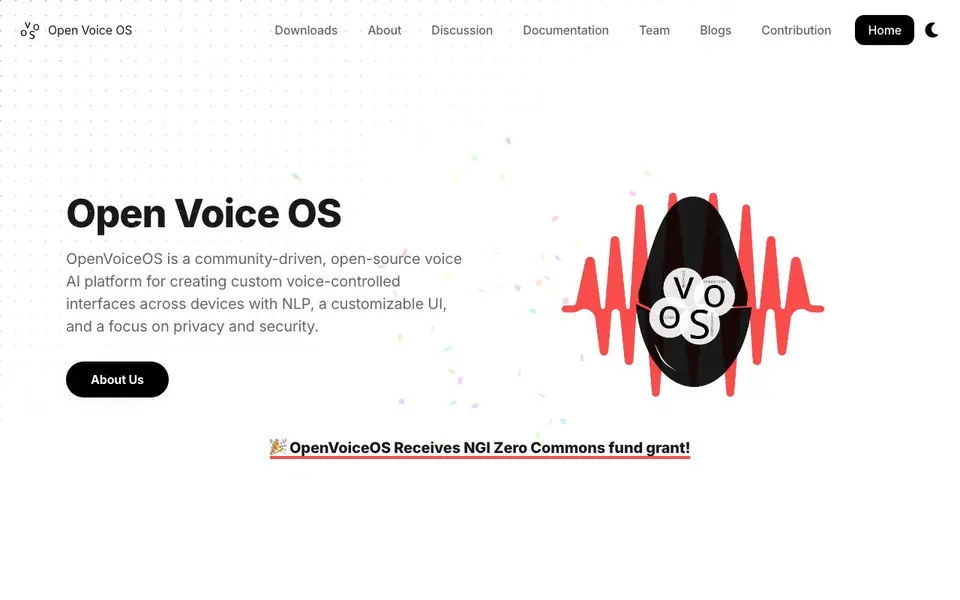
What is Open Voice OS?
Open Voice OS is a community-driven, open-source voice AI platform. It lets you create custom voice-controlled interfaces across devices. You get natural language processing, a customizable UI, and a focus on privacy and security. It started as MycroftOS and is now an independent project, often called the unsanctioned "Mycroft Community Edition".
You can install it in two main ways. For developers, use the Python virtual environment to fiddle with the code. For a stable setup, use Docker. There is also a prebuilt image for Raspberry Pi and Mycroft devices. That image is a stripped-down Linux OS designed for embedded systems and small touch-friendly screens.
Open Voice OS is completely free and open source under the Apache License 2.0. You can use it for personal or commercial purposes, modify it, and distribute it. It works offline by default for core functions, though the default speech-to-text engine needs internet. Some self-hosted offline options are available. Donations are optional to sustain the project.
Open Voice OS features
- Community driven: Powered by developers from Linux and FOSS communities worldwide.
- Multi-platform: Runs on embedded headless devices, single board computers, and screens.
- Experimental at core: Test experimental features before they land in upstream projects.
- Plugin-based speech: Uses plugins for speech recognition and text-to-speech, allowing customization.
- Offline capable: Core functions work without a backend internet server; some skills work fully offline.
What you can do with Open Voice OS
- Build a DIY smart speaker with a Raspberry Pi.
- Create a custom voice assistant for a touch-friendly screen device.
- Develop and test experimental voice features for Linux-based projects.
- Run a privacy-focused voice assistant on a Mycroft Mark I or Mark II device.
How to get started with Open Voice OS
- Choose your installation method: Docker for stability or Python virtual environment for development.
- Copy and paste the installer command into your terminal and run it.
- For Raspberry Pi or Mycroft devices, download the prebuilt image from the downloads page.
Tips for better results with Open Voice OS
- Install Open Voice OS with Docker for a stable setup, then test your voice skills in the Python virtual environment before deploying to a device.
- Use the prebuilt Raspberry Pi image when building a DIY smart speaker, as it is stripped down for embedded systems and small touch screens.
- Configure Open Voice OS with self-hosted speech plugins if you need full offline operation, since the default speech-to-text engine requires internet.
- Experiment with experimental features in Open Voice OS before they reach upstream projects, but keep a separate environment to avoid breaking your main assistant.
- checks
Open Voice OS pricing
Open Voice OS is free to use according to its website.
What to check before you rely on Open Voice OS
- Check that your device meets the requirements for the prebuilt image, since it targets low-spec embedded systems and may not support all hardware.
- Verify which speech recognition and text-to-speech plugins you plan to use, because the website does not list specific plugin compatibility or setup details.
- Confirm your internet availability for the default speech-to-text engine, as Open Voice OS works offline for core functions but not for that engine.
- checks
Who Open Voice OS is for
Open Voice OS suits developers, DIY enthusiasts, Linux users and privacy advocates. If that is not you, the AI voice generators below may fit better.
Similar tools compared with Open Voice OS
| Tool | What it is | Pricing |
|---|---|---|
| Open Voice OS | Open-source voice AI platform for custom assistants | Free |
| ElevenLabs | AI voice generator and voice agents platform | Freemium |
| Murf | AI voice and conversational agent platform | See website |
| Resemble AI | AI deepfake detection and watermarking platform | See website |
| Speechify | AI text-to-speech and voice assistant | Freemium |
Open Voice OS FAQ
Is Open Voice OS free to use?
Yes, it is completely free and open source under the Apache License 2.0. You can use it for personal or commercial purposes, modify it, and distribute it. Donations are optional.
Does Open Voice OS work offline?
By default, the core does not require a backend internet server. Some skills work entirely offline. However, the default speech-to-text engine needs internet, though self-hosted offline options are available.
What hardware does Open Voice OS support?
It supports Raspberry Pi models 3B, 3B+, 4, and Zero 2, Mycroft Mark I and Mark II devices, Linux desktops and laptops, and Docker containers. Check the downloads page for specific images.
How do speech recognition and text-to-speech work?
Open Voice OS uses a plugin-based architecture for speech recognition and text-to-speech. This means you can swap in different engines, including offline options, depending on your needs.
Can I use Open Voice OS on Windows or macOS?
Open Voice OS does not mention native Windows or macOS support on its website. It is designed for Linux-based systems, including embedded devices, single board computers like Raspberry Pi, and Docker environments. Check the official documentation for any community-supported workarounds or additional platform details.
What integrations or exports does Open Voice OS support?
The Open Voice OS website does not list specific integrations or export options. It focuses on a plugin-based architecture for speech recognition and text-to-speech, allowing customization. For details on connecting to other services or exporting data, review the documentation or community discussions on the official site.
Does Open Voice OS require an account to use?
Open Voice OS does not mention requiring an account for its core functionality. As an open-source platform, you can install and run it locally without registration. Some optional services or skills might need accounts, but the website does not specify. Check the documentation for any account-related requirements.


