

What is NaturalReader?
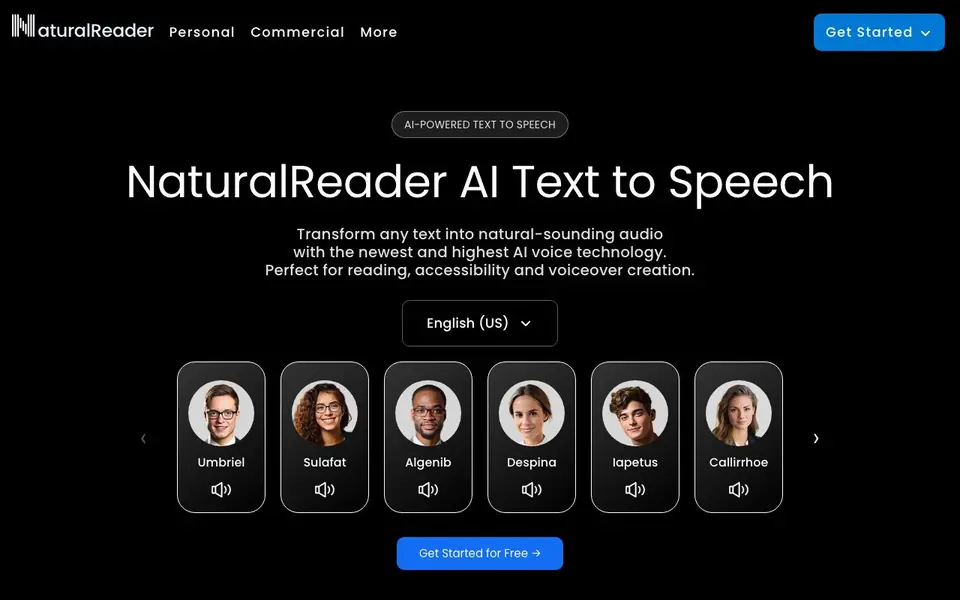
NaturalReader is an AI text-to-speech tool that converts written content into lifelike audio. It works for personal listening, commercial voiceovers, and educational accessibility. You can use it online, on mobile, or with a commercial license.
You start by pasting text, uploading a PDF, Word doc, or image, or scanning a physical book with the camera. The AI voices read aloud with natural tone and can speak in over 90 languages. You can customize delivery with prompts, choose preset styles like audiobook or e-learning, or clone your own voice.
It suits students, busy professionals, and creators. For education, there are discounted group or site licenses. The mobile app is free to download with no ads, and you can export audio as MP3 for offline listening.
NaturalReader features
- LLM Voices: Trained on large language models for high-quality, lifelike speech.
- Content Aware: Voices understand your text and adjust delivery to match tone.
- Multilingual: Speak in over 90 languages with natural accents and delivery.
- Voice Cloning: Upload or record your voice to create a custom AI voice.
- OCR Camera Scanner: Scan physical books and documents to make them readable aloud.
What you can do with NaturalReader
- Listen to PDFs and web pages during your commute or while cooking.
- Create voiceovers for YouTube videos, eLearning, and ads.
- Make textbooks accessible for students with reading difficulties.
- Turn long documents into podcast episodes for on-the-go listening.
How to get started with NaturalReader
- Go to the NaturalReader website and click Get Started for Free.
- Paste text, upload a document, or scan a page with the camera.
- Pick a voice, adjust tone or accent, and listen or export as MP3.
Tips for better results with NaturalReader
- Paste your text directly into NaturalReader and experiment with the Content Aware voices, which adjust tone to match your material, for the most natural reading experience.
- Use NaturalReader's custom prompt feature to describe the exact delivery you want, such as a warm British accent for accessibility, to tailor the voice to your project.
- Scan physical books or documents with NaturalReader's OCR camera scanner to convert them into readable audio, saving you from manual typing or retyping.
- For long documents, turn them into AI Podcast episodes within NaturalReader to listen on the go, and control the length and number of speakers to fit your commute.
NaturalReader pricing
NaturalReader has a free way to start, with paid plans for heavier use. Check naturalreaders.com for current limits and prices.
What to check before you rely on NaturalReader
- Check the free plan's limits on characters or audio exports, as NaturalReader's website does not list specific quotas for the freemium tier.
- Verify whether voice cloning is available on your plan, since the site does not specify which tiers include this feature or any associated costs.
- Confirm that your intended use, such as commercial voiceovers, is covered by your chosen license, as the site separates Personal and Commercial plans without detailing restrictions.
Who NaturalReader is for
NaturalReader suits students, professionals, content creators and educators. If that is not you, the AI voice generators below may fit better.
Similar tools compared with NaturalReader
| Tool | What it is | Pricing |
|---|---|---|
| NaturalReader | AI text-to-speech and voiceover maker | Freemium |
| ElevenLabs | AI voice generator and voice agents platform | Freemium |
| Murf | AI voice and conversational agent platform | See website |
| Resemble AI | AI deepfake detection and watermarking platform | See website |
| Speechify | AI text-to-speech and voice assistant | Freemium |
NaturalReader FAQ
Is NaturalReader free to use?
Yes, you can get started for free. The website mentions free access and a free mobile app with no ads. Paid plans exist for commercial use and education, but the free tier is available.
What file types can I listen to?
You can convert text, PDFs, Word documents, ePubs, web pages, and images. The OCR camera scanner lets you read physical books and documents by taking a photo.
Can I use NaturalReader for commercial voiceovers?
Yes, there is a commercial plan for creating high-quality audio for videos, eLearning, training, podcasts, and other public or business use. It includes features like voice cloning and voice design.
Does NaturalReader work on mobile?
Yes, there is a mobile app that is free to download with no ads. It includes a camera scanner for physical text and cross-device compatibility so you can continue listening from your computer.
What can NaturalReader export audio as, and can I download it?
NaturalReader lets you export audio as MP3 files for offline listening, as stated in its profile. The website does not mention other export formats like WAV or AAC. For the full list of export options, check the app or the plans page on naturalreaders.com.
Does NaturalReader have a free plan, and what does it include?
NaturalReader offers a free plan, as indicated by its freemium pricing label. The website highlights that the mobile app is free to download with no ads, and you can get started for free. Specific limits on characters or features are not listed on the site, so check the pricing page for details.
Can NaturalReader be used for commercial voiceovers, and what license do I need?
Yes, NaturalReader supports commercial voiceovers. The website has a dedicated Commercial plan for creating audio for videos, eLearning, training, podcasts, and other public or business use. You need to choose that plan to legally use the voices commercially. Personal and EDU plans are for non-commercial or educational purposes.


