

What is Monica?
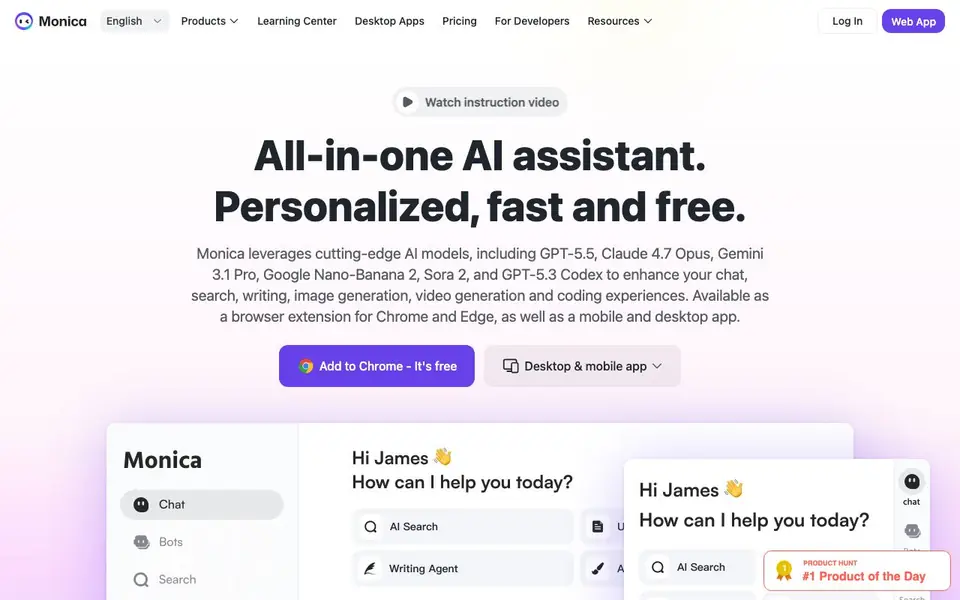
Monica is an all-in-one AI assistant that works as a browser extension for Chrome and Edge, plus desktop and mobile apps. It connects you to top AI models like GPT-5.5, Claude 4.7 Opus, Gemini 3.1 Pro, Sora 2, and Nano Banana 2. You can chat, search, write, translate, summarize, generate images, and even create videos without leaving the page you are on.
To use it, you add the extension and click its icon on any webpage. A sidebar opens with all the AI tools. You can select any text on a page to explain, translate, or summarize it instantly. The smart toolbar also helps you draft or rewrite content right where you work. AI answers appear alongside your search engine results for quick reference.
Monica suits professionals like entrepreneurs, analysts, researchers, developers, marketers, and customer service teams. It also offers specialized tools like a document analyzer, email assistant, and competitor analysis. The website says it is trusted by over 10 million users and has a 4.9 rating on the Chrome Store. It is free to start, with paid plans available for more advanced features.
Monica features
- AI sidebar: One click opens all AI features from any webpage you visit.
- Smart toolbar: Select any text to explain, translate, or summarize it instantly.
- Writing assistant: Draft or rewrite content directly on any webpage without switching tabs.
- Web enhancement: AI answers appear right next to your search engine results.
- Multi-model access: Chat with top models like GPT-5.5, Claude 4.7 Opus, and Gemini 3.1 Pro in one place.
What you can do with Monica
- Summarize long articles or reports while reading them online.
- Translate selected text on any webpage into another language.
- Draft emails or social posts directly within your browser.
- Generate images or videos from text prompts without leaving your workflow.
How to get started with Monica
- Add the Monica extension to Chrome or Edge from the website.
- Click the Monica icon on any webpage to open the AI sidebar.
- Select text or type a prompt to chat, summarize, translate, or generate content.
Tips for better results with Monica
- Install the Monica extension in Chrome or Edge, then click its icon on any page to open the sidebar and access all tools from one place.
- Select any text on a webpage and use Monica's smart toolbar to instantly explain, translate, or summarize it without switching tabs.
- Use Monica's writing assistant to draft or rewrite emails and social posts directly in your browser, keeping your workflow uninterrupted.
- Ask Monica to display AI answers alongside your search engine results, so you can compare information quickly while researching.
- For document-heavy work, try Monica's document analyzer to extract key points from contracts or reports and highlight critical details.
Monica pricing
Monica has a free way to start, with paid plans for heavier use. Check monica.im for current limits and prices.
What to check before you rely on Monica
- Check the free plan's limits before relying on it for daily work, since the website does not specify what features or usage are restricted.
- Verify which AI models are available on your plan, as the listed models like GPT-5.5 and Claude 4.7 may require a paid subscription.
- Confirm your data privacy and storage policies, because the website does not state how your inputs or uploaded documents are handled.
- Ensure the extension works on your browser and operating system, as it supports Chrome and Edge plus desktop and mobile apps, but details are limited.
Who Monica is for
Monica suits students, professionals, writers, developers and content creators. If that is not you, the AI chatbots below may fit better.
Similar tools compared with Monica
| Tool | What it is | Pricing |
|---|---|---|
| Monica | All-in-one AI assistant for browsing | Freemium |
| SiChatApp | Free browser chat with multiple AI models | Freemium |
| ChatGPT | AI chatbot for chat, work, and creation | Freemium |
| Gemini | AI assistant for chat and tasks | Freemium |
| Kimi | AI assistant for coding and knowledge work | See website |
Monica FAQ
What is Monica?
Monica is an all-in-one AI assistant available as a browser extension for Chrome and Edge, plus desktop and mobile apps. It combines chat, writing, search, translation, image generation, and video creation in one place.
Is Monica free?
Yes, the website says it is free to start. You can add it to Chrome for free, and there are paid plans available for more advanced features. Check the Pricing page for details.
How does Monica work?
You install the extension and click its icon on any webpage. A sidebar opens with all AI tools. You can select text to explain, translate, or summarize, or type prompts to chat, write, or generate images.
Which AI models does Monica use?
Monica uses leading models like GPT-5.5, Claude 4.7 Opus, Gemini 3.1 Pro, Sora 2, and Nano Banana 2. The website lists many more models, including GPT-4o, Grok 3, and DALL·E 3.
What platforms does Monica run on?
Monica is available as a browser extension for Chrome and Edge, plus desktop and mobile apps. This means you can use it on Windows, macOS, iOS, and Android devices. The website does not list specific operating system requirements, so check the app store or Chrome Web Store for compatibility details.
Does Monica offer a free plan and what does it include?
Yes, Monica is free to start. The website says it is free and you can add it to Chrome at no cost. The free plan includes basic AI chat, search, writing, and translation features. For more advanced capabilities like higher usage limits or premium models, you would need to upgrade to a paid plan.
Can Monica generate images and videos?
Yes, Monica includes AI image and video generation tools. You can create images from text prompts, use image-to-image, generate videos, and even turn images into animations. These features are part of the all-in-one assistant, so you can use them directly from the sidebar or toolbar on any webpage.


