
What is Mira?
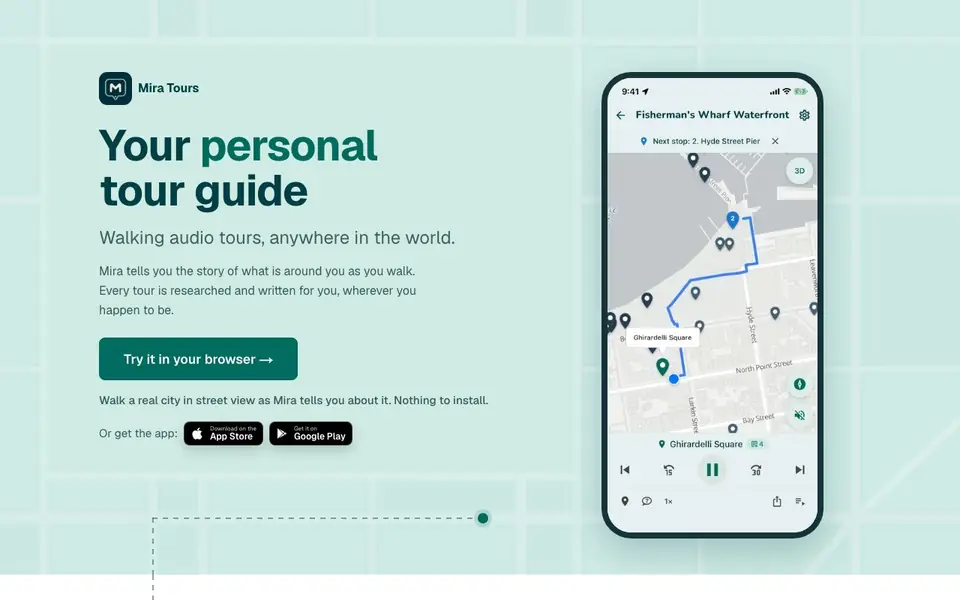
Mira is an AI tour guide that turns your walks into narrated experiences. It researches and writes stories about the places you pass, so you can explore cities with audio commentary tailored to your interests. You can use it in your browser or via the mobile app.
To start, you can build a custom tour by chatting with Mira about what you're curious about—like hidden history or film spots—and it proposes real places in walkable order. You can add, drop, or reorder stops until the plan feels right. Alternatively, you can just tap start and let Mira find interesting spots near you as you wander, or route you to a destination while narrating what you pass.
Mira suits travelers, curious locals, and anyone who enjoys learning about their surroundings. It narrates in 23 languages and lets you share tours with friends for free. The first 30 minutes are free, and after that you buy listening time in packs—no subscription needed.
Mira features
- Custom tour builder: Chat with Mira to create a route with stops you choose.
- Wander mode: Start walking and Mira automatically finds and narrates interesting places near you.
- Destination routing: Get narrated directions to a place with pacing to match your arrival time.
- Interest customization: Tell Mira what to include or skip, like less politics or more ghosts.
- Shared tours: Send a link so friends walking with you hear the same stories live.
What you can do with Mira
- Explore a new city on foot with personalized audio commentary.
- Learn about your own neighborhood's hidden history during a walk.
- Take a virtual tour of a distant city from home using street view.
- Entertain kids on a walk with stories tailored to their interests.
How to get started with Mira
- Open Mira in your browser or download the app from the App Store or Google Play.
- Choose how to start: build a tour by chatting, tap start to wander, or head to a destination.
- Walk and listen as Mira narrates each stop; ask questions or adjust interests anytime.
Tips for better results with Mira
- Start by telling Mira exactly what you are curious about, like hidden history or film spots, so it proposes stops that match your interests from the beginning.
- Use the chat to add, drop, or reorder stops until the route feels right, and ask for a coffee or food stop to make the tour more enjoyable.
- Try Mira in wander mode with no plan at all, and let it find interesting spots near you as you walk, then ask questions about anything you pass.
- Share your tour link with friends before you start walking, so everyone hears the same stories live without using their own listening minutes.
- When heading somewhere with a destination, give Mira an arrival time so it paces the walk and narrates what you pass along the way.
Mira pricing
Mira has a free way to start, with paid plans for heavier use. Check mira.tours for current limits and prices.
What to check before you rely on Mira
- Check whether the free 30 minutes apply per tour or per session, since the website does not specify how the free time is counted.
- Confirm the cost of listening time packs before you rely on Mira for a long walk, as the website does not list pack prices.
- Verify that your city has good street view coverage if you plan to take a virtual tour from home, since the website does not guarantee coverage everywhere.
Who Mira is for
Mira suits travelers, locals, curious walkers and families. If that is not you, the AI voice generators below may fit better.
Similar tools compared with Mira
| Tool | What it is | Pricing |
|---|---|---|
| Mira | AI walking audio tour guide | Freemium |
| ElevenLabs | AI voice generator and voice agents platform | Freemium |
| Murf | AI voice and conversational agent platform | See website |
| Resemble AI | AI deepfake detection and watermarking platform | See website |
| Speechify | AI text-to-speech and voice assistant | Freemium |
Mira FAQ
How does Mira work?
Mira uses AI to research and write audio stories about places around you. You can build a custom tour by chatting, or just start walking and it finds interesting stops near you.
Is Mira free?
Your first 30 minutes are free. After that, you buy listening time in packs—30 minutes for $0.99, 2 hours for $2.99, or 5 hours for $5.99. No subscription or monthly fee.
Can I use Mira without installing anything?
Yes, you can try Mira in your browser and walk a real city in street view. The mobile app is also available for iOS and Android.
What languages does Mira support?
Mira narrates in 23 languages, including English, Spanish, French, German, Japanese, and Hindi. You can choose the language per tour.
Does Mira require a subscription or can I pay per use?
Mira is freemium: your first 30 minutes are free, and after that you buy listening time in packs. There is no subscription, so you only pay for the time you actually use. You can check the pricing details on the Mira website for current pack options.
Can I use Mira on my phone and computer?
Yes, Mira works in your browser on a computer and also has mobile apps for iOS and Android. You can start a tour in your browser, then continue on your phone, or use the app to walk with audio. The website mentions both options, so you can choose what suits you.
Does Mira work offline or only with an internet connection?
The Mira website does not mention offline functionality, so it likely requires an internet connection to stream audio and use maps. For the most accurate information, check the Mira app store listing or contact support directly.


