

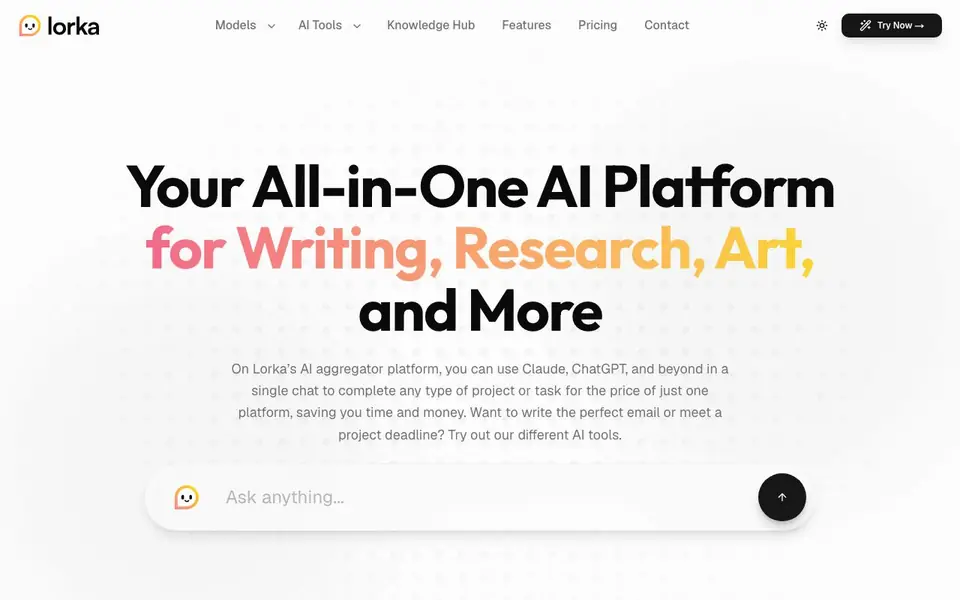
What is Lorka AI?
Lorka AI is an aggregator platform that brings several leading AI chat models together in one place. You can switch between Claude, ChatGPT, Gemini, Grok, Qwen, and DeepSeek within a single conversation. This lets you compare reasoning, pick the best model for each task, and avoid paying for multiple subscriptions.
To get started, you open the chat and type your question or task. You can ask for study help, data analysis, translations, or creative writing. The platform also includes extra tools like AI web search, image editing, PDF chat, translation, a humanizer, and voice mode. These are designed to handle different parts of your work without leaving the app.
Lorka suits students, researchers, developers, small business owners, and content creators. The website highlights features like real-time insights from Grok, code help from Gemini, and multilingual support from Qwen. It does not mention specific pricing plans, so you would need to check the pricing page for details.
Lorka AI features
- Multi-model chat: Switch between Claude, ChatGPT, Gemini, Grok, Qwen, and DeepSeek in one thread.
- AI web search: Get accurate, summarized search results quickly for research or verification.
- AI image editor: Improve visuals for presentations or social posts using simple prompts.
- Chat with PDF: Extract insights and ask questions about your documents directly.
- AI translator: Translate text with natural accuracy across languages.
- Voice mode: Brainstorm, draft, or take notes hands-free by speaking instead of typing.
What you can do with Lorka AI
- Compare model reasoning for complex research questions in a single chat.
- Draft emails, captions, and articles using different AI models for variety.
- Analyze reports and spreadsheets with DeepSeek for data-heavy tasks.
- Translate research documents with Qwen's multilingual support.
- Generate and edit images for client pitches or social content.
How to get started with Lorka AI
- Visit Lorka's website and click the Try Now button to open the chat.
- Type your question or task in the Ask anything box.
- Choose a model from the list or switch between them in the same thread as needed.
Tips for better results with Lorka AI
- Start a new chat for each task and switch models mid-conversation to compare how Claude, ChatGPT, or Gemini handle the same question before choosing the best answer.
- Use Lorka AI's web search for time-sensitive research, then ask Grok to verify the facts in the same thread to catch outdated or conflicting information.
- When analyzing spreadsheets or reports, switch to DeepSeek in Lorka AI and ask for step-by-step reasoning so you can follow the logic behind the numbers.
- For multilingual documents, use Qwen in Lorka AI to translate the text first, then switch to another model to summarize the translated content for clarity.
Lorka AI pricing
Lorka AI’s homepage does not list prices. Check lorka.ai for current plans.
What to check before you rely on Lorka AI
- Check the pricing page on lorka.ai before committing, since the website does not state any subscription costs or whether a free tier exists.
- Verify which model versions are actually available in your account, as the site lists specific versions like Claude Sonnet 5 but does not confirm availability for all users.
- Confirm whether your chat history and uploaded PDFs are stored or used for training, because the website does not mention data retention or privacy policies.
Who Lorka AI is for
Lorka AI suits students, researchers, developers and small business owners. If that is not you, the AI chatbots below may fit better.
Similar tools compared with Lorka AI
| Tool | What it is | Pricing |
|---|---|---|
| Lorka AI | All-in-one AI chat platform | See website |
| SiChatApp | Free browser chat with multiple AI models | Freemium |
| ChatGPT | AI chatbot for chat, work, and creation | Freemium |
| Gemini | AI assistant for chat and tasks | Freemium |
| Kimi | AI assistant for coding and knowledge work | See website |
Lorka AI FAQ
What AI models does Lorka support?
Lorka includes Claude Sonnet 5, ChatGPT-5.6, Grok 4.5, Gemini 3.6, Qwen 3.8, and DeepSeek V4-Pro. You can use them all in one chat and switch between them for different tasks.
Can I use Lorka for more than just chat?
Yes. Besides chat, Lorka offers AI web search, an image editor, PDF chat, translation, a humanizer, and voice mode. These tools help with writing, research, and content creation.
Is Lorka free or paid?
The website does not state pricing details. It mentions a single subscription for multiple models, but you need to check the Pricing page for exact costs and whether a free plan exists.
Who is Lorka best for?
Lorka suits students, researchers, developers, and small business owners. Testimonials mention PhD research, creative direction, bakery management, and software engineering as common use cases.
Does Lorka AI have a mobile app or is it only web-based?
The Lorka AI website does not mention a dedicated mobile app. It appears to be a web-based platform you can access through a browser. For the most current information on device support, check the official Lorka AI website or contact their support team.
Can I use Lorka AI without creating an account?
The Lorka AI website does not specify whether an account is required to use the platform. Typically, AI aggregator services require an account to manage your conversations and settings. To get a definitive answer, visit the Lorka AI website and look for sign-up or login options.
What integrations or export options does Lorka AI offer?
The Lorka AI website does not list specific integrations with other apps or export options. It focuses on its built-in features like AI chat, web search, image editing, PDF chat, translation, humanizer, and voice mode. For details on exporting or connecting to external tools, check the website or contact support.


